The visual metronome now works without the AbleSet Controller M4L device or measures track, by parsing bar information out of the current project file
“Auto-Jump to the Next Song” is now enabled by default
The “Auto-Loop the Current Section” option has been removed
You can always loop the current section by pressing the loop button, which will move the loop bracket around the current section if it isn’t already there
Log packages now include the “AbleSet” folder of the currently loaded project for more information to reproduce bugs
Fixed a bug where some large project files with hundreds of songs wouldn’t load as expected, leaving AbleSet in a partly outdated state
Fixed progress bars always starting full and animating back to the current position when loading the web app
Setlist
Added an option to show the visual metronome in the bottom left corner of the playback controls
You can now paste a list of songs into the “Load Setlist” dialog to import it
This is especially useful on iOS and Android where you can’t just press ⌘ V
Lyrics
Added an option to always show the “Line Override” button
Added a new /devices/setLineOverride OSC command to enable or disable the line override feature
Canvas
Added a vertical orientation option for dividers
Added an option for multi-line input fields
You can now expand all script editors from the sidebar into a larger window
The label of buttons and sliders is now available as a label variable in scripts
Scripts for buttons and sliders are now limited to only one concurrent run
When running the same script again while it’s already running, the running script will be stopped first before running it again
Renamed element “Templates” to “Presets”
Performance
The song and section description elements now have clearer class names for custom styling
Settings
Fixed an issue where the current computer might be labeled as “Unnamed” in AbleNet settings
Thank you! that you made the visual metronome work without the Max for Live and Pro version of Ableton! That will be the one of the best features of 3.0! And please if you split AbleSet in 3 plans include the Visual Metronome as well as loops in the Starter Plan
Very happy to see this working. Was on the fence to buy M4L for the visual metronome alone - so glad that it even works now in the Ableton standard version. Thanks a lot!
have been trying the visual metronome, which I find very handy. However, my session has a few songs in different time signatures, and even after ensuring everything is snapped to the grid, and starts on whole numbered bars, somehow the metronome offsets after a few cycles. I have not been able to find a pattern to do any proper RCA. Happy to share any info, if anyone can help me out here…
If the visual metronome drifts after a few cycles, I’d recommend checking the same things I mentioned over here:
A couple of quick questions that might help narrow things down:
• Are your click tracks rendered as WAV/AIFF files, or are you generating the click inside Live?
Sometimes a rendered click can be accidentally warped or slightly shifted, which could introduce an offset.
• And if possible, could you share a screenshot or short screen recording showing what you’re seeing? That would help a lot in figuring out what’s going on.
I also went through the post you linked in your comment before dropping a comment and have ensured that :
First Locator (in fact all my locators) are on first beat even when there are time signature changes.
I added time signature changes at the start and end of each song too, while trying to troubleshoot. Even that did not help.
I ended up ensuring that visual metronome utilises full screen flashes using custom styling, however I want to also add a different colour to mark downbeats or subdivisions (eg for 7/4 I want red flashes for beat 1,4,6).
Quick thought. If we could set source for visual metronome, I could utilise the IAC driver to pass a duplicate MIDI track (copy of my click track, just with the same note and no accent, maybe with velocity changes) and pass that as source to visual metronome to identify downbeats.
Let me know if I can provide something more. Happy to zip my project and share it across for you to examine. It could be upwards of 2GBs though with all my resources in there. Sorry.
Hey @pritamswain, thank you for providing the log files and the video!
I just tried to reproduce the issue on my end with your project file, but it all seems to work fine here. Here’s a video of what it looks like on my end: Video uploaded to CleanShot Cloud
One caveat of this method of using the visual metronome is that changes to time signatures in your project are only recognized when the project file is saved since AbleSet has to extract this information out of the project files. Maybe that was the issue?
If this still doesn’t work, you could use a Measures Track to manually define where each measure starts and ends. Here’s a video of how this works: https://youtu.be/_OV6RF5UPT4?t=144
Let me know if this helps, I’m looking forward to your reply!
Hey @leolabs , Thanks a ton for taking time out to look into this.
Thanks for recommending measures, not sure why I did not think of this.
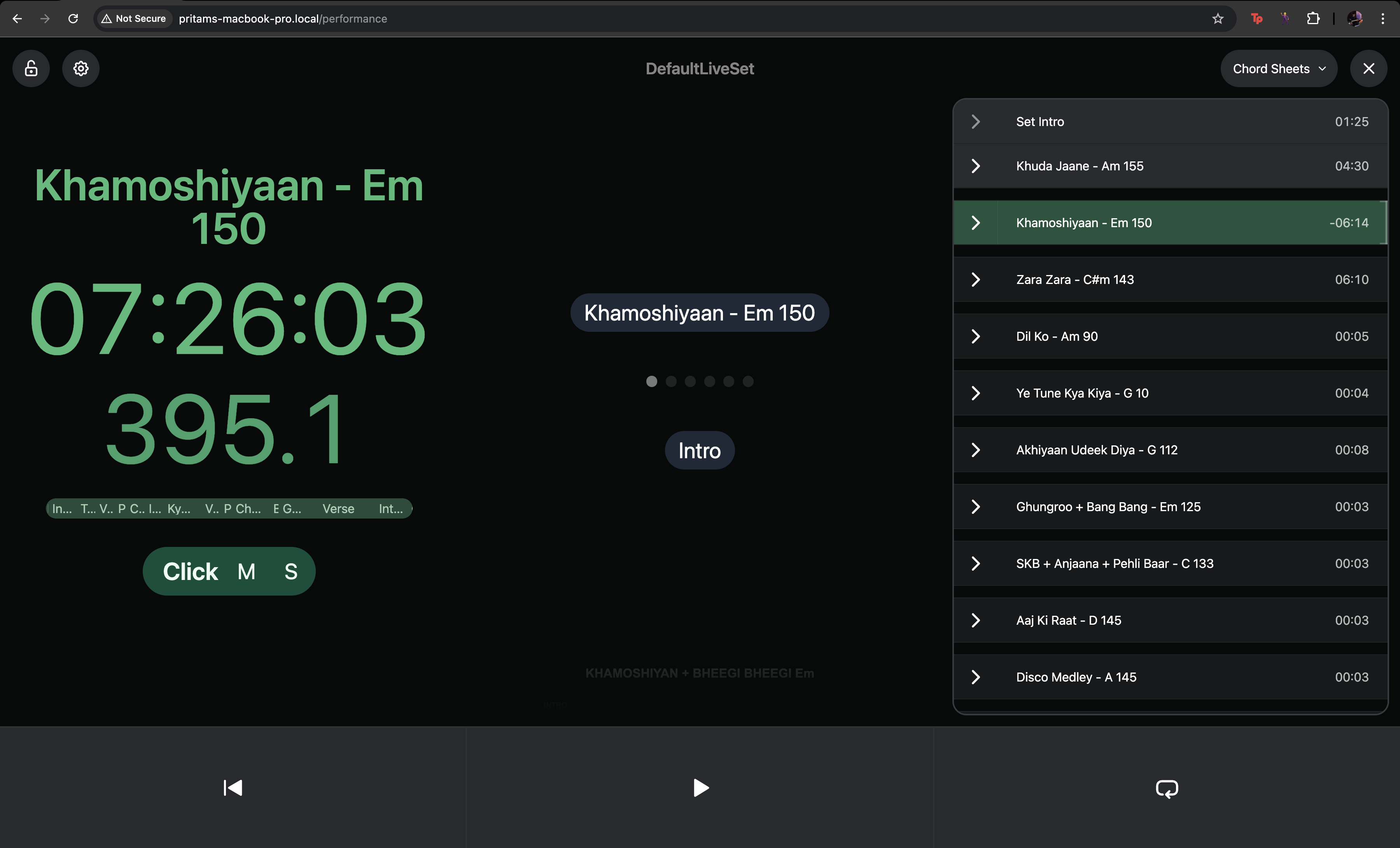
I used the show measures in performance view, and here is what is see.
I am using the song “Khamoshiyaan” as an example.
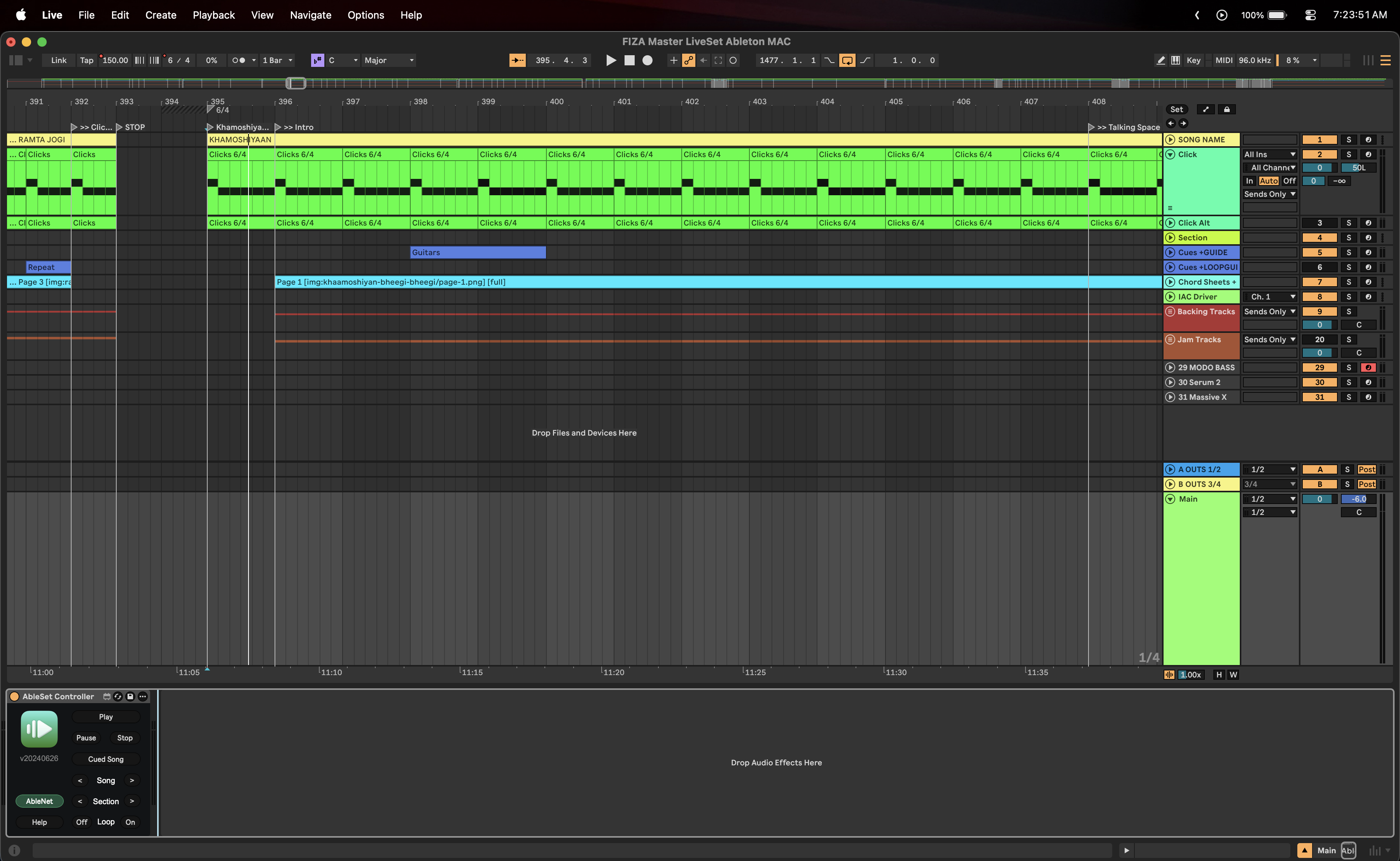
In my Ableton session, here is the measure it starts from 395.
When I start playing, the measure matches my ableton session. But when I choose to jump into a different section within the same song, or choose to restart the song, I see the measure changing and showing a different value than what is showing inside ableton.
Screen recording here: https://drive.google.com/file/d/1Dgej77mxq9U2HT_J0481IAWTYkE7G2JX/view?usp=sharing
Can you let me know if I am doing something wrong here?
Thank you for elaborating on the issue! I completely overlooked the AbleSet Controller Max for Live device in your project. There’s a bug in Max for Live, where sometimes, the bar it reports doesn’t match the actual bar in Live, especially in sessions with lots of time signature changes.
The visual metronome uses the Measures track if there is one for the song, then falls back to the Max for Live device if it’s available, and alternatively uses the project file’s information about time signature changes.
Could you try disabling or removing the AbleSet Controller from your project and check if that helps?
Ah, my bad. I forgot to disable the M4L after switching to the 23 and 24 beta. I had read it in the changelog that it was no longer needed, and somehow missed disabling it.
Disabling it, the metronome works like a charm! Thanks again.