Hi everyone,
I am facing an issue with Ableset on iPad.
For my live performance with my partyband I built myself a custom canvas with a button, that toggles the “Always Stop at the End of Songs” settings option, to give me more control of our transitions between songs.
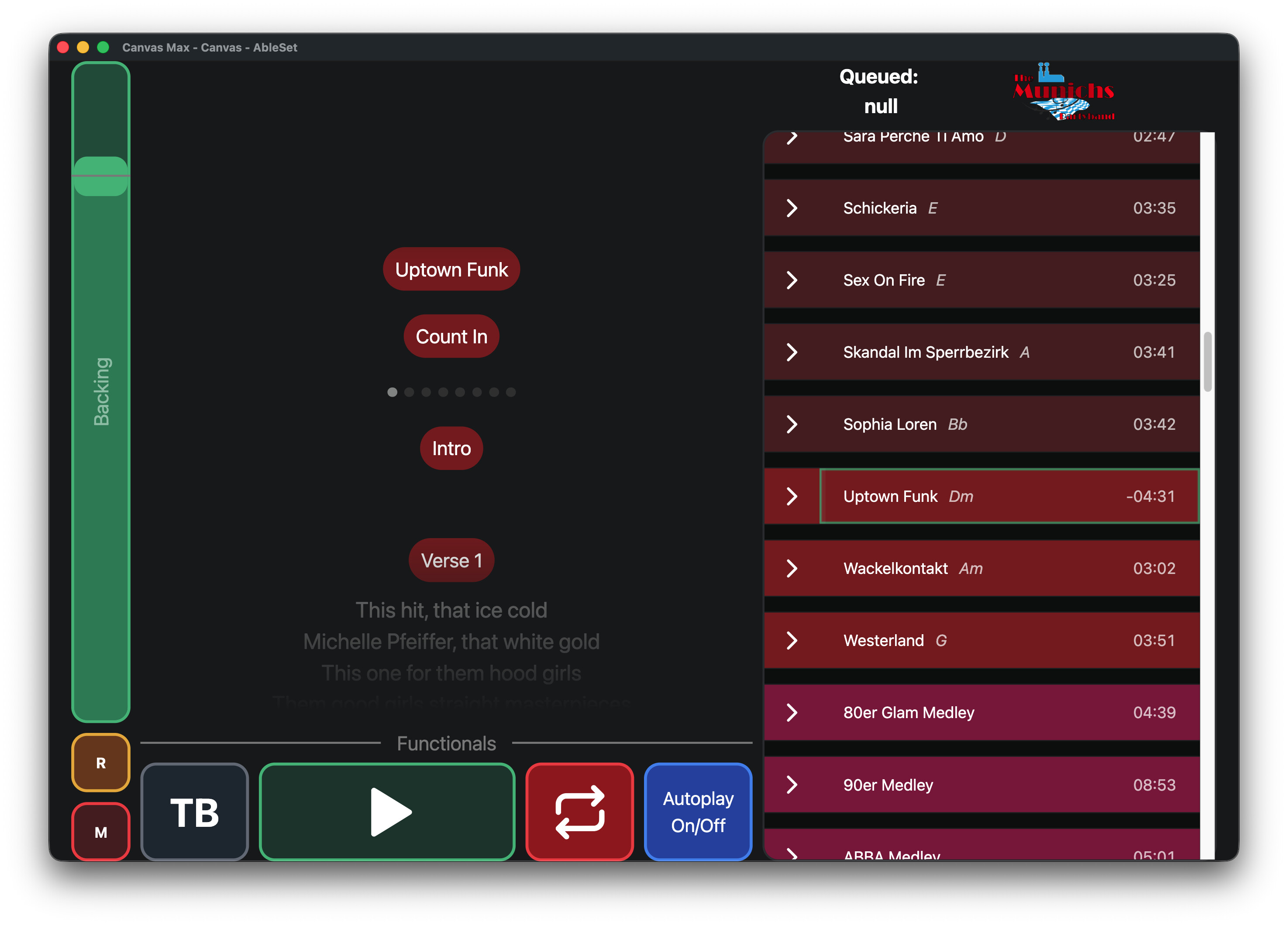
On Mac everything works, but on iPad the queued song, which is supposed to be centered and focused in the setlist, is somehow scrolled to the top, as the spaces between songs disappear.
Let me show you some pictures:
On Mac:
Autoplay deactivated:
Autoplay activated:
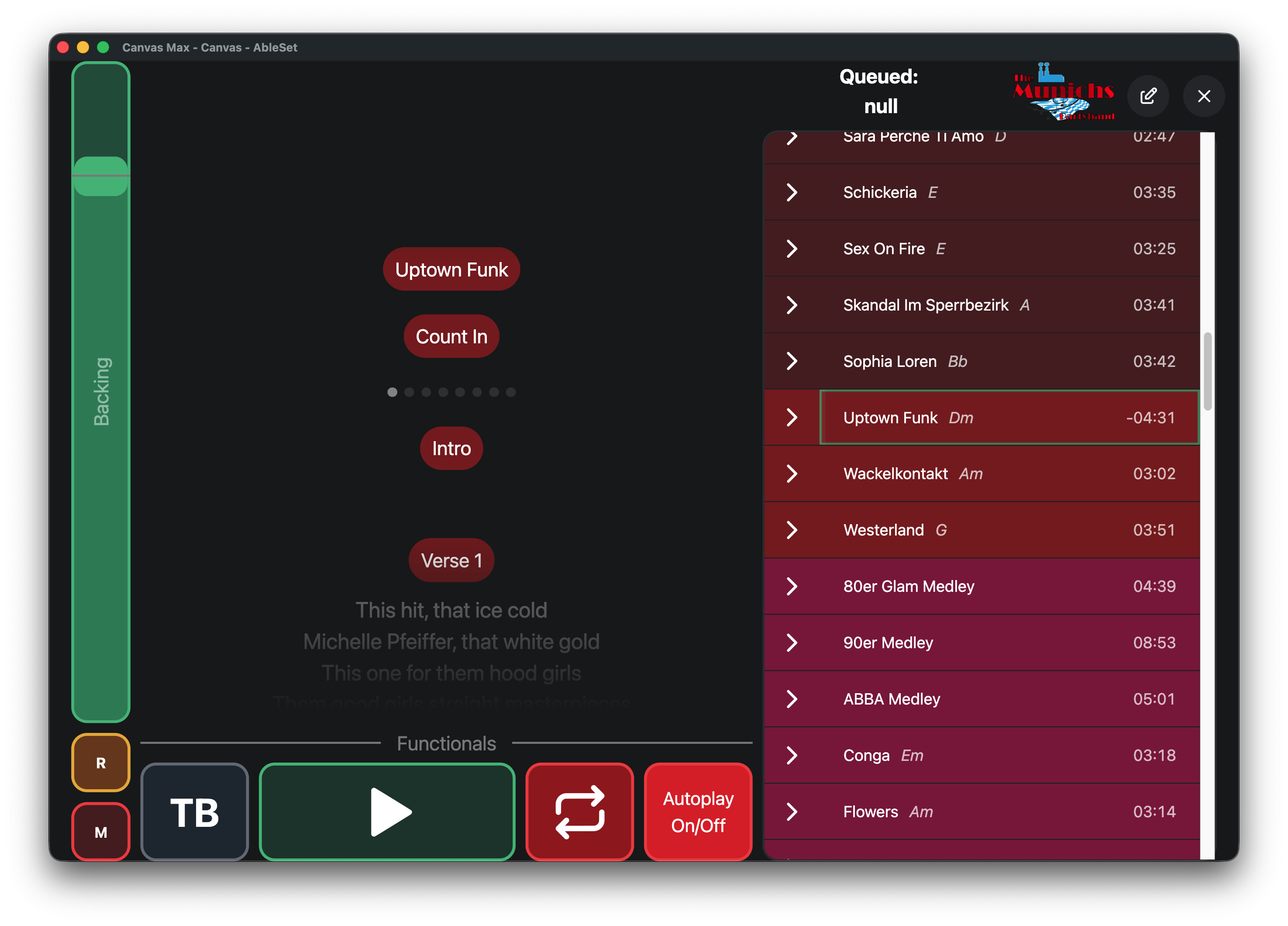
Tbh, the current/focused song is not completely centered anymore, but it is visible, and that’s all I need.
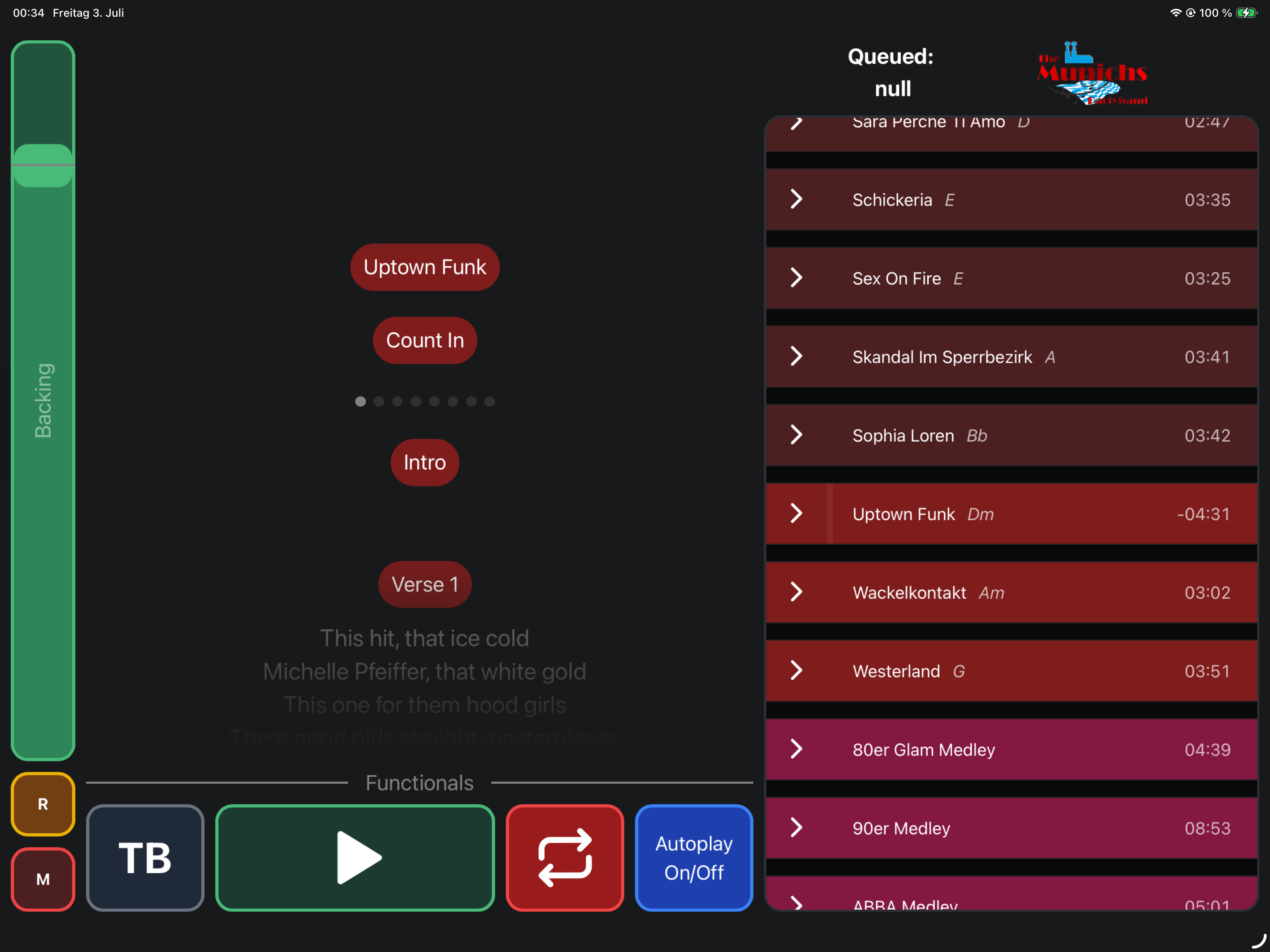
But on iPad it looks like this:
Autoplay deactivated:
Autoplay activated:
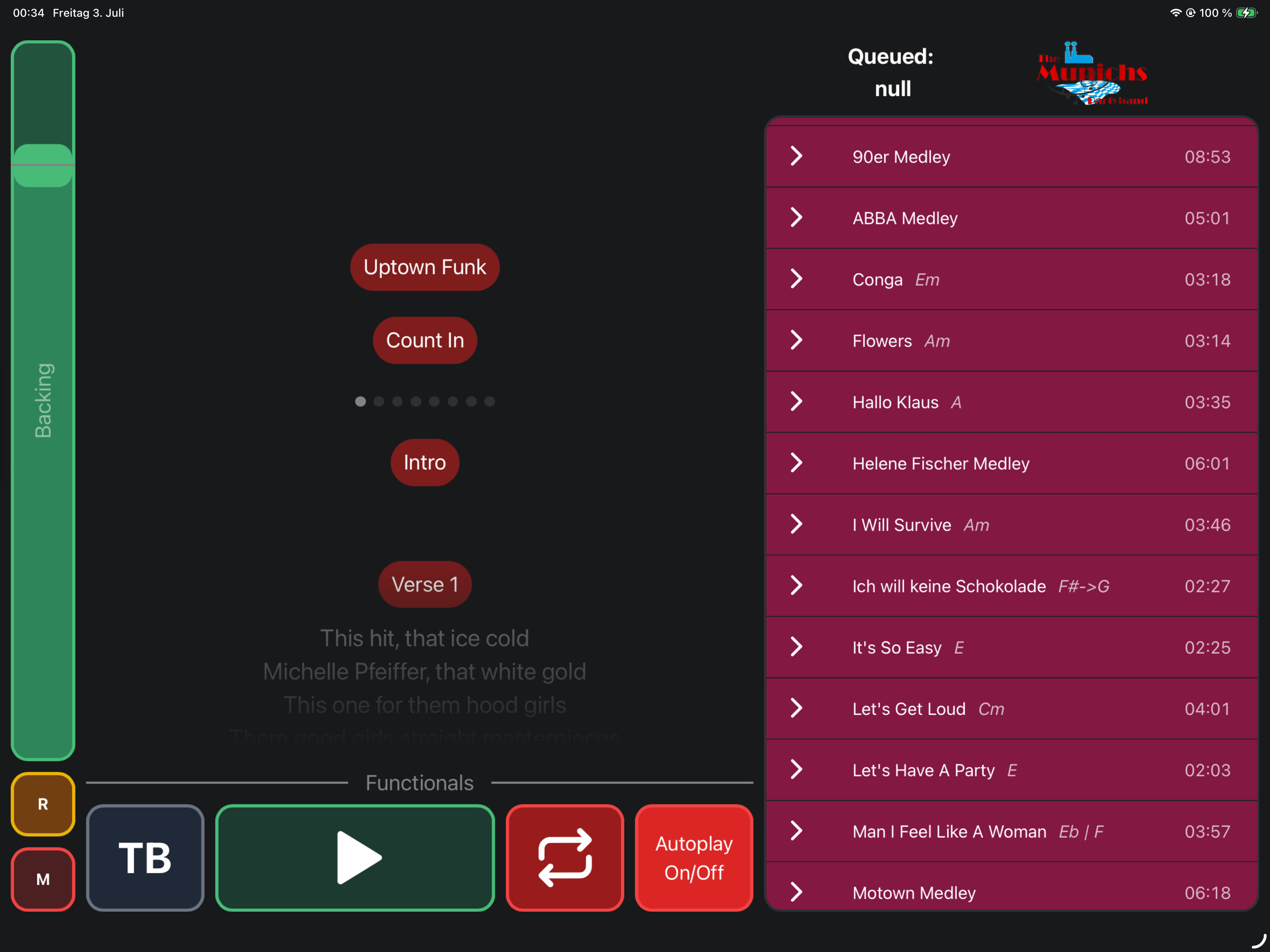
As you can see, the selected song (Uptown Funk in this case) is not visible anymore.
It seems like the scroll position is not preserved correctly. Instead of keeping Sara Perche Ti Amo as the top visible song, the list scrolls much further down, as if all the removed spacing is subtracted from the current scroll offset. As a result, I suddenly end up much lower in the setlist.
I would expect the iPad to behave the same way as the Mac by preserving the visible position of the top song when the spacing is added or removed. It leads to irritations of other persons looking at the setlist. because in some views, the are not able to see the queued song.
I hope you can address this issue very soon! 
Let me know, when I can help with this problem!
Best,
Max

