Hello! I have the following situation and I’m not sure if there’s a better way to handle it. In my Ableton project, I have several medleys of songs. For example, “Rock Medley.”
In this medley, there are songs like “Basket Case,” “Livin’ on a Prayer,” and “Highway to Hell,” all with transitions between them.
Currently, I just have a single song marker named “Rock Medley.” However, I can’t label the individual songs with locators, because AbleSet would then recognize them as separate songs rather than one connected medley. Is there a way to “group” songs in AbleSet so that I can have song markers for each track while keeping them grouped into a single medley?
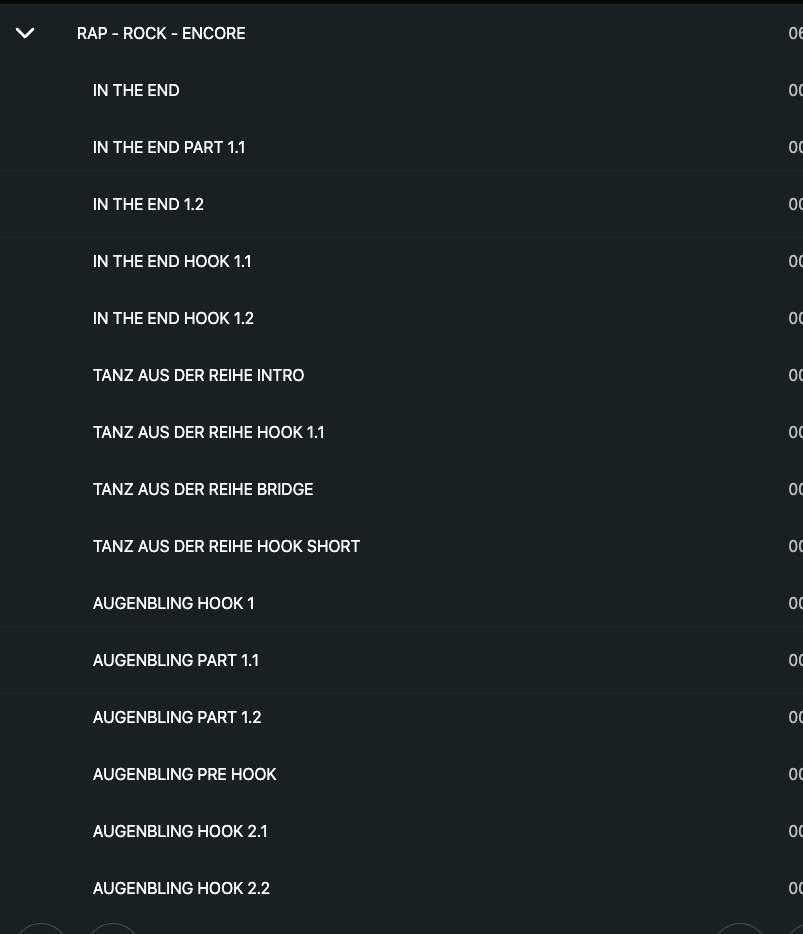
Thanks! Yes, that’s how I understood it as well. So far, I’ve always created sections and named them after the song + song part. Then it looks like this. However, I find that a bit confusing and was hoping I could make the individual songs stand out visually more. Or that I could collapse and expand them, like with the song markers.
That’s a great suggestion! Color coding is a very solid approach, especially for medleys, to visually group sections that belong to the same song.
And @Saschpak, if you’re already defining your parts using a Sections track, you can also add the +CC flag to the Sections track name. This lets you color the section clips directly in Ableton Live, and AbleSet will automatically translate those clip colors into its own color palette.
That way, all sections belonging to the same song in the medley can share a color — or even just the headings if you prefer — both in Live and in AbleSet, without having to manually tag each section name.
This usually makes long medleys much easier to scan and understand at a glance.
I’m an Ableset user just like yourself. I think I ran into the same issue as you - which interestingly never used to be an issue for me, but I found the fix and I think it’s the same outcome that you’re trying to achieve.
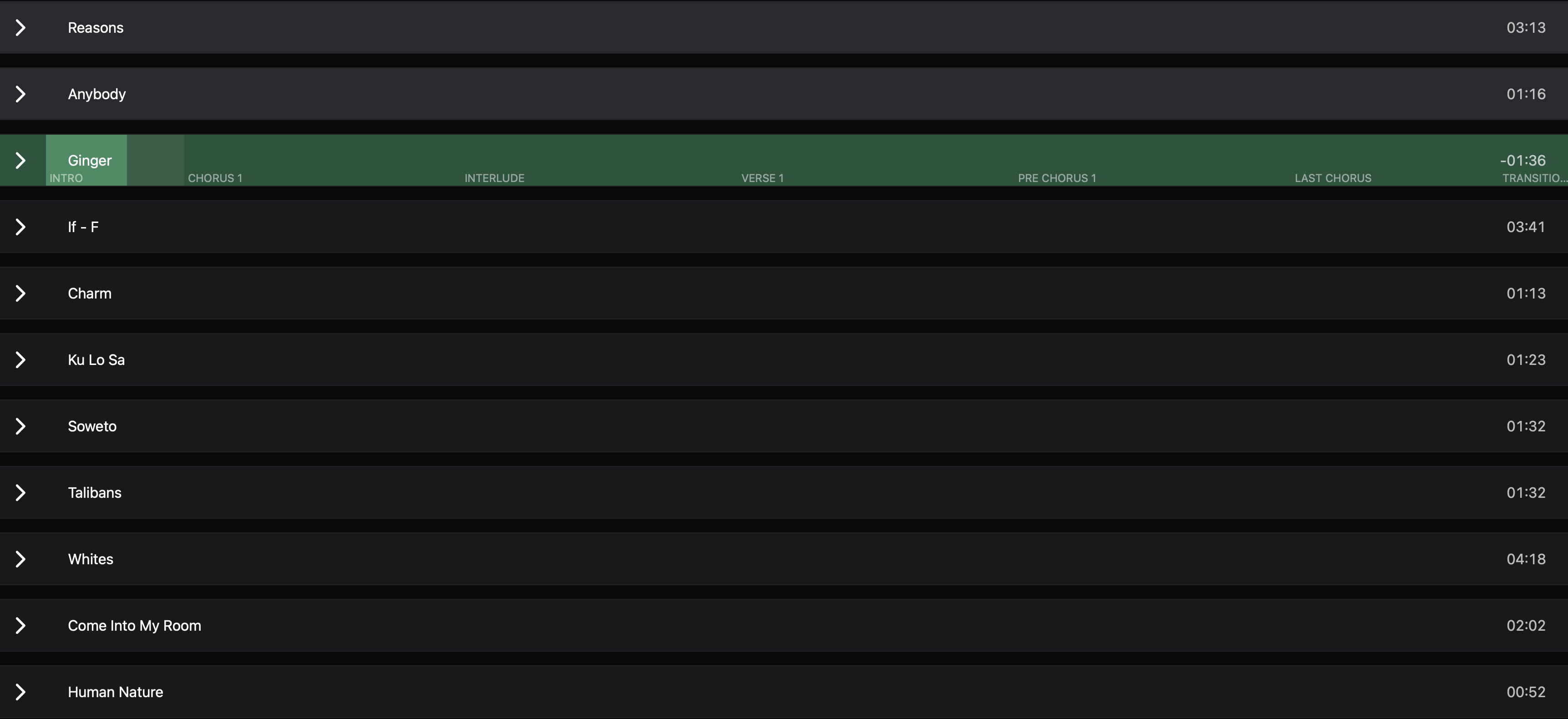
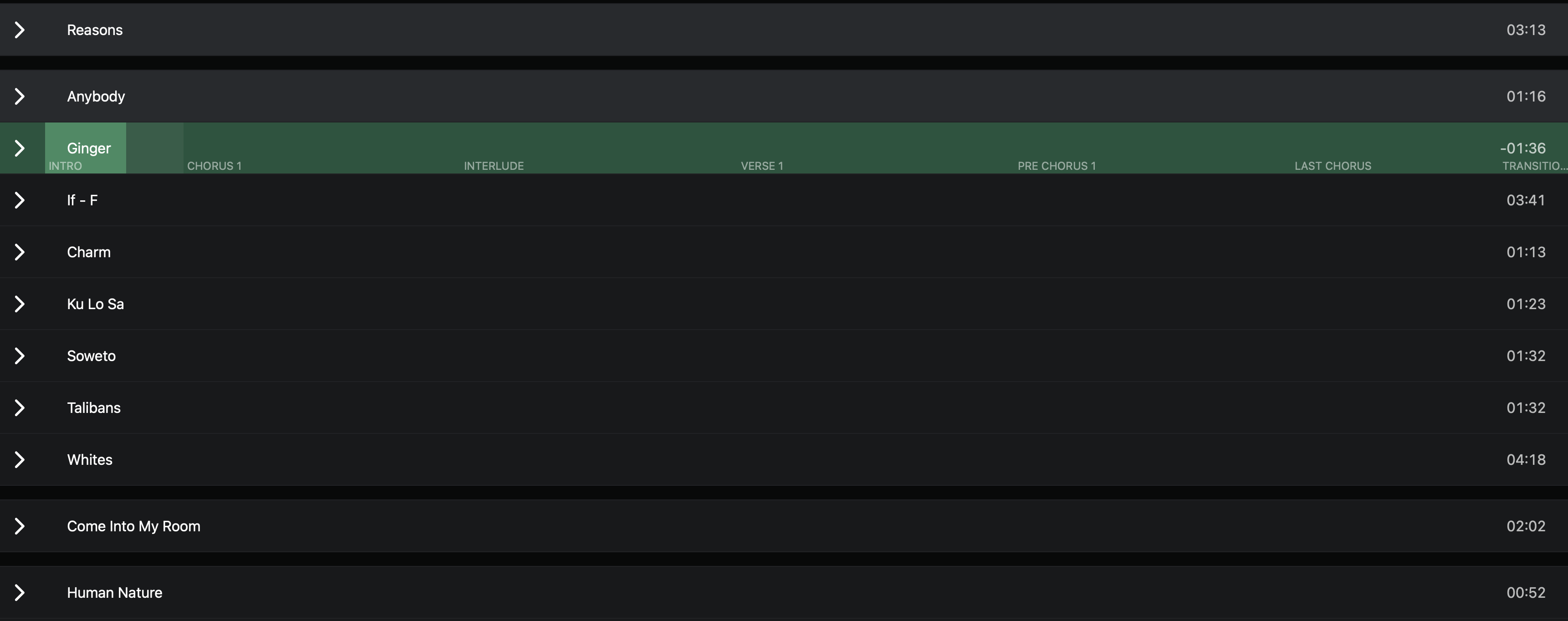
So I have a medley of songs, but I want Ableset to, essentially, group the songs into one, but still show the individual AND the sections for each INDIVIDUAL song. At the moment, it looks like this:
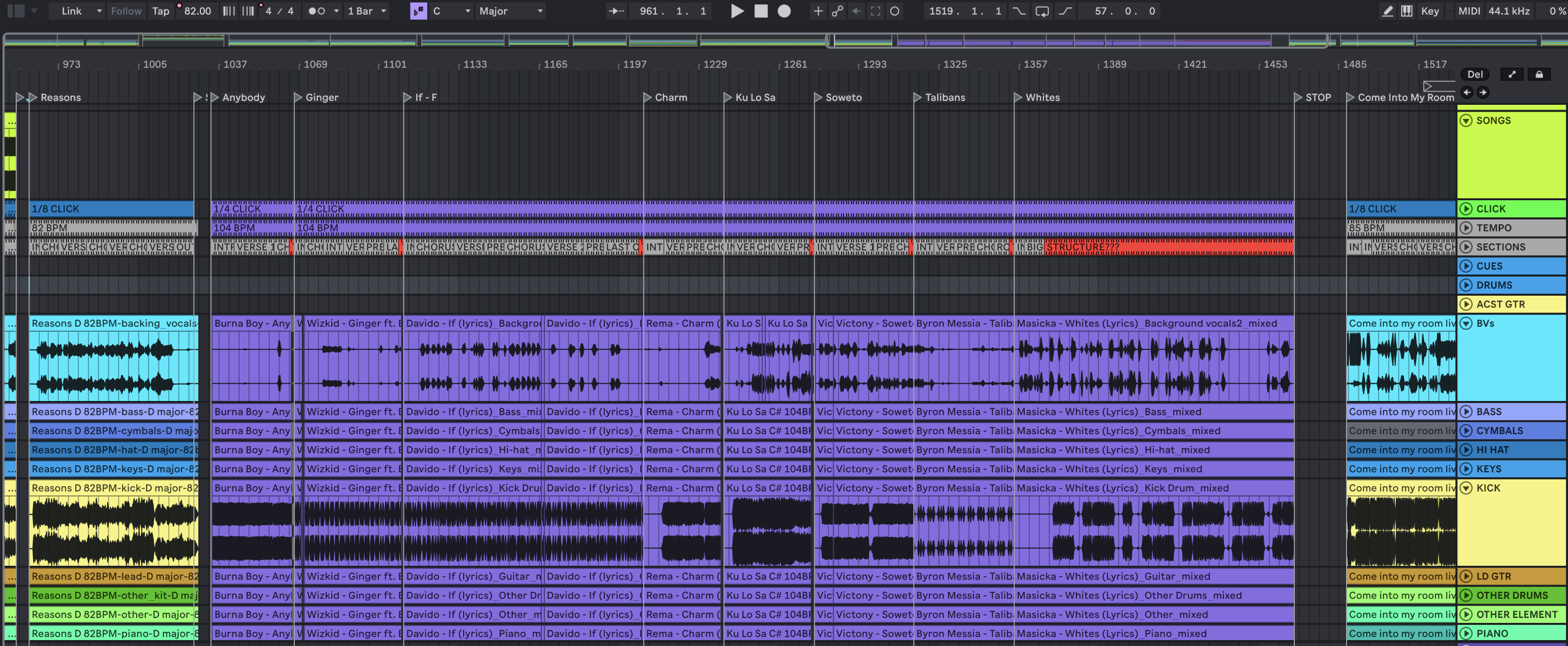
Placing a locator with the name of the song, at the START of every song.
Using a “SECTIONS” track, and creating section clips for each section of each song (verse, chorus etc)
Placing a “STOP” locator at the END OF THE LAST SONG
Going into Ableset settings and DISABLING “Always Stop at the End of Songs” under the “Playback” section
THIS FINAL STEP is what automatically groups the songs in the medley, whilst still allowing you to see the individual songs and their respective sections.
I will post screenshots of the changes and how they look below.
You can click on each song in the medley and it will dropdown to reveal each section of the respective song. you will also see this is performance view.