Describe your issue here:
When I open my Ableton project with several songs, Ableset does not recognize the project, it sees the project as a single song, it does not see additional song names, colors, etc. I was on beta 15 and the layout was “normal” to me, i updated to beta 25 and now have the issue. I’ll attach pictures/videos.
I’m not able to use any of my Ableton projects. I have to create a setlist inside of Ableset but the problem I have there is the entire project changes in Ableton and there are no seamless transitions because Ableton has to load the new project and then start.
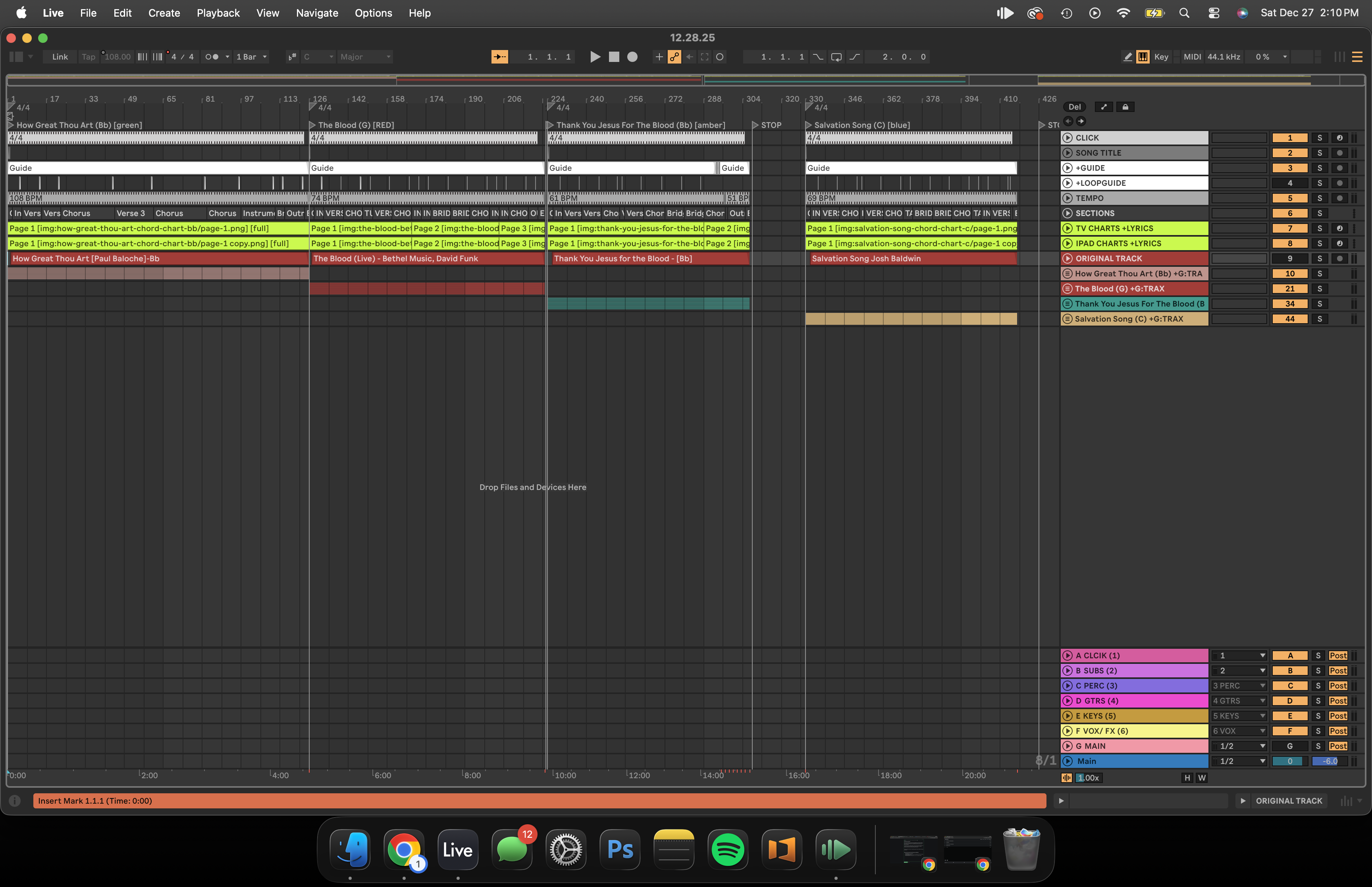
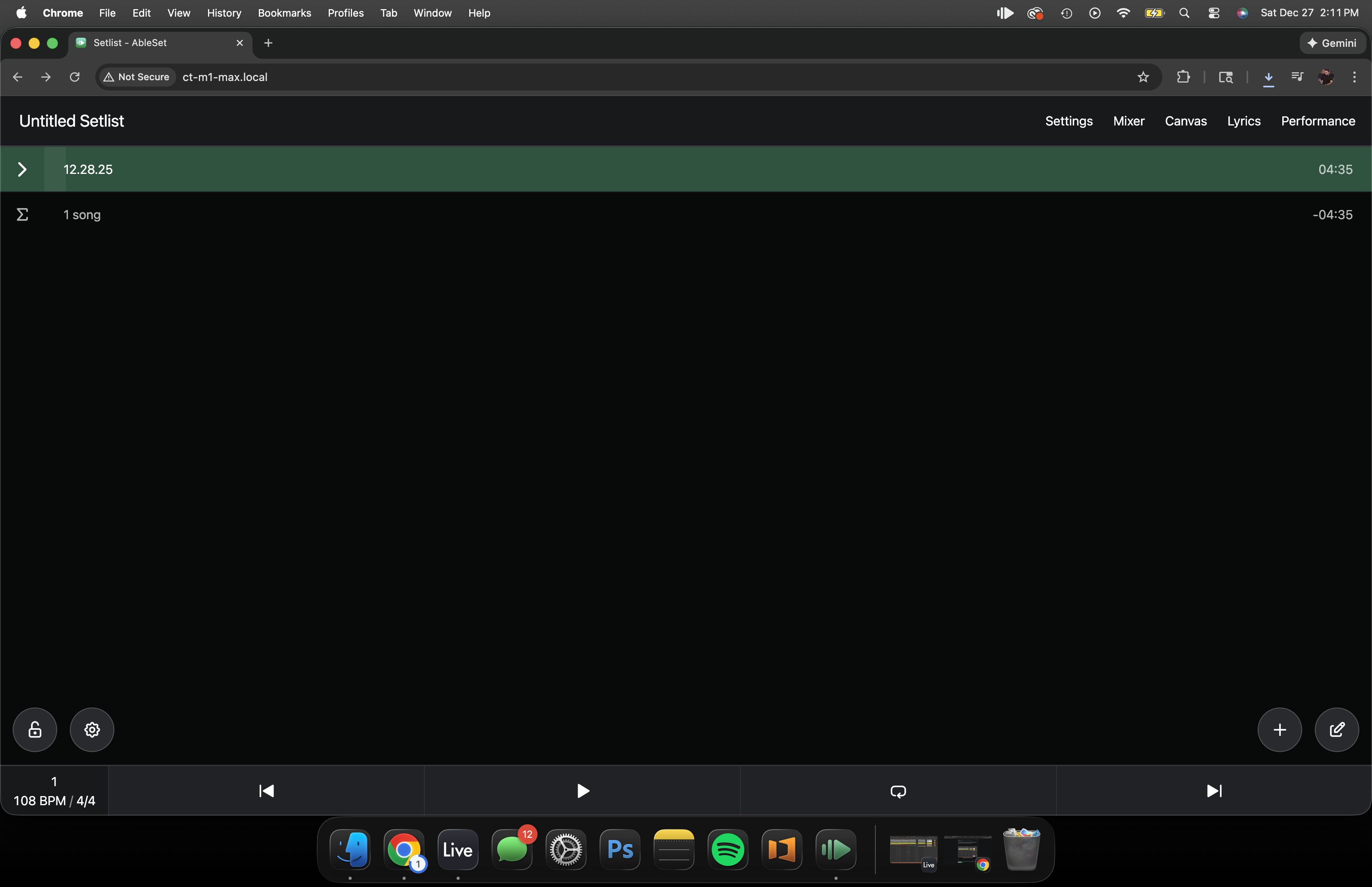
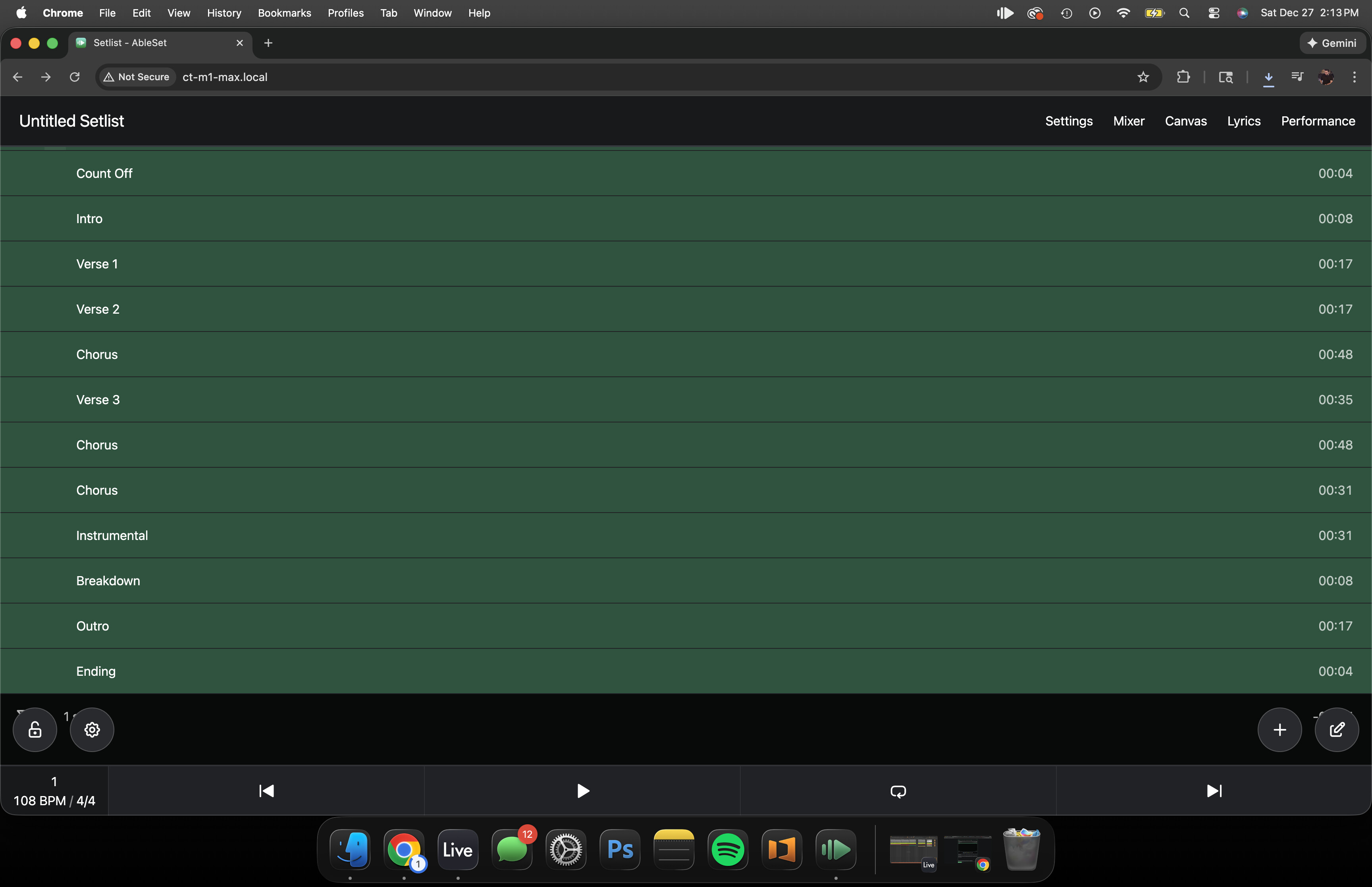
I’m curious is if this a new format, if I’m experiencing a glitch, if there is a setting I can change, or whats going on.
The pictures above shows the Ableton project and the Ableset correlation. In the past I’ve had each song post in a color with its own Sections being able to choose. The sections here are only for the first song.
I’m really looking to see if there is a way revert Ableset back to where I can control a single setlist at a time and be able to expand the setlist to include all of the songs rather than switching projects per song. I want to be able to play one entire project with multiple songs in the project.
Please fill out these values to make it easier to troubleshoot:
- OS and Version: MAC OS TAHOE 26.1
- Version of AbleSet: Currently on Beta 25 but I’ve downgraded and the issue has followed in any version. 2.75, Beta 15, etc.
- Version of Ableton Live: 12.3.2.