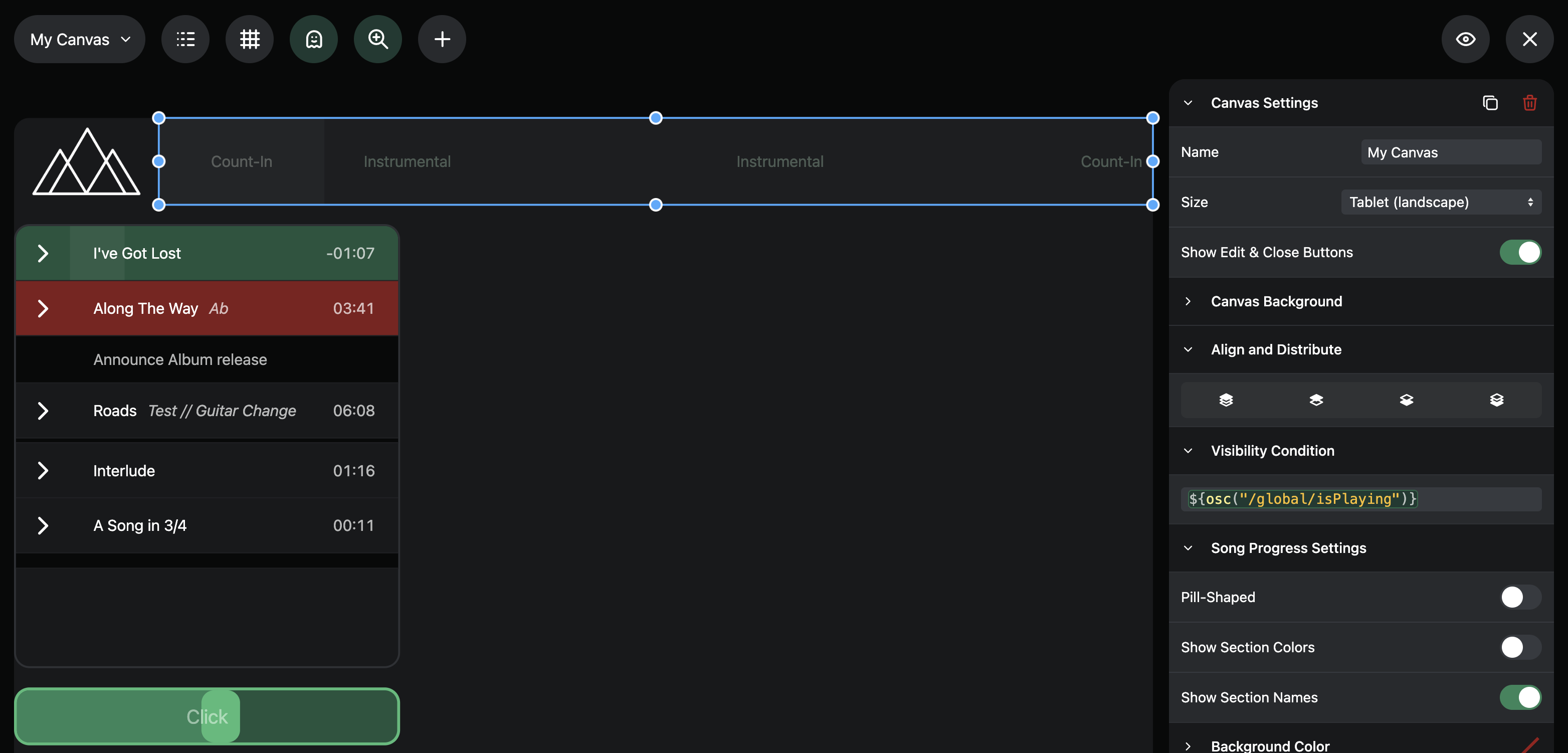
I have a few elements on a canvas that I use a project script with shared variables to update text and background colours of a few labels.
I also use this shared variable to set a section progress bar colour dynamically.
When I send an empty string to a label, the background becomes transparent (aka hidden) but a section progress bar stays visible and goes back to default green.
Would be awesome if section progress bar could go transparent (aka hidden) when you send an empty string into the dynamic colour field. Currently using a script and listening to sockets to update CSS when needed, but the colour settings would really simplify things 
Hey @zacjohnsnz, I’m working on a more advanced way to dynamically show/hide elements on the Canvas. Starting with the next beta, you’ll have a new “Visibility Condition” field that you can use to hide elements. In the editor, these elements can be faded out completely or faded just a bit so you can still re-arrange them if needed.
This will work with all elements and will be available with the next beta version 
1 Like
This is amazing, thanks @leolabs , will really simplify my setup for showing repeats/vamps on different canvases 
If visibility is set to off, will the active section still be slightly lighter grey than the rest of the progress bar or totally hidden? I prefer the later if that’s an option.