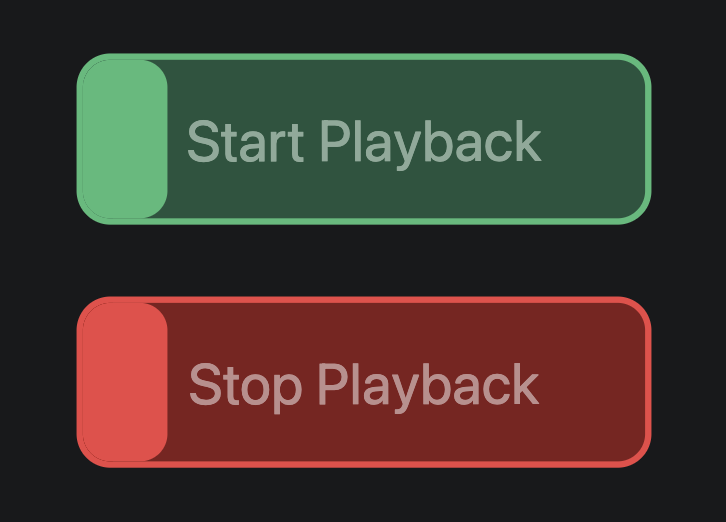
"Safe" Start and Stop Buttons for technicians

Dear Ableset team,

another idea/feature request from me:

Context: Our technicians use a tablet showing a specific canvas including the setlist, actual song, song progress bar. There is already the option to configure those elements as “display only”, so the cannot accidentally press any command there.

However it would be great if FOH or light technician could start the show/intros initially or after short breaks when the band is still off stage.

So: any option to have a “play/stop” button (ideally active in specific songs only…), which has a “safe” mode for this specific button only: e.g. a slider like on a smartphone for accepting calls, or requiring to press twice to start, and press twice to stop+return to the start of the actual song (> stop/return necessary in case something goes wrong after the initial start). I think such a button could be handy for all without a dedicated playback engineer, who wish FOH/Light technicians to start the show.

Any interest in that?

Best, Sebastian
Hey @Sebastian,

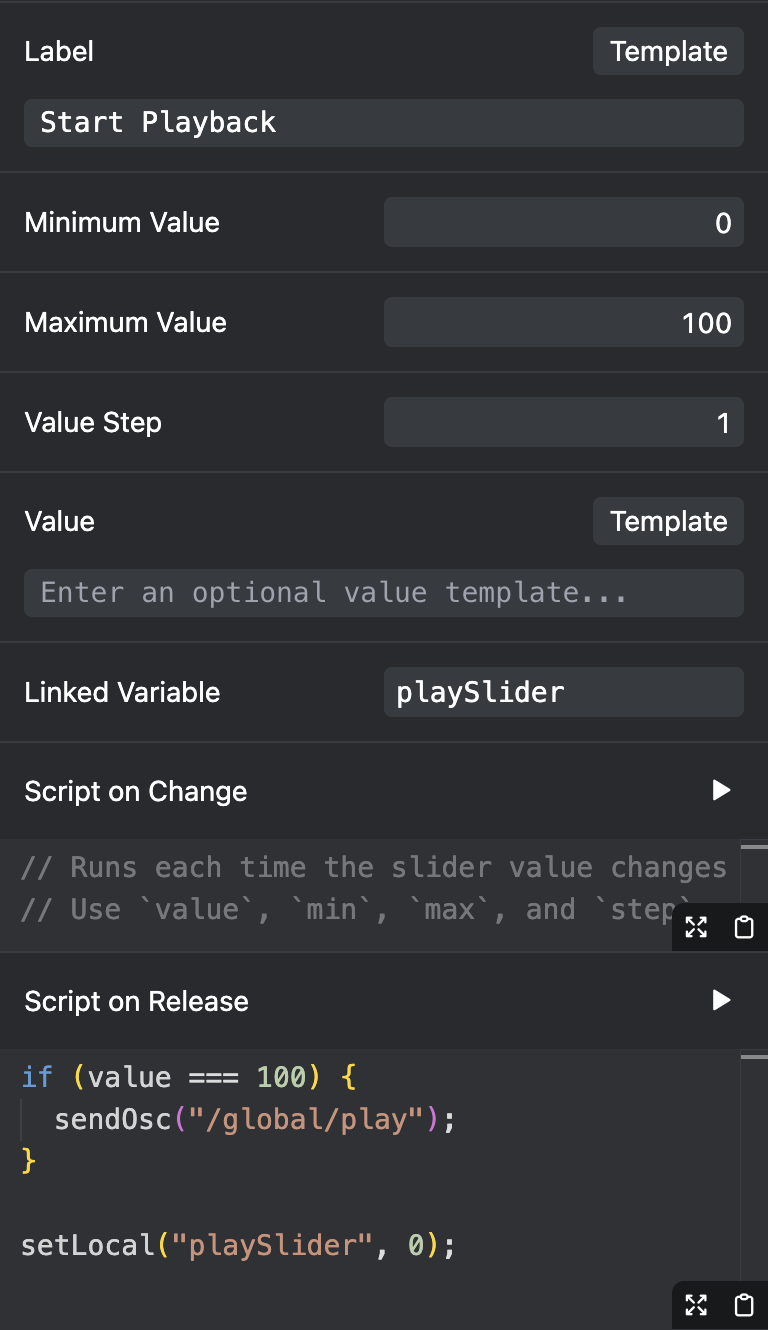
That’s a cool idea! You can build something like this using the Slider element on your Canvas. Here’s how to configure a slider to start playback if moved all the way to the right:

You can use the same approach to create a stop slider. Just replace “playSlider” with “stopSlider” (or any other variable name you like), and /global/play with /global/stop.

Let me know if this works for you! :slight_smile:

Great! Two questions:

  1. any chance that the slide snaps back to the left after making the command? Right now it stays at the right.

  2. visibility conditions: can I configure visibility to show the slider only if the song name contains “INTRO” in the name?

Best,

Sebastian

Hey @Sebastian,

The slider should already snap back automatically, that’s what the setLocal("playSlider", 0) does. Could you check if the linked variable of your slider is set to playSlider? :slight_smile:

Yes, that works! Here’s a template:

${osc("/setlist/activeSongName")?.includes("INTRO")}

If you’re using the 3.2.0 beta, you could also use a script instead:

const songName = osc("/setlist/activeSongName");
return songName?.includes("INTRO");

excellent - I’m still on 3.1.3. , however works excellent, as always :slight_smile:

1 Like