Hi Leo, this is Emil from Brothers of Metal.
We recently switched to AbleSet for our live shows. Coming from a Cymatic uTrack24 this was a step up in flexibility.
During our show at Wacken last Friday something funny (or not so funny) happened.
The songs wouldn’t stop and cue the next one. So our midi controller couldn’t start the next song. 
Our tech had to manually select the next song and after that our drummer could trigger the song.
We are running AbleSet3 beta10, on 2 identical Mac Mini M4 (can’t remember the OS, but it is the latest one. And also Ableton is the latest version.)
We did not have time to pull out any logs due to the teardown.
We also have problems with setting up AbleNet, one computer seem to not be in sync.
Like you can’t see the state of the ExBox.MD on one of them. And it doesn’t feel like it’s working properly.
I know this is awfully vague, but it’s hard for me to write things down.
Figured out these details:
- OS and Version: (macOS Sequoia 15.5)
- Version of AbleSet: (3 Beta-10)
- Version of Ableton Live: (12.2.1)
Hey @DeanSwift, thank you for reporting these issues, I’m sorry to hear that you had to deal with this during your show!
Unfortunately, AbleSet only stores logs for up to 7 days, that’s something I should increase in the future.
Are you able to reproduce this issue with AbleSet not stopping? If so, could you create a log package then and also send me a video of the behavior? That often helps with troubleshooting as well.
You can create a log package by opening AbleSet’s status window, clicking the settings icon on the top right, and then selecting “Create Log Package”.
If the files are too large to send via email, you can upload them to my support inbox instead. I’ll take a look at it then.
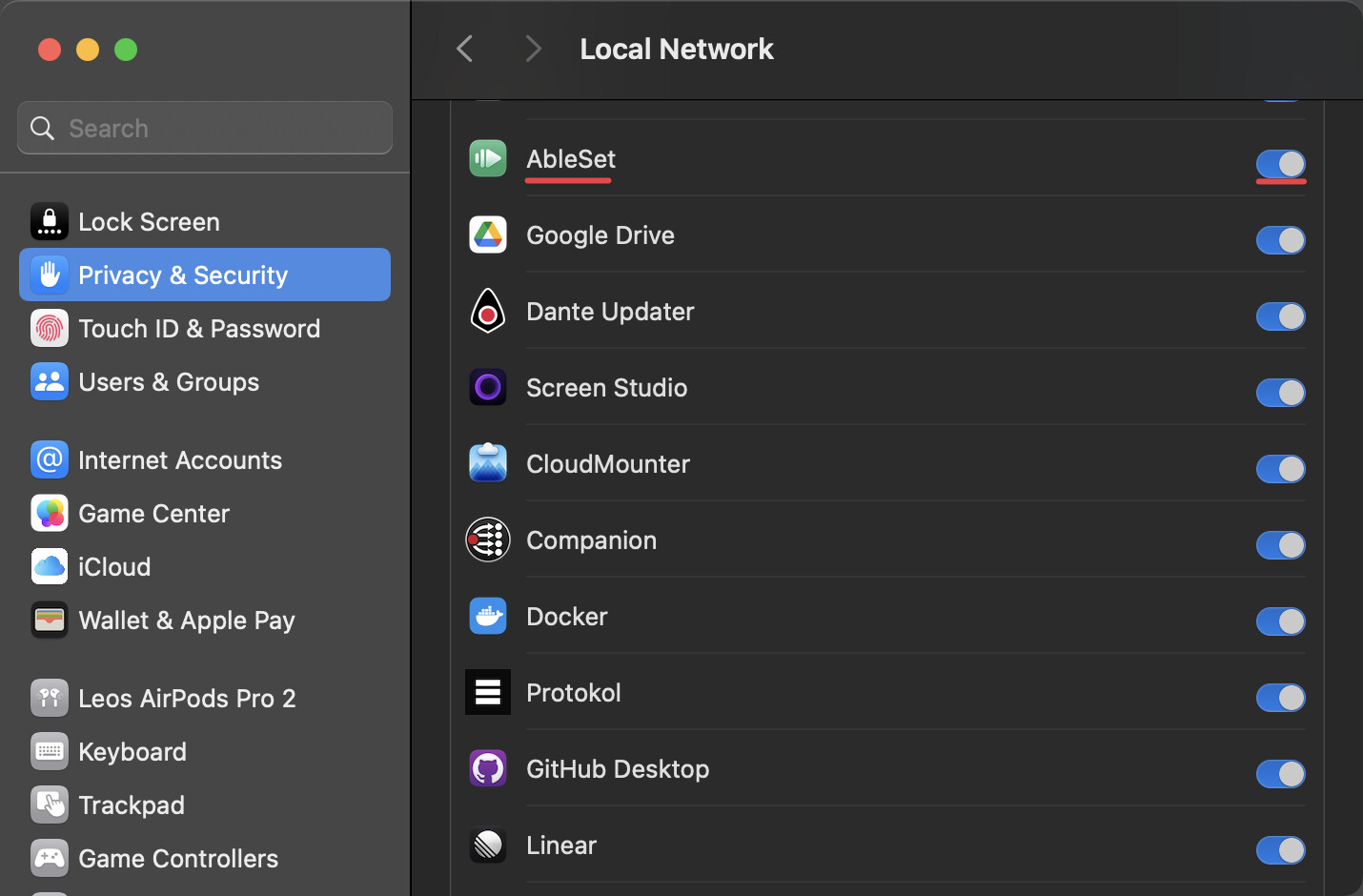
Regarding the network issues, could you check that AbleSet has permission to access the local network in macOS? You can do so by opening your System Settings, clicking “Privacy & Security”, scrolling down to “Local Network”, and then check that AbleSet is turned on. You can also try toggling this off and on again and check if that helps.
I’m looking forward to your reply!