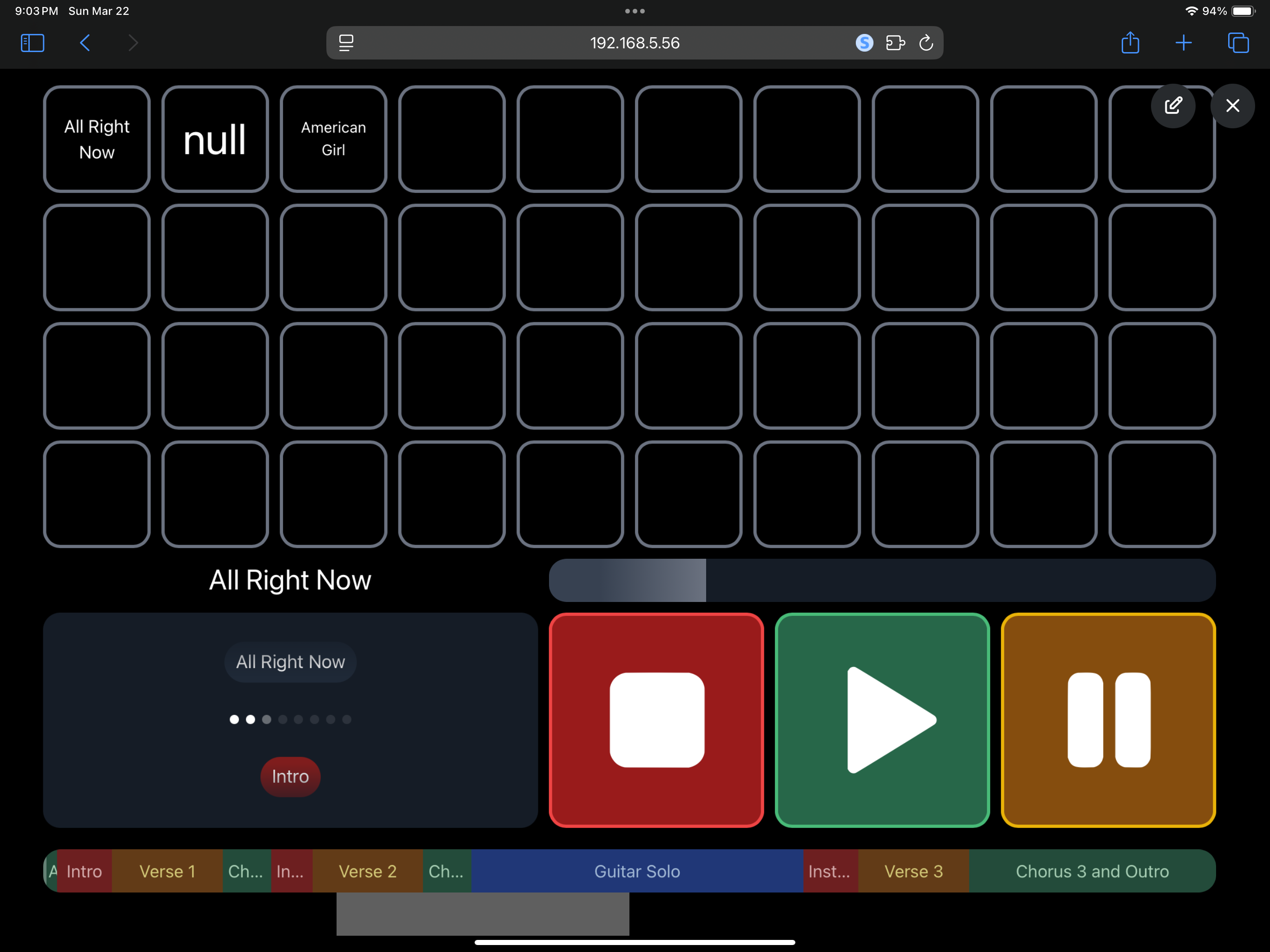
The goal is a grid of buttons (to look like a Stream Deck but with no additional software or hardware, no companion etc.) to pull each name from the setlist (if the list is re-odered, the buttons also re-order dynamically). The first button would show song title 1, button 2 shows song title 2, etc…Basically like the regular setlist view we’ve always had, but in button view. (I already have the buttons and grid created in canvas.)
I found a command that works to pull in the name on a button for the next song, but what would it be to show setlist/song 1, setlist/song 2, etc. on each button?
The one for next is: ${osc(“/setlist/nextSongName”)} so, I’m thinking it would be something like:
Button 1: ${osc(“/setlist/SongName 1”)}
Button 2: ${osc(“/setlist/SongName 2”)}
and so on, for all the songs you might want on your grid…
Check this thread out - Leo made me some buttons a while back similar to what you’re talking about, but for song sections. I also have the same thing setup for song titles as well, don’t have the script on me at the moment though - I’ll try send through the scripts when I get a chance
That’s pretty cool! This is what I’m aiming for, so you can see it would be rough not dynamically pulling in all the song titles, as you’d be flying blind if you needed to choose a song for a request. Having to label the buttons manually doesn’t work, because as soon as you come up with changes in the setlist for the next show, the buttons would be labeled all wrong.
It’s my final missing piece to the perfect canvas for me. I’m a drummer and I do all the playback live, so the song sections don’t really help me much in a live setting.
Then for the next song, make the numbers one higher and continue that process for each song “index”. This will also follow any setlist rearranging you do within Ableset.
The script will always be one number higher than the active song index