I’m just now starting to experiment with the Multi-File feature for my band—our song list has gotten a bit out of hand. So far it’s been really promising in my testing, but I’m trying to get a better grasp on what’s actually required to make it work properly.
From what I’ve read in other posts, I was under the impression that the only required file was the .als file itself. However, that doesn’t seem to be the case in practice.
For example, I initially assumed I could set my Multi-File directory to something like this:
Final Songs/
└── All The Small Things.als
I expected to just point AbleSet to that folder and go—but the files don’t seem to be recognized.
On the other hand, if I use the full project folder structure, it works fine:
Final Songs/
└── All The Small Things/
├── Ableton Project Info/
├── Backup/
├── Lyrics/
├── Samples/
└── All The Small Things.als
So I have a couple questions:
• What exactly does the Multi-File view look for in order to detect and load files?
• What is the minimum folder/file structure required for it to work correctly?
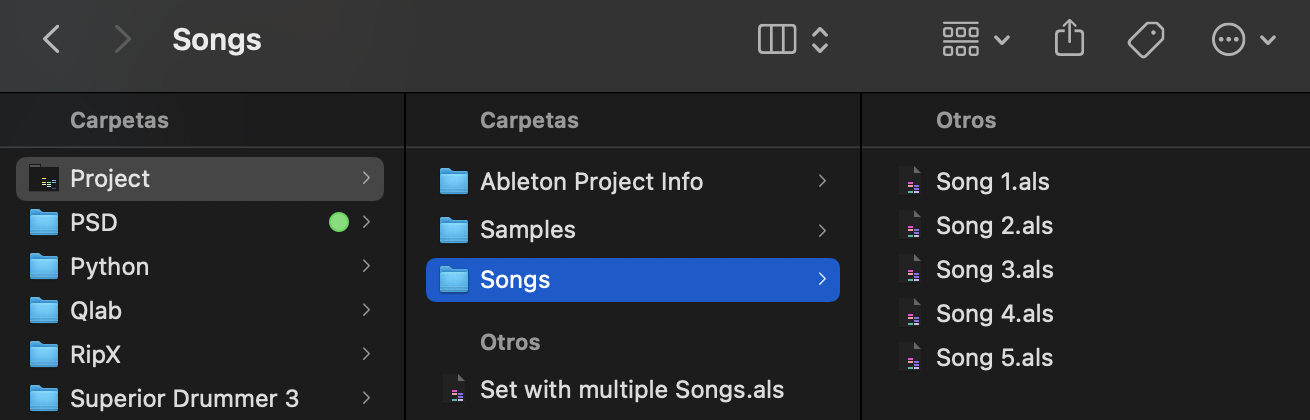
Would love to hear that as well. I switched to the multi file more than a year ago, and works flawlessly (+50 songs in the setlist). But from time to time there are some issues with the song loading, specially when saving / loading setlists. But I do have all the .als files together and nothing more inside one sub folder of the project folder (as shown in the image). But anything else we can learn about best practices will appreciate:
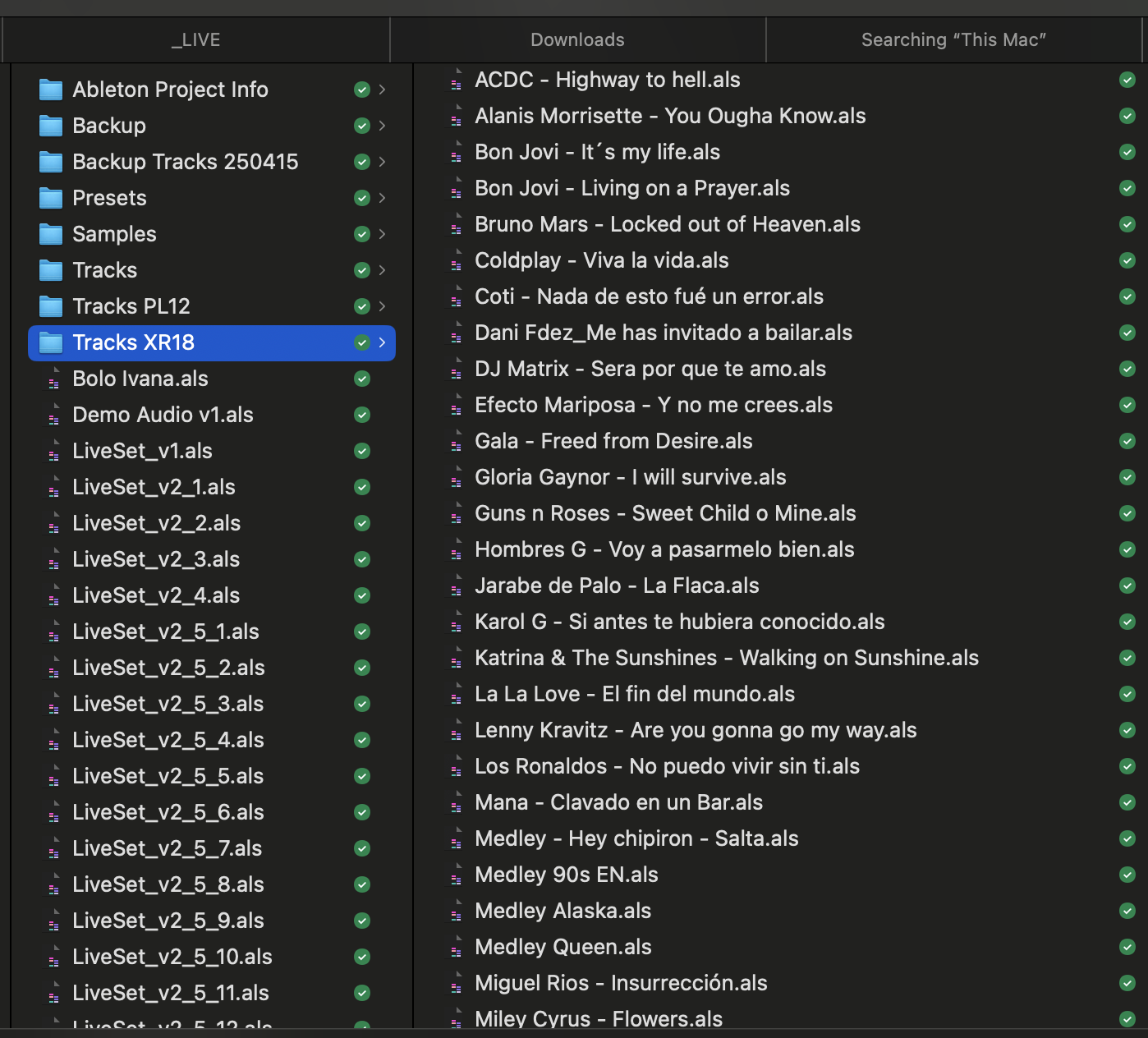
Oh wow, I didn’t realize you could structure the folders/projects this way. I was copying/dragging each of the .als files into the folder to be used for the Multi-Project file folder, which wasn’t working. But after trying your way, if I just Save As… each project into the same folder (in your case Tracks XR18), it works! Same end result i was looking for, just a different way of doing it.
Regardless, like you I’d like to know more about the structure and best practices in regards to folder structure.
In my case, both for multi-file sets and for sessions where I have all the songs inside one single project, I use the same main project folder — and that works perfectly.
Inside that main folder I keep all the usual Ableton folders like: Samples, Ableton Project Info, Backup, Presets, and the main .als file that contains all songs in one session.
Then, inside that same main folder, I have a subfolder called Songs, where I store all the individual .als files for the multi-file setup — one per song.
So essentially, both my multi-file and single-project sessions share the same pool of samples and resources, and AbleSet has no problem recognizing and loading them.
This structure keeps everything organized and avoids having duplicated Samples or Backup folders across different projects.
Ty for the insight! However I’m having a little trouble following. Any chance you can post a screenshot that better clarifies? I’ve very interested in being as efficient as possible, and the fact that with your way has all songs are using the same samples sounds extremely efficient.
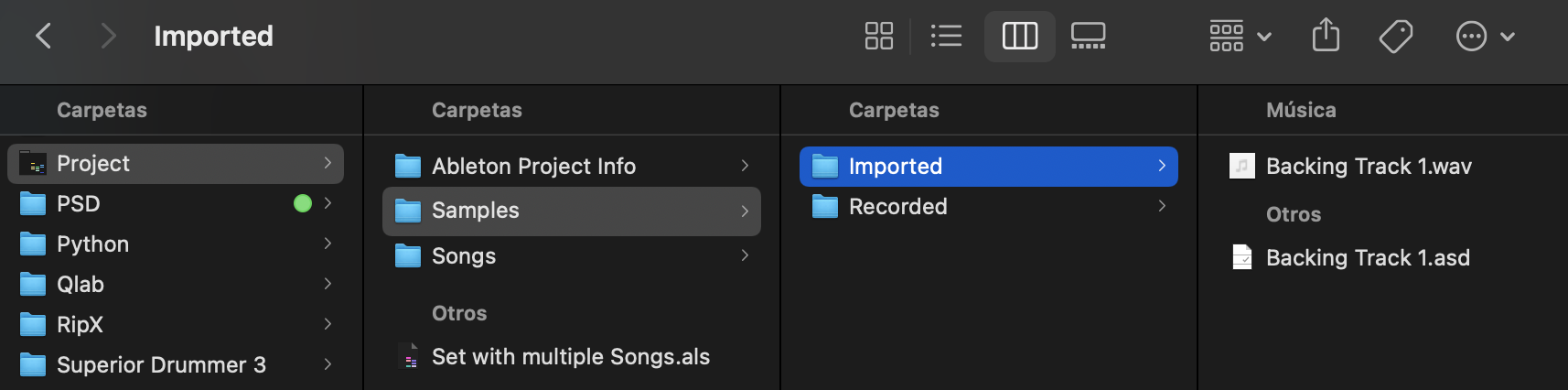
Hey @russomr! Sure — here’s a visual example of how I keep everything structured so both single-project and multi-file setups share the same samples and stay super clean. You’ll also find some screenshots at the bottom:
Folder Structure
I keep one main project folder. Inside it I have:
Project Folder/
   ├ Ableton Project Info/
   ├ Samples/
   │   ├ Imported/      ← all audio files (backing tracks, stems, etc.)
   │   └ Recorded/
   ├ Songs/             ← individual .als files (one per song for multi-file sets)
   └ Set with multiple Songs.als   ← the full-session version containing all songs
So basically:
The multi-song project (Set with multiple Songs.als)
Every individual song project in the Songs folder
→ all point to the same Samples/Imported folder.
How I work inside Ableton
In Live:
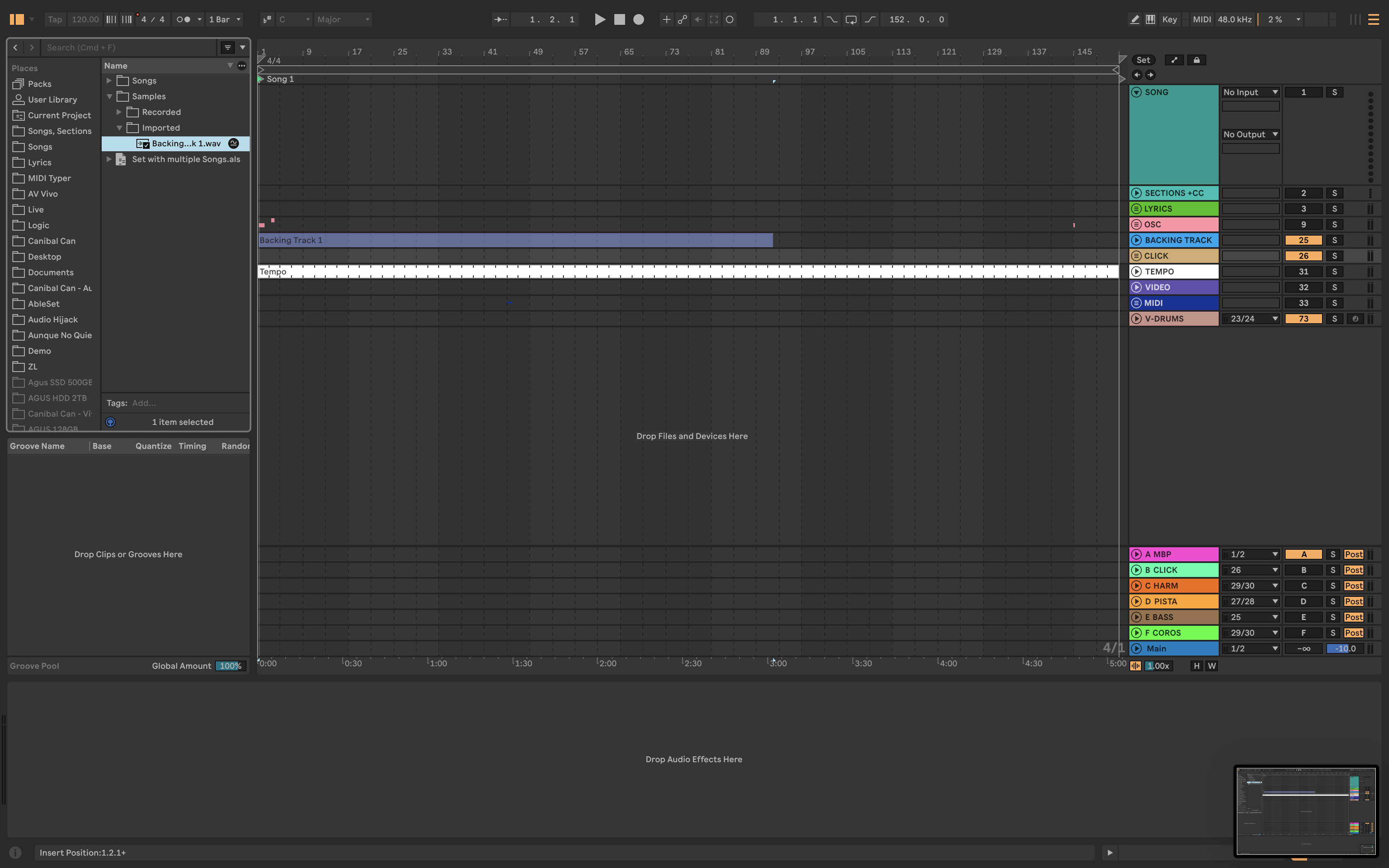
Add the main project folder to the Browser (left sidebar).
Whenever I build a session (either one big project or per-song projects), I drag the stems / click / sections directly from that browser folder into the tracks.
This keeps the workflow super clear — you always know every asset is coming from the same place.
This works well since there’s just one central Samples/Imported folder = no duplicates.
So switching between single-project workflow and multi-file workflow is painless.
The relative file paths never change.
Let me know if that makes sense or if you’d like me to clarify anything.
Looking forward to your reply
 Folder Structure
 How I work inside Ableton