In the mixer, when you double click a fader it usually sets the level in Ableton to 0db. For my click group, it’s setting it to “-0.2”. I’ve also found the same behaviour in a canvas with a button to send 0.85. When I look at the full value of volume for click, the click volume rounds to 0.86.
All other groups work exactly as expected.
Wonder if there’s anything I can try to fix this?
Have sent logs to the support inbox 
- OS and Version: Sequoia 15.5
- Version of AbleSet: 3.0.8
- Version of Ableton Live: 12.3.6
Hey @zacjohnsnz,
Thank you for reporting this and for sending the logs.
I tried reproducing this on my end but wasn’t able to get the same behavior. The double-click reset and the 0.85 value both landed correctly on my click group, so this might be something specific to your project.
In the meantime, is there anything else you’ve noticed that’s different about your click group compared to the others? Any special routing, devices on the track, or anything unusual in the track name?
I’m looking forward to your reply!
1 Like
Thanks for taking such a quick look at this!
Given it is only happening on 1x group figured it would be an issue on my end, just can’t figure out what.
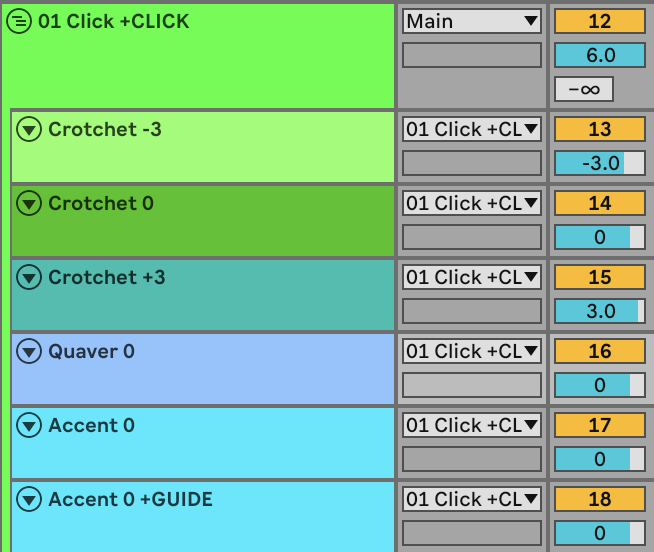
Nothing particularly unique about the setup, but +CLICK is a group of several click tracks. Here’s a screen cap of the click group. Routing fairly simple, on the playback rig the group goes directly to an output rather than main.
Each of the sub tracks have a drum rack with a couple samples. A few of them also have a utility for extra gain staging control, nothing else, and nothing on the group.
Hey @zacjohnsnz,
Is there any other track or group called “Click” or using the “+CLICK” flag by chance? If there are multiple tracks assigned to the same group, AbleSet uses a kind of average as the group volume.
Thanks @leolabs yes I did have other tracks with “Click” as the title / in the name! All fixed now and working as expected. Forgot that “Click” is a special name and doesn’t need the flag. Thank you!
2 Likes