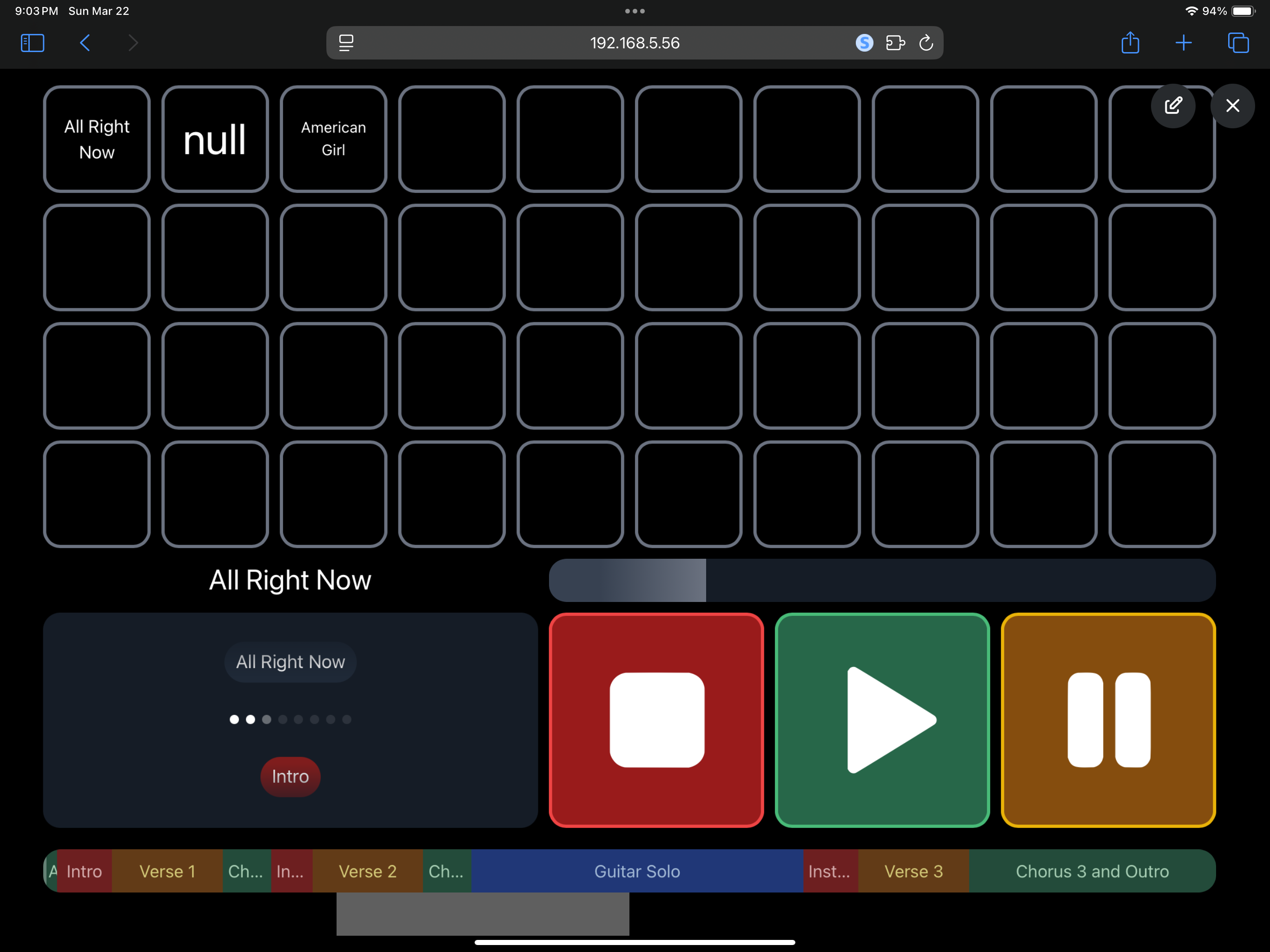
EDIT: I believe I have it figured out, but is there a way to have it pull in the song title for the button label? This way the buttons will always be in the same order as the setlist and show the title? I have my setlist automatically starting the next song, but it would be nice the know what song the button represents for times we get a song request and I have to go manually hunting for a song.
Is there a way to make canvas look like song buttons on a stream deck? In other words I would like to build a canvas that has my entire song list, but not in list form. I would rather see a button view where they would all fit on the screen at one time so I do not have to scroll through the list to find a song and kick it off. If this is possible, can I get a brief explanation on what elements to add to achieve this?
At the moment, there isn’t a built-in way to have each button dynamically pull the title of a specific song from the setlist by index.
That said, if it helps your workflow, you could manually create your grid of buttons, assign each one to a position in the setlist using /setlist/jumpToSong [index], and then manually label each button with the corresponding song name.
This way, your buttons will always follow the setlist order (since they’re index-based), even if the labels themselves aren’t dynamically generated.
It’s not fully automatic, but it can still get you very close to what you’re looking for.
The other positive for adding this as a future feature to pull the name dynamically is, if you have name the button manually, and then set the OSC to pull by number of the setlist order, when you re-order the setlist, the name won’t change dynamically with the new song order.