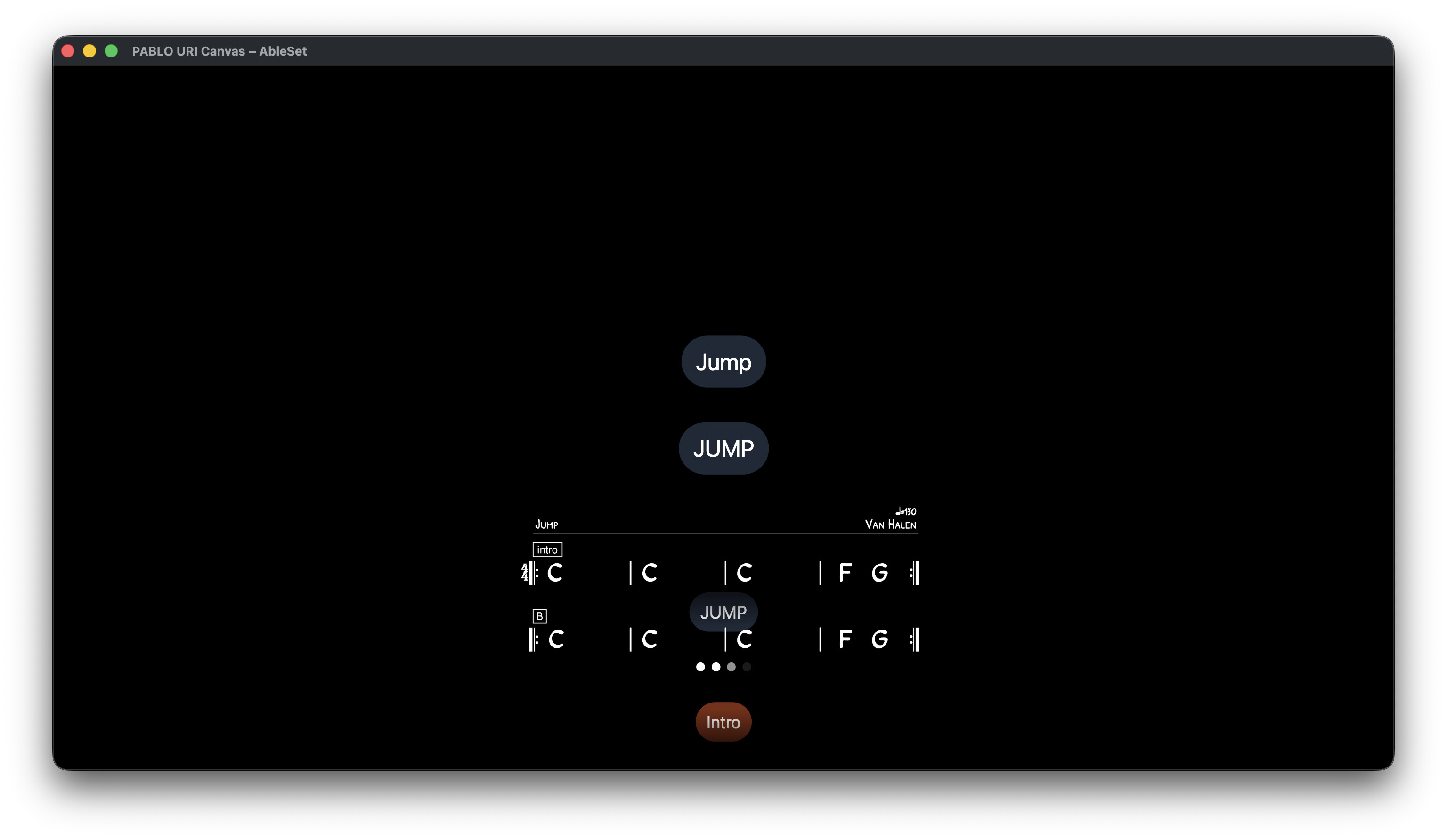
When using automatically jump to next song in settings, the lyrics won´t go to the start of the song. I´ve added information such as Capo placement at the top and seeing the top of the song is needed for several reasons when jumping to a song and before I start the playback.
I´ve tried both Canvas and Lyrics and it is the same. The previous song has a SONGEND locator.
I´ve tried adding a bar of silence after the previous song, same result.
I´ve tried changing between 1/4 and 1 bar quantization, but no change.
Any ideas?
Edit: Also, I saw in the patchnotes that adding an image to canvas is possible.
There is no preset for this, so how would I go about adding one?
Please fill out these values to make it easier to troubleshoot:
I’ve experienced something like this before and thought I had fixed it, but maybe I missed something. Could you elaborate on which browser(s) you’re experiencing this issue with, and send me a copy of your project file so I can try to reproduce and fix the issue on my end?
Just the .als file should suffice for me to reproduce it. You can upload it to my support inbox.
Regarding your other question, the Image element should be available in the list of elements. Just search for it in that list to add it to your canvas. Alternatively, you can also drag or paste an image file directly into your canvas to add it.
Something similar happens to me. I use Canvas to view the chords in a .png format, and at random moments during the concert, the score gets stuck at the bottom, as shown in the photo.
If I stop and press play again, it resets and goes back to normal, but it has already happened to me twice in the middle of a show when I couldn’t restart it and had to rely on memory…
So sorry for the late reply, I´ve been busy with other stuff. Finally got around to test it some more. Seems to happen in both safari and google chrome on my end. It jumps to the next song, but not to the start of it. I did my testing now primarily around bar 771 where there is a songchange that´s meant to stop so we can see where the capo goes. I´m uploading the als file to the support inbox now.
@Trent_Crawford are you running the latest version of AbleSet? If so, could you send me a screen recording of the behavior along with your project file so I can try to reproduce the issue on my end?