Hey @GuitarMark,
That’s a good idea!
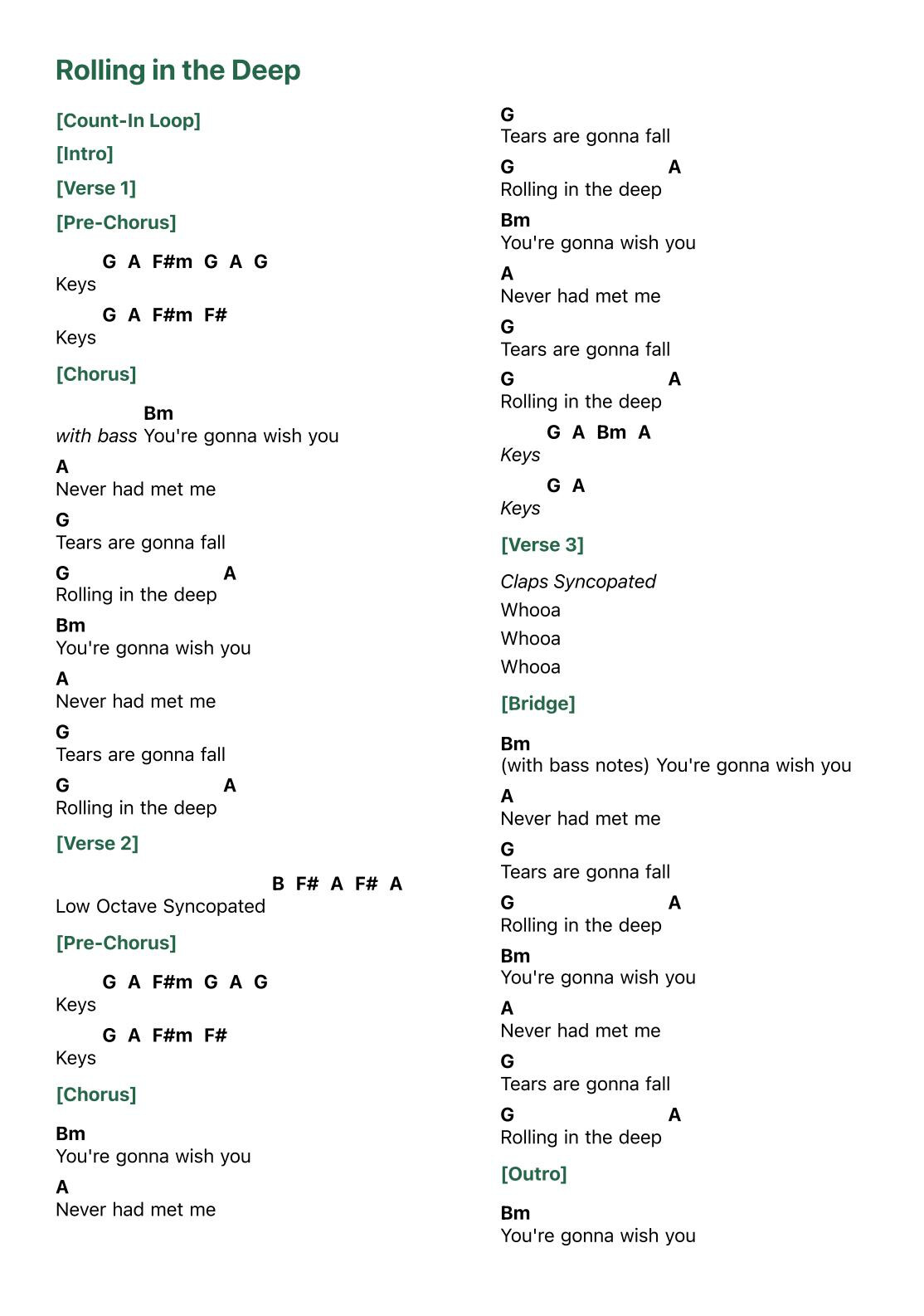
In the meantime, there’s a workaround that works well: AbleSet’s Lyrics View is a web page, so you can print it straight from your browser (or save it as a PDF). A small custom style turns it into a clean lyric sheet: black text, no fading, no spacers, and the song title at the top. It only changes how the page is printed, so your Lyrics View on stage stays exactly the same.
To achieve this, click AbleSet’s icon in the menu bar, then the gear icon, and choose Show Global Custom Styles. Just paste this at the bottom of your styles.css file:
@media print {
  /* Let the lyrics flow over several pages */
  html, body, #__next,
  .lyrics-page, .lyrics-page > div,
  .lyrics, .lyrics > div {
    position: static !important;
    height: auto !important;
    min-height: 0 !important;
    max-height: none !important;
    overflow: visible !important;
    padding: 0 !important;
  }
  .lyrics-page { padding: 24pt !important; }
  body { background: #fff !important; }

  /* No spacers, no fading */
  .lyrics .line.spacer { display: none !important; }
  .lyrics, .lyrics * { -webkit-mask-image: none !important; mask-image: none !important; }
  .lyrics .line, .lyrics .line * { height: auto !important; }

  /* Text size follows the lyrics track's size attribute */
  .lyrics       { --print-size: 16pt; }
  .lyrics.large { --print-size: 20pt; }
  .lyrics.small { --print-size: 13pt; }
  .lyrics.tiny  { --print-size: 11pt; }

  /* Lyrics lines */
  .lyrics .lyrics-line { justify-content: flex-start !important; }
  .lyrics .line p {
    font-size: var(--print-size) !important;
    line-height: 1.35 !important;
    padding: 2pt 0 !important;
    opacity: 1 !important;
    transform: none !important;
    color: #000 !important;
    text-align: left !important;
    break-inside: avoid;
  }

  /* Section names */
  .lyrics .line.section .section,
  .lyrics .line.section h3 {
    background: none !important;
    border: 0 !important;
    border-radius: 0 !important;
    box-shadow: none !important;
  }
  .lyrics .line.section .section {
    opacity: 1 !important;
    transform: none !important;
    justify-content: flex-start !important;
    text-align: left !important;
    margin: 0 !important;
    padding: 0 !important;
  }
  .lyrics .line.section h3 {
    font-size: calc(var(--print-size) * 0.8) !important;
    font-weight: 700 !important;
    text-transform: uppercase;
    letter-spacing: 0.05em;
    color: #666 !important;
    margin: 12pt 0 2pt !important;
    padding: 0 !important;
    text-align: left !important;
    break-after: avoid;
  }

  /* Song title */
  .lyrics .line.section .song-title h3 {
    font-size: calc(var(--print-size) * 1.5) !important;
    text-transform: none;
    letter-spacing: 0;
    color: #000 !important;
    margin: 0 0 6pt !important;
  }
}
Then, to print a song: open the Lyrics View in your browser and select the song you want to print in AbleSet. Press ⌘P (or Ctrl+P on Windows), and in the print dialog, turn off Headers and footers so the URL and date aren’t printed.
Print it, or choose Save as PDF to send the file to your bandmates.
The text size follows your lyrics track: [large] prints at 20pt, [small] at 13pt, [tiny] at 11pt, and no size attribute prints at 16pt.
Optional: title only, without section names
By default, the sheet shows the song title and the section names. If you’d rather print just the title and the lyrics, add this at the end of the same file:
@media print {
  .lyrics .line.section:not(:has(.song-title)) { display: none !important; }
}
One thing to keep in mind: the [nosections] attribute hides the song title as well, so it won’t be printed either. If you use [nosections] on stage, remove it from the track name and add this instead. It hides the sections in the Lyrics View on screen, just like [nosections], but keeps the title available for printing:
@media screen {
  .lyrics .line.section { display: none !important; }
}
Would that work for your use case?