After updating Ableset from 2.7.5 to 3.0.4 all the images we set up for Lyrics view are broken. It did work in the old version and there were no other changes apart from updating Ableset.
We use separate MIDI tracks like “Drums +LYRICS [nosections]” and the MIDI clips are named like “[img:EasyLover/Drums/1.png]”. The images are located in “Lyrics/EasyLover/Drums/” in this case.
Did anything change regarding that and we need to update the configuration on our end or might this be a bug in Ableset 3?
I’m sorry to hear that you’re experiencing issues with lyrics images in AbleSet 3. The feature should work exactly as it did in AbleSet 2, so that’s definitely a bug.
To troubleshoot it, could you send me a log package so I can take a closer look? You can create one by opening AbleSet’s status window, clicking the settings icon on the top right, and then selecting “Create Log Package”. You can then upload it to my support inbox.
I just sent you the logs and an idea what the error could be (some uppercase letters in the path). But I just tried right now to use lowercase folder names only and it didn’t change anything - so maybe it wasn’t the right guess
When I loaded the project on my end, the lyrics images loaded as expected, so your setup should still be working as usual.
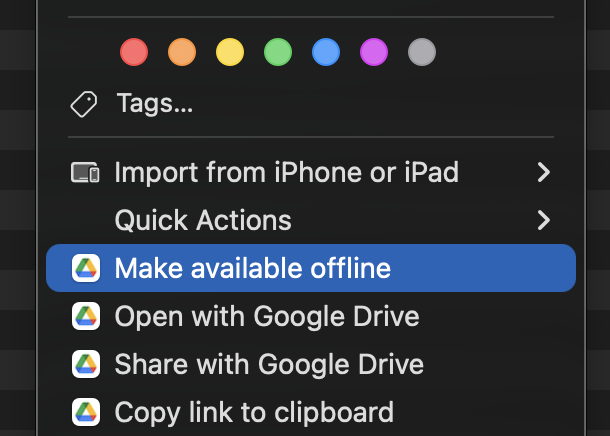
I noticed that your Ableton project is stored in Google Drive using their Streaming Folder option, which means some files might not be available immediately. Could you ensure that the files are always available offline by right-clicking your project folder and selecting “Make available offline”?
Hey @leolabs ,
yes, the whole folder containing all the ableton files etc. is made available offline. I’m still looking for any difference but I can’t find one. Jumping between 2.7.5 and 3.0.4 changes the behaviour from working to not working and vice versa. Anything else I can look for that could help?
Edit: I just double checked that the files are accessible via terminal at the path Ableset stores under the “fullPath” property in the json
Edit 2: Copying the folder from Google Drive to Desktop for example (like downloading a copy without any connection to Google Drive anymore) indeed fixes the problem on AbleSet 3 and shows the images again. But I’d prefer to get the old setup running since multiple members in our band edit the Ableton files and sync onto Drive so everyone has the most recent data.
I think I found the difference. The offline synced folder of Google Drive contains a folder starting with a dot in its path.
When I rename my de-synced folder copy on the Desktop to “.something” and open everything again, images are broken. When I rename the folder back to a name without leading dot, it’s working fine.
Hey @Phil109, that was it! I had updated the web server between AbleSet 2 and 3, and it seems like the new version ignores files in directories starting with a dot by default, as a safety mechanism.
I’ve changed the configuration and will release an update with this fix soon