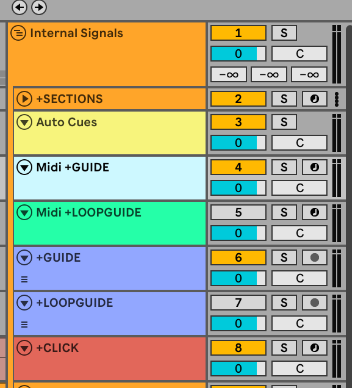
I’m step by step migrating to the new cues feature, which is awesome. To make the transition easier, I added another track which holds the VST and migrate while keeping the old midi + audio guides in the project (also for backup reasons).
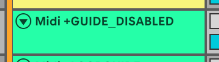
There will be a moment that I want to disable the old guides and only play the auto cues (I hope). However, when I disable a track in Ableton by clicking on the number (e.g. 4 in the screenshot), it gets auto-enabled by Ableset throughout the running the song. I think this makes sense due to the +GUIDElabel.
Can this be disabled while retaining a way to fast revert to the old functionality?
One way to do this would be to select all clips on the track and disable them by pressing 0 on your keyboard. Alternatively, you could add a Utility effect to the track and turn down the volume completely.
PS, are any labels like +LOOPGUIDErequired on the auto-cues feature? Can I achieve the same thing to play two different cues depending if the loop is on or not?
@jankap you don’t need the +GUIDE or +LOOPGUIDE flags on your new Cues track. AbleSet automatically decides what to announce based on whether your loop bracket is active or another section is queued