Hi all! Can anyone think of a way I could give a Musician footswitch control of the Play button on Ableset being controlled by a browser on a Tablet. Tablet would be connected to the playback network via WiFi. This would be the hardware button connecting via the Tablet (maybe bluetooth) - not a separate WIDI or RTP MIDI path back to the Playback computers.
@njrsound you might like the new AbleSet Connect app, which allows you to connect MIDI controllers to your iPad via USB and use AbleSet’s MIDI mapping features over WiFi or Ethernet.
It’s still in beta, but you can give it a try if you like: AbleSet 3.1.0-beta.16
Let me know if that works for you 
1 Like
I’ve got an airturn that is bluetoothed to my main ableton/ableset machine and changes everything, works really well, and just mimics keyboard input on the computer. But we don’t have a failover setup
Hi Leo, I’ve downloaded Beta 16 and test flight Ableset Connect to my (rather old) iPhone 12m on iOS 26.5. Most normal functions of Ableset Connect are working fine, as are things like sending a cue light. Unfortunately even though I have Midi Forwarding turned on and it shows ‘connected to , when I open Settings: Edit MIDI Mapping: add new mapping from any MIDI device, it doesn’t detect incoming MIDI. I have a teensy-based MIDI Note sender button connected to my iPhone via a Lightning Camera Connection Kit adapter, and if I use Midi Scope app on the iPhone, it’s seeing the MIDI Note messages from the teensy coming into the iPhone OK. Is there any steo I’m missing? Cheers, nick
Hey @njrsound, that’s an interesting observation, thank you for reporting this! Does it work when you add a mapping for the specific device you connected to your iPhone?
no, the specific device isn’t showing up as a device in the MIDI Mapping settings either. I have now tried two MIDI Devices, the Teensy and a Korg Nano Key, both of which show up OK in MIDI Scope on the iPhone.
by the way - I’d be very interested in the Ableset Connect concept being available as a MacOS app as well that could run on a MacBook Neo or Mac Mini on stage, with the MIDI Forwarding feature that could work over a wired network connection.
Hey @njrsound, that’s strange. Could you send me a log package of AbleSet on the computer you’re connecting to so I can take a closer look?
Regarding running this on macOS, the app will also be available on the macOS App Store on Apple Silicon Macs so you can run it there as well. Alternatively, you can set up an RTP MIDI connection natively on macOS to route MIDI from connected controllers to your main computer.
Hi Leo,
Tried to send the log package to you (support@ableset.app) but Microsoft Exchange rejected the message several times saying it presented a potential security issue! I can’t seem to upload it direct to this forum either. I’ve sent it via Wetransfer instead.
Good to hear you’ll be enabling the app on the MacOS App Store. I personally don’t use Mac’s internal RTP MIDI (network MIDI) through Audio MIDI setup on shows as I find it unreliable to re-establish connections from day to day. I use RTP MIDI in my Playback rigs, but only with hardware like iConnectivity or DoReMidi.
Cheers,
nick
Hey @njrsound, thanks for the log package! It seems like AbleSet Connect never actually connects to the MIDI server of AbleSet. Could you send me a screen recording of what it looks like in the app?
Are you letting AbleSet Connect automatically detect AbleSet or are you connecting manually? Does switching to the other method of connecting help?
I’m looking forward to your reply!
Hi Leo, I’ve sent you the screen recording and a new log file to match via Wetransfer. Ableset Connect automatically finds Ableset on the playback computer, and on-screen buttons work fine, just not passing on external MIDI device attached to phone. Thanks for looking into this!
Hey @njrsound, thank you for the log package and the video!
Could you check if the “Native MIDI Forwarding” option is enabled in AbleSet’s MIDI Forwarding settings? You can also turn on “RTP MIDI Forwarding” temporarily to see a list of all MIDI devices that AbleSet has detected.
I hope this helps and look forward to your reply!
Hi Leo, yes - Native MIDI forwarding was on in the settings page as seen from the Ableset Connect app. When I turned on RTP MIDI Forwarding - Ableset Connect could indeed see the Teensy controller (which came up as ‘Port 1’) and forward it to the Mac Mini and on to Ableset to be mapped. So the issue is only in the Native MIDI Forwarding option. If I were to use the RTP option, how does that work with AbleNet redundancy?
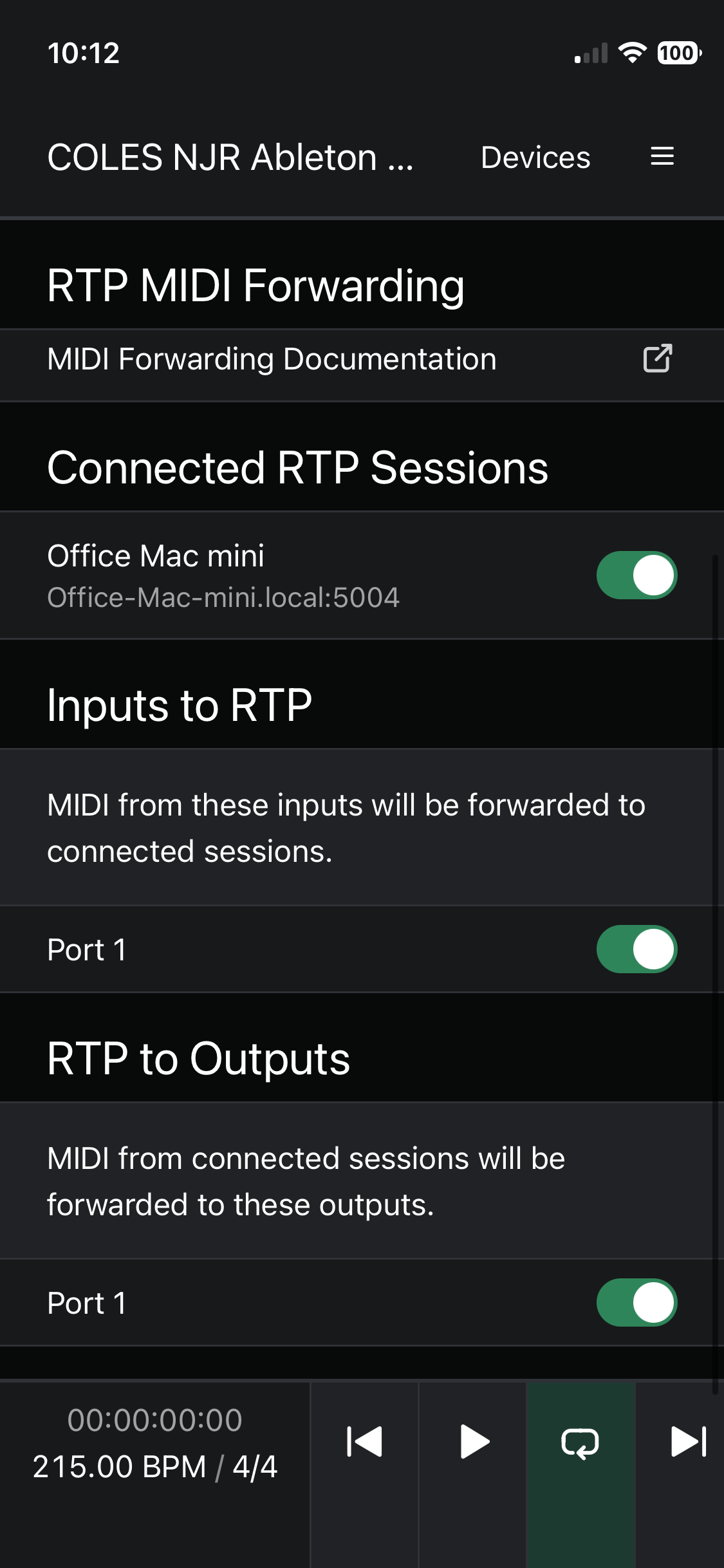
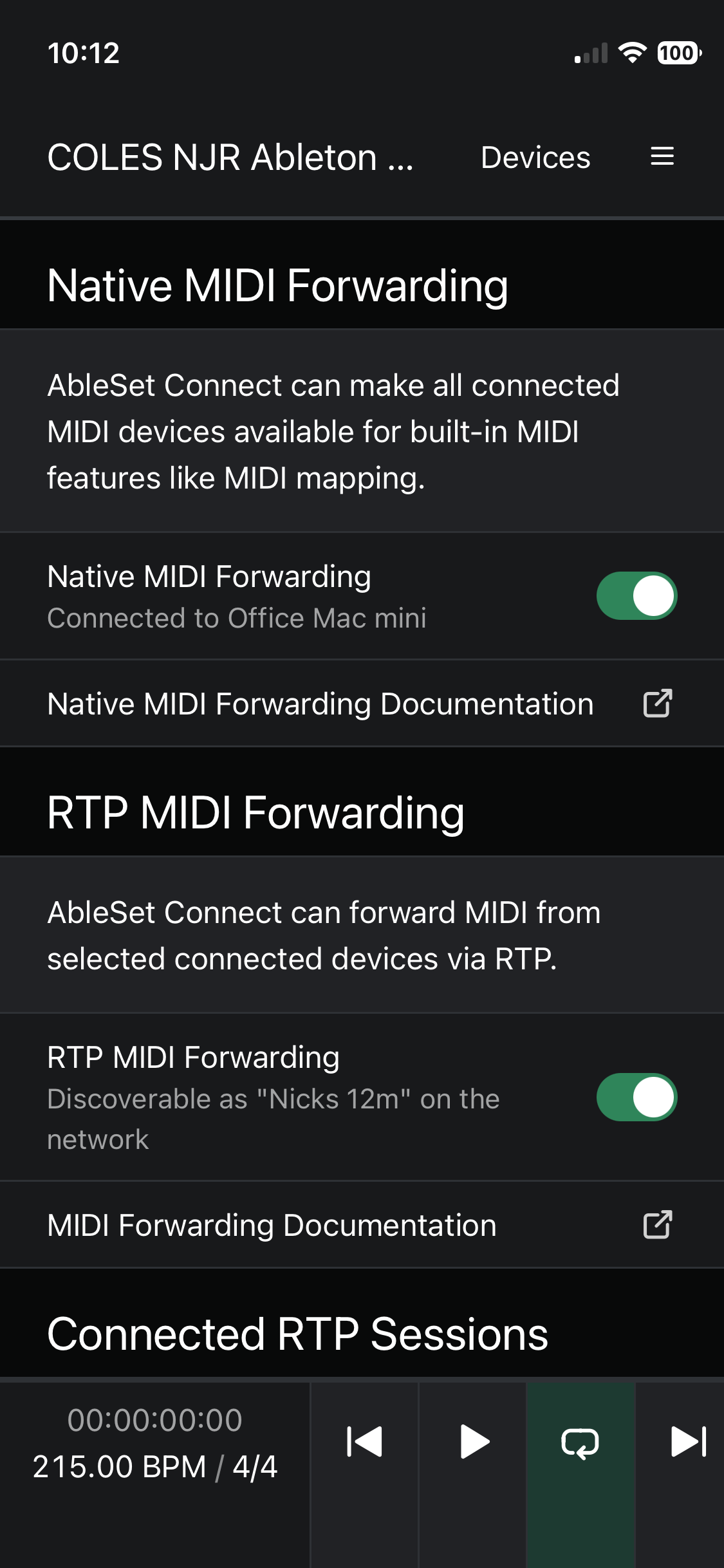
Hey @njrsound, I just released a new AbleSet 3.1.0-beta.17 and AbleSet Connect. This doesn’t change anything with the way connections are handled, but I’ve added a new page for troubleshooting. If you go to Settings → MIDI Forwarding → Connection Diagnostics, you should see a list of connections and their state, along with any potential connection errors.
You can use the copy button on the bottom right of that page to copy this text to the clipboard and then paste it here so I can take a closer look at it.
I’m looking forward to your reply!
Hi Leo,
Here it is:
{
“socket”: {
“connections”: [
{
“state”: “connecting”,
“connectionErrors”: ,
“computerName”: “Office Mac mini”,
“url”: “http://office-mac-mini.local:80/”
}
]
},
“rtp”: {
“connections”: ,
“availableSessions”: ,
“droppedSessions”: ,
“hardwarePorts”: {
“inputs”: [
“Port 1”
],
“outputs”: [
“Port 1”
]
},
“localName”: “Session 1”,
“networkName”: “Nicks 12m”,
“sessionEnabled”: false
}
}
Cheers, nick
Hey @njrsound, thank you for the debug info!
It seems that for some reason, the app never manages to actually connect to the server and gets stuck. I released a new beta version on TestFlight which adds even more debug logging around this to hopefully get to the bottom of this issue.
Could you try using the latest beta and send me the connection diagnostics again?
I’m looking forward to your reply!
Hi Leo, new debug data below. I’m now on Ableset 3.1.3 on the host mac mini, and hopefully the new Connect beta (as I’d installed the release version previously)
{
“socket”: {
“connections”: [
{
“url”: “http://office-mac-mini.local:80/”,
“computerName”: “Office Mac mini”,
“connectionLog”: [
{
“type”: “connect”,
“timestamp”: 1784780548576.261,
“message”: “Connecting to namespace /companionMidi at http://office-mac-mini.local:80/ (deviceId=vag4io)”
},
{
“type”: “status”,
“timestamp”: 1784780548612.2898,
“message”: “Socket status changed to connecting”
},
{
“type”: “connect”,
“timestamp”: 1784780548630.5461,
“message”: “WebSocket upgrade completed (headers: Access-Control-Allow-Origin, Connection, Sec-WebSocket-Accept, Upgrade)”
},
{
“type”: “reconnectAttempt”,
“timestamp”: 1784780560692.527,
“message”: “Reconnect attempt (infinite retries)”
},
{
“type”: “connect”,
“timestamp”: 1784780560751.2131,
“message”: “WebSocket upgrade completed (headers: Access-Control-Allow-Origin, Connection, Sec-WebSocket-Accept, Upgrade)”
},
{
“type”: “status”,
“timestamp”: 1784780568583.374,
“message”: “Socket status changed to disconnected”
},
{
“type”: “timeout”,
“timestamp”: 1784780568583.904,
“message”: “Namespace connection timed out after 20s (socket: disconnected, manager: connected)”
}
],
“state”: “connecting”
}
]
},
“rtp”: {
“connections”: ,
“availableSessions”: ,
“droppedSessions”: ,
“hardwarePorts”: {
“outputs”: [
“CTRL”
],
“inputs”: [
“KEYBOARD”
]
},
“localName”: “Session 1”,
“networkName”: “Nicks 12m”,
“sessionEnabled”: false
}
}
Nick Reich
nick@njrsound.com
0424505609