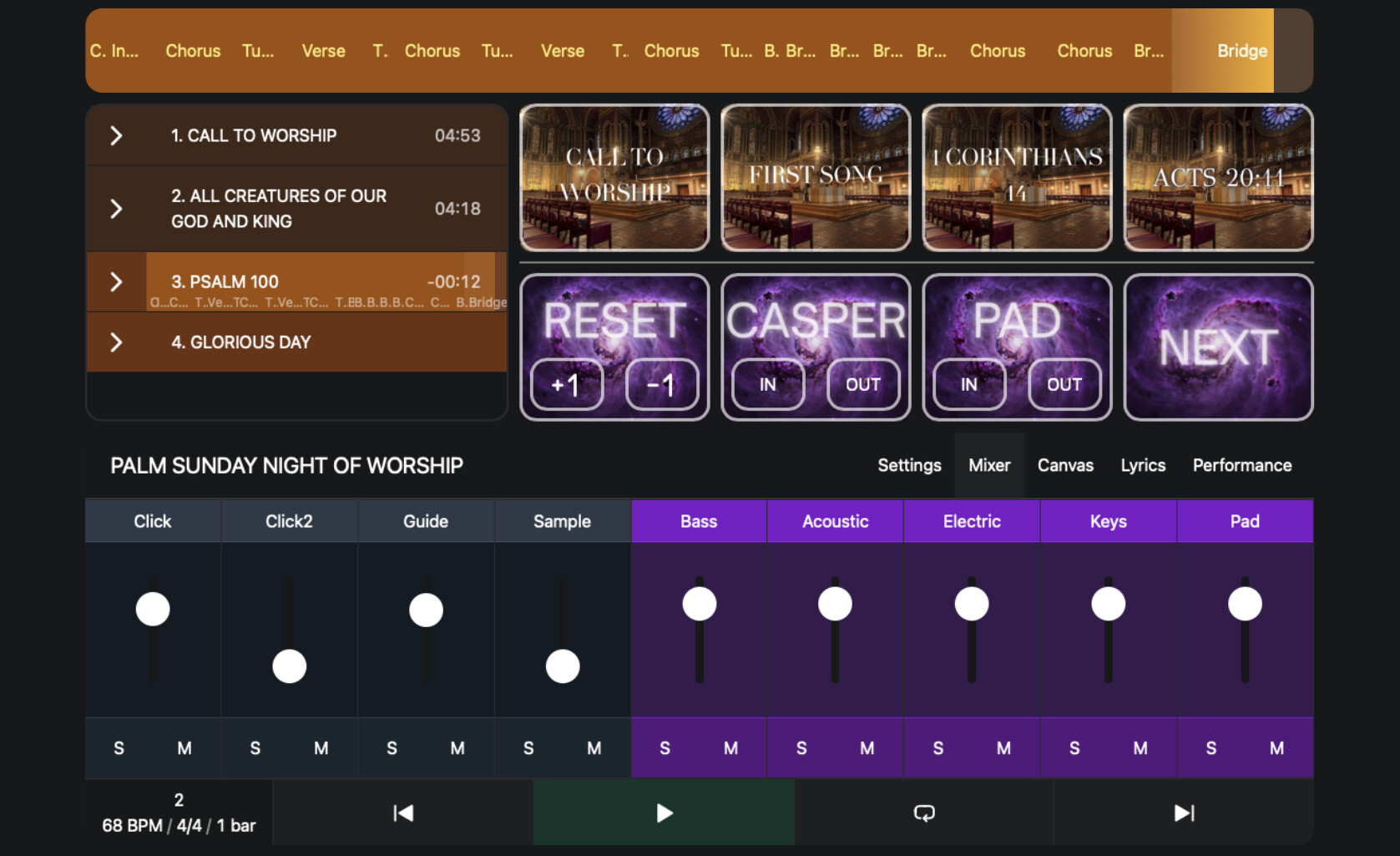
Hi everyone! This is what im calling the first iteration of my canvas designed for use at Church. We mainly use Ableton for cues, pads, and MD-ing. We don’t normally use tracks but I have put the option in there for the occasions when we do. Huge thanks to @leolabs and @agustinvolpe for all of the hard work in putting this together and also for helping me with the buttons and issues I was having. I’m wanting to use the next button as a link to another canvas. I’m just not sure what all i’m going to put on that other canvas yet. I’m open to suggestions is anybody has any!
Hey @andrueblocker,
That canvas looks great!
Setting up the NEXT button as a link is simple:
1. Create your second canvas and note its URL path (e.g /canvas/page-2).
3. Select your NEXT button, change Button Type to “Link”.
4. In the Link field, enter the path: /canvas/page-2.
You can also add a “Back” button on the second canvas pointing to your main one.
For the second canvas, you could maybe set up a message broadcast panel, or section jump buttons for spontaneous moments, or a dedicated lyrics view.
Hope that helps!
1 Like