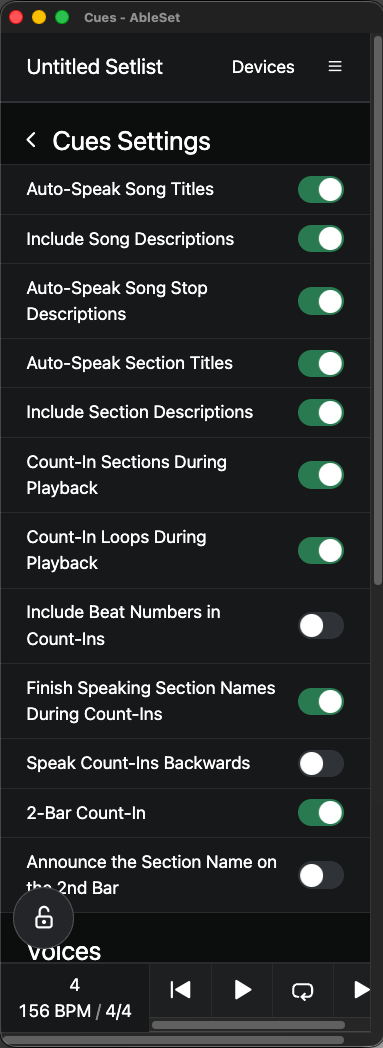
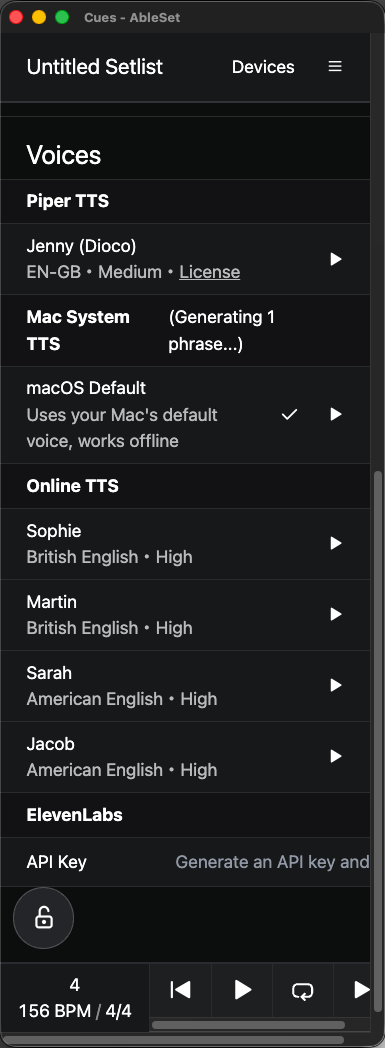
I have a trouble using cues sections, while i choose the section in the setlist, the tts say the correct name but while it’s playing live it’s say nothing, all enable in the cue menu
and i have also this error :
TypeError: undefined is not an object (evaluating ‘i.customVoices.length’)
Could you double-check that Count-In Sections During Playback is switched on in Settings → Cues → Cues Settings? That’s the one responsible for anything you hear during live playback.
The TypeError: undefined is not an object (evaluating 'i.customVoices.length') isn’t expected, and it points at the Custom Voices part of Cues, so it might be tied to what’s going on.
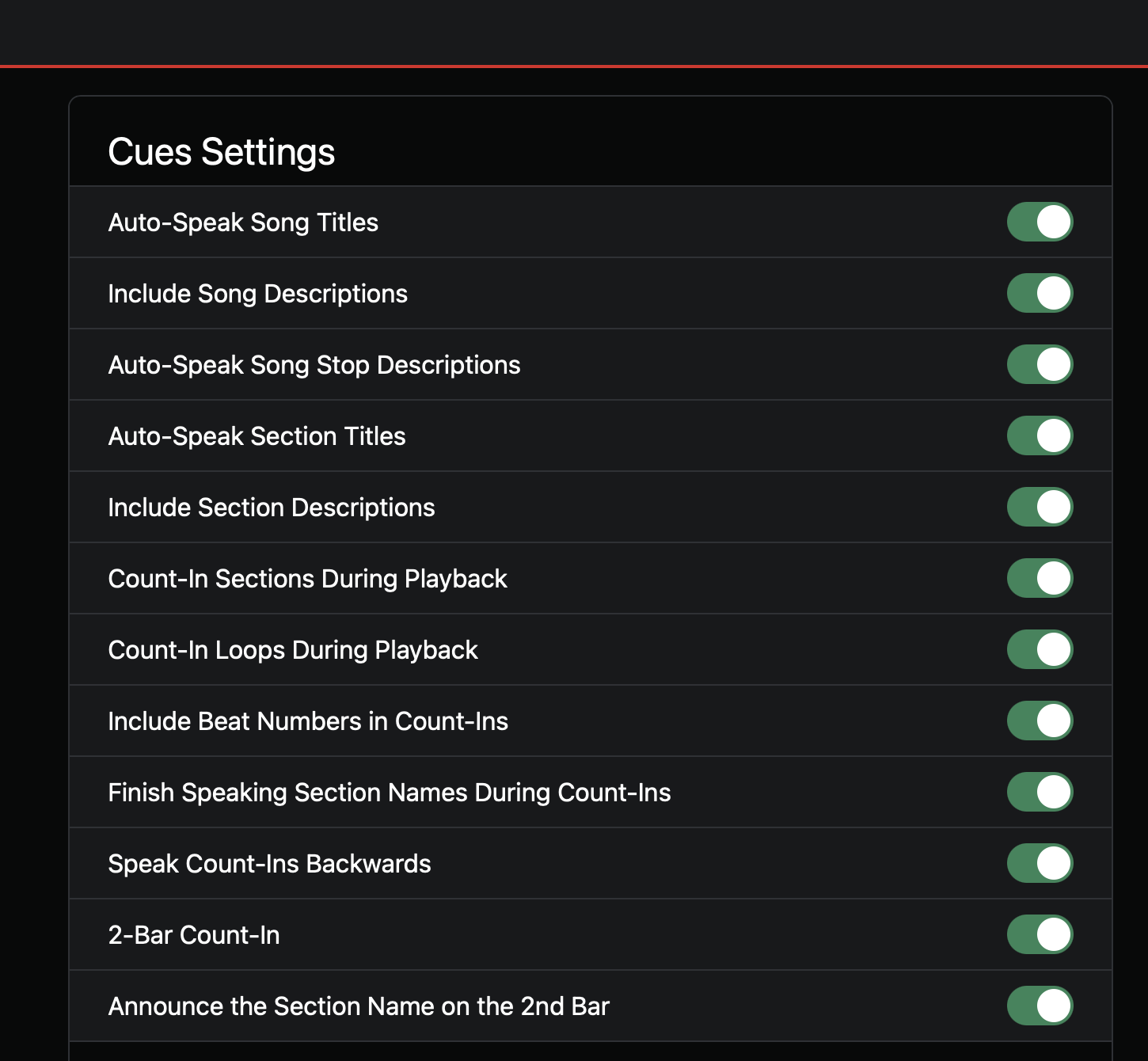
A screenshot of your Cues Settings (Settings → Cues → Cues Settings) would help a lot, so we can see exactly which toggles and which voice you have selected.
It’s work perfect for the name of the song and for the section only when i select them, but not when i’m playing the song and it’s reach the section part
i only ear “1” before the section but nothing other than that
Temporarily switch the Cues voice from “macOS Default” to Jenny (Dioco) (the Piper option, at the top of the Voices list), then play into that same section again. Does the count-in speak properly then, or still just the one beat? This tells me whether it’s tied to the macOS voice generation specifically.
Does this happen on every song and section, or only some of them?
Could you please create a Log Package after reproducing this behavior? You can do that by opening AbleSet’s icon tray, clicking the gear icon, and then selecting “Create Log Package”. Please make sure to include your project files as well (just the .als files, no audio needed). To send the files, you can upload them to AbleSet’s support inbox.
With the log package (and whether the Jenny test changes anything), we should be able to pin down what’s going on.
@YannP I released a few updates since your post which address the issue you experienced. Could you try updating to the latest version and check if that helps?
Hey Everyone. Seeing the same problem here.
Ableton 11.3.43 and Ableset latest version on my Windows machine. I have not tried on my Mac yet. Cues will play when transport is stopped and I click around, but they do not play during playback.
This happens for every song in the session, and it also happens on sessions with single song in them.
I’m sorry to hear that you’re experiencing issues with Cues during playback. To troubleshoot this, could you send me a log package including your project files so I can take a closer look? You can create one by opening AbleSet’s status window, clicking the settings icon on the top right, and then selecting “Create Log Package”.
You can also include a screen recording showing the issue on your machine if you like, that often helps to figure out what’s going wrong.
You can upload all files to my support inbox referencing this thread.
Hey @funkdrmr, I didn’t make any other changes to the code related to cues, other than adding more verbose error logging, but I’m glad to hear it’s working on your computer now!
My hunch with this issue was that AbleSet didn’t have sufficient permissions to access your project file which it needs in order to know where to place count-ins. Did anything else change on your computer that might potentially have an influence on this?
I’m experiencing an issue with section Cues when using macOS Default as the Cues voice.
Problem Description
Manual Selection: When playback is stopped and I select a section in the setlist, the TTS speaks the section name correctly.
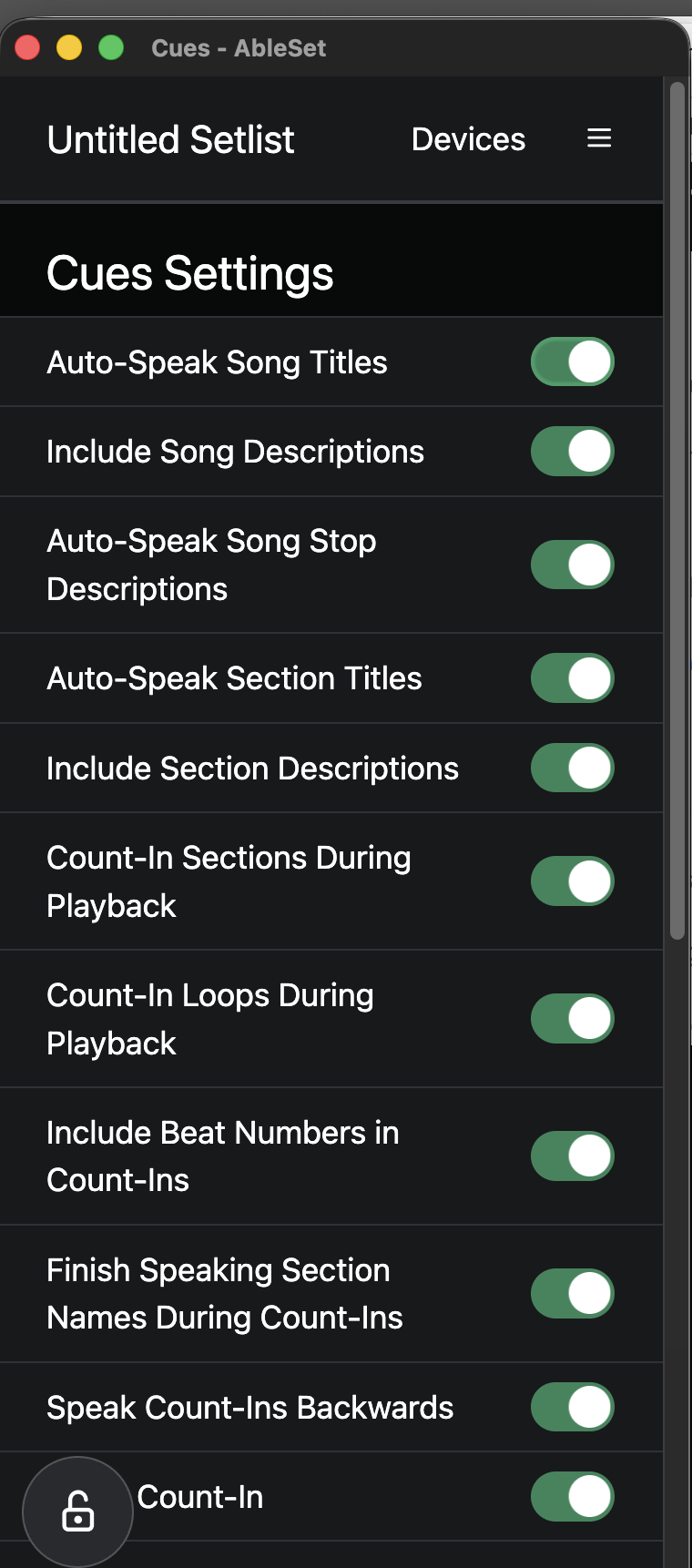
Live Playback: During active playback, AbleSet does not speak any section names or count-ins, even though all options are enabled in the Cues Settings menu.
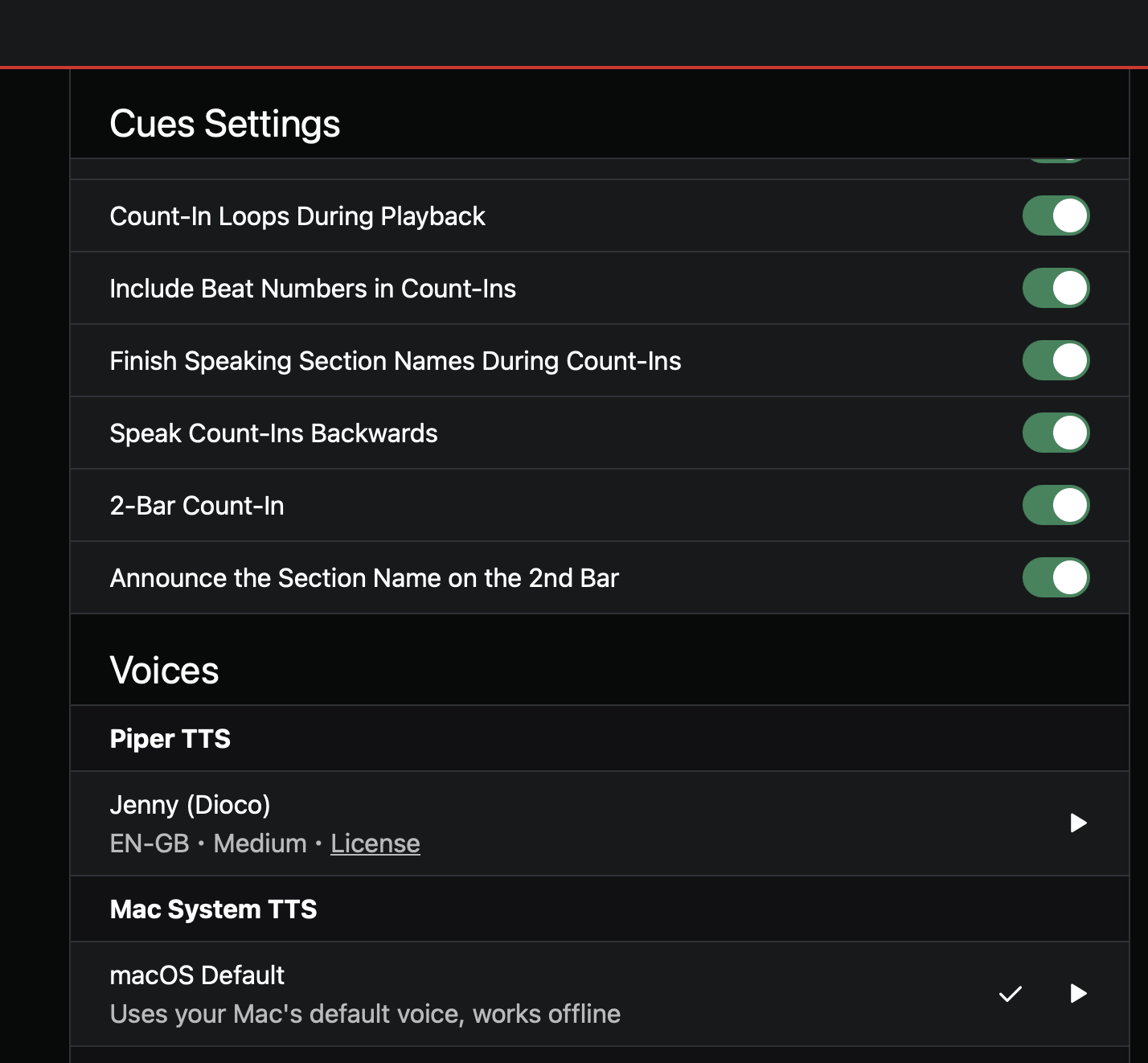
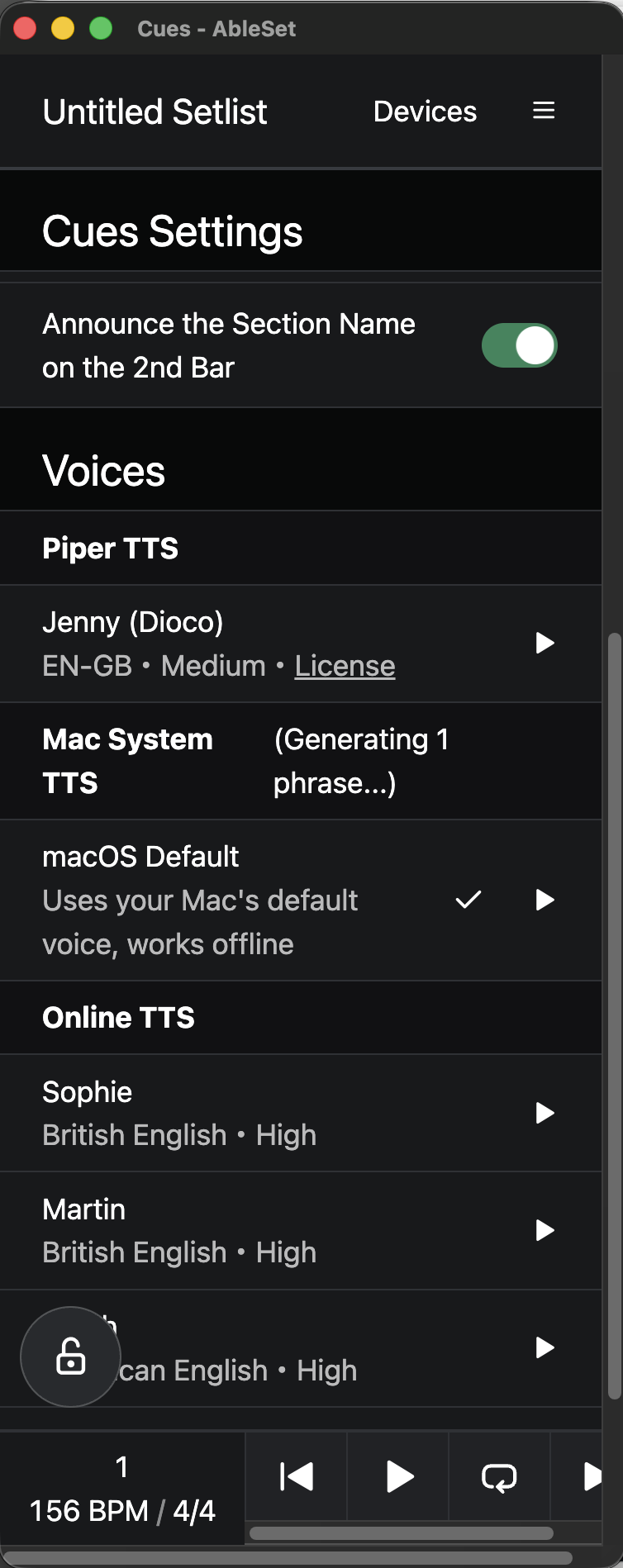
Stuck Status: In the Voices list, under Mac System TTS, it gets stuck displaying “(Generating 1 phrase…)” indefinitely during playback.
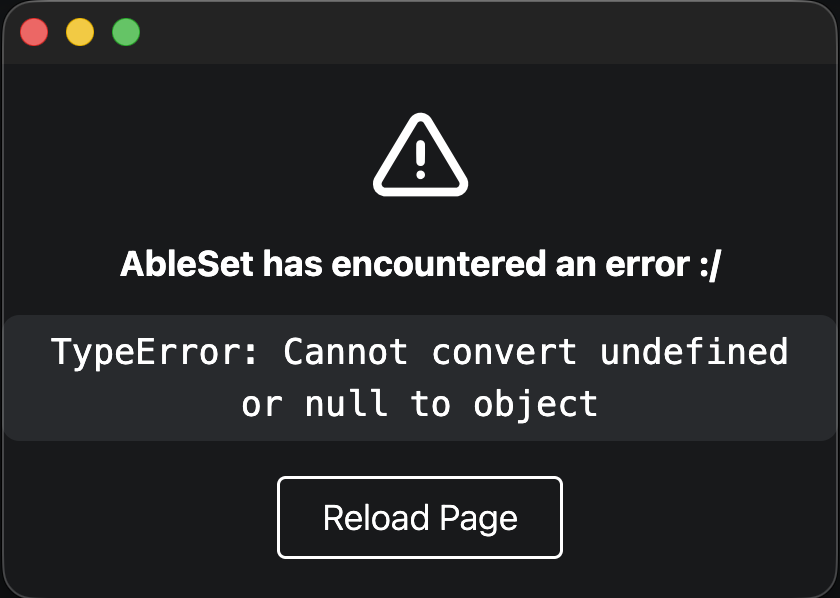
App Crash: Trying to navigate the Cues Settings page while this happens triggers a UI crash with the following error: TypeError: Cannot convert undefined or null to object (Requiring a page reload to restore the interface).
System & Voice Settings
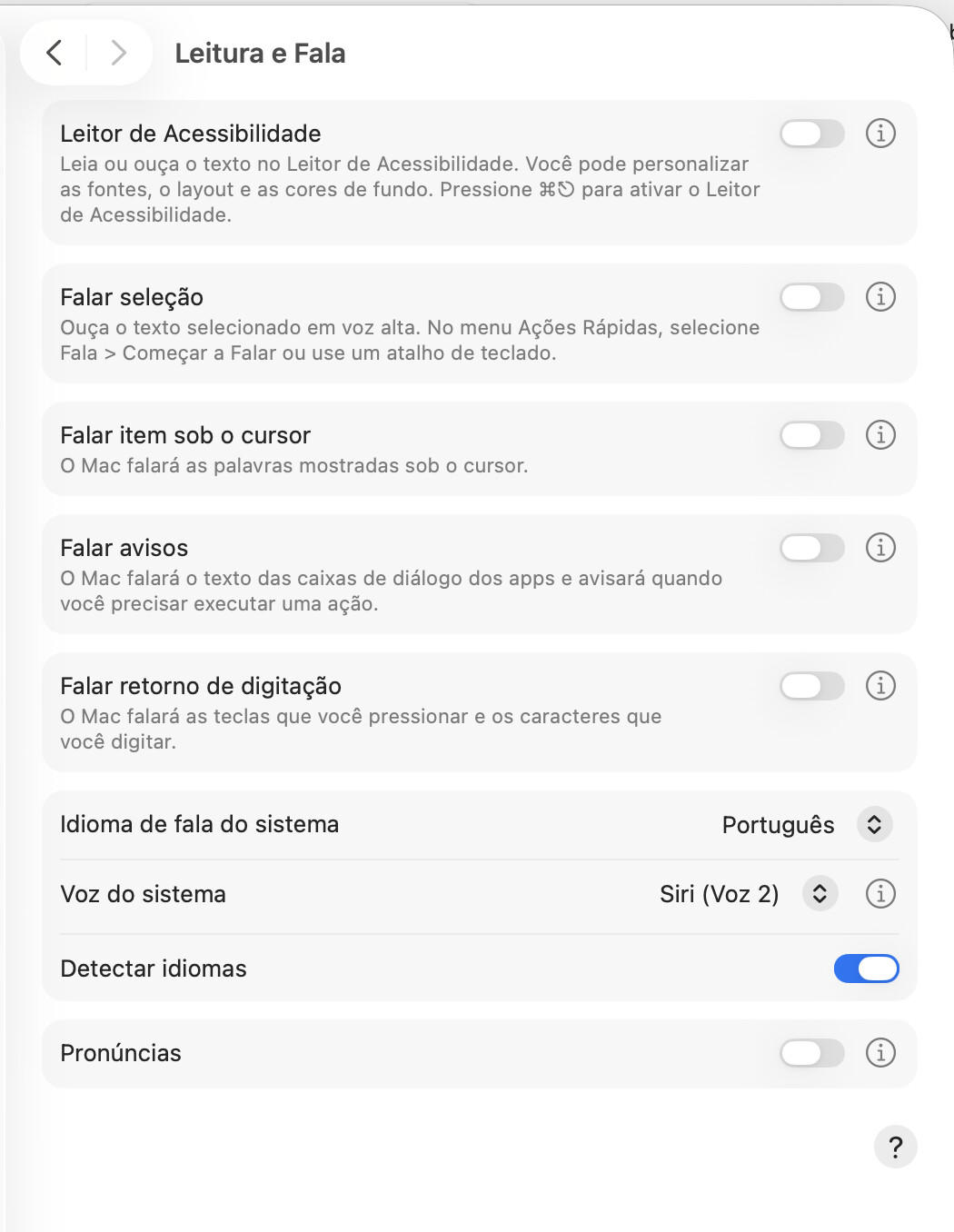
macOS System Voice: Portuguese (Brazil) — Siri (Voz 2).
AbleSet Voice Setting: Selected macOS Default.
Cue Settings: All count-in and auto-speak options are enabled (Auto-Speak Section Titles, Count-In Sections During Playback, etc.).
Workaround Test
When I temporarily switch the Cues voice from macOS Default to an offline Piper voice Jenny (Dioco), the count-ins and section names speak properly during playback without hanging or crashing.
It seems there is an issue handling the asynchronous TTS generation when bridging with macOS system voices (specifically with Portuguese Siri voices) while the timeline is running.
Could you please look into why the macOS Default TTS fails to generate audio on the fly during playback and causes a TypeError? I have attached the Log Package for your review.
Thanks for the detailed report and the screenshots!
First, could you let me know which version of AbleSet you’re using?
If you’re not on it yet, I’d recommend updating to the latest official build and checking if the issue still happens there.
If it does, there’s one more thing worth trying. AbleSet stores the phrases generated with the macOS Default voice in a folder inside your project, and that folder needs to be regenerated after changing your Mac’s system voice:
Open the AbleSet folder inside your Ableton project folder and go to the Cues folder.
Delete the mac-default folder.
Restart AbleSet so it can generate the phrases again.
If you’d like me to take a quick look at the logs in the meantime, feel free to send me the Log Package via DM. Please make sure to include your project files as well (just the .als files, no audio needed).
For security and privacy reasons, please don’t post the files or the link in this thread. Instead, upload them to Google Drive or WeTransfer and send me the link via DM.
I am currently running AbleSet 3.1.5 on Ableton Live 12.4.6.
I followed your instructions: I went into the project’s Cues folder and deleted the mac-default folder along with all other subfolders inside it.
After restarting AbleSet, I noticed that the mac-default folder was automatically recreated and the audio files were rendered as expected.
However, the issue persists:
Settings Error: When I tried to access Settings > Cue Settings, AbleSet threw the same error again: AbleSet has encountered an error TypeError: Cannot convert undefined or null to object. Reload Page
Infinite Generation Loop: After clicking “Reload Page”, I was able to access the Cue Settings tab, but the Mac System TTS field kept flashing intermittently with the message (Generating 1 phrase…).
Playback Issue: When playing the track in Ableton, the problem remains unchanged—no cues are spoken during playback, even though the audio files exist inside the Cues / mac-default folder.
Thanks for testing that and for the detailed follow up.
As a next step, could you give the latest beta a try? It contains several fixes, so it’s worth checking if the issue still happens there.
Before installing it, please make a backup of your Canvases just in case (the Canvases folder inside your project’s AbleSet folder), since Canvases edited with 3.2 can’t necessarily be opened by older versions.
If the issue persists on the beta, please create a new Log Package after reproducing it and send it to me via DM, the same way I described in my previous post.
Thanks for the update! I installed AbleSet 3.2.0-beta.11 after deleting the mac-default folder, and here are my test results:
Fixed UI Crash: The error message TypeError: Cannot convert undefined or null to object is no longer occurring when accessing the Cue Settings menu.
Playback Progress: During active playback, AbleSet is now speaking the Section Titles correctly!
Section Descriptions Issue:
While playback is stopped, AbleSet speaks the Section Descriptions properly when selecting sections
However, during live playback, it completely skips speaking Section Descriptions, even with the “Include Section Descriptions” toggle enabled.
Song Title Bug: Something I forgot to mention earlier: the Song Title (the very first marker) is not spoken at all upon starting playback, across both version 3.1.5 and 3.2.0-beta.11.
5. Persistent Loop: The Mac System TTS field in the UI is still flashing intermittently with (Generating 1 phrase…).
I have generated a fresh Log Package right after reproducing these behaviors and sent it to you via DM, along with the .als project file as requested.
Thanks for testing the beta and for the detailed results!
Good to hear that the crash is gone and that section titles issues were fixed.
Section descriptions during playback
This is expected behavior. “Include Section Descriptions” applies to the announcement you hear when jumping to a section while playback is stopped. During playback, “Count-In Sections During Playback” speaks the section name together with the count (e.g. “Chorus, 2, 3, 4”), and the description isn’t part of that phrase.
If you’d like a cue to be spoken during playback, you can add it directly to the section name instead of the description, e.g. Chorus Build.
Song title
This one is also by design rather than a bug. “Auto-Speak Song Titles” announces a song when you jump to it while playback is stopped, for example when selecting another song in the setlist. It isn’t meant to be spoken when you start playback.
This is the one I’d like to look into with your logs.
However, the Log Package hasn’t arrived in my DMs here on the forum. Could you send me the Google Drive or WeTransfer link again as a direct message here on the forum?
Thanks for clarifying the intended behavior for the section descriptions and song titles!
I’d like to submit two feature requests based on this workflow:
Option to speak Section Descriptions during playback:
Could you consider adding an option to include Section Descriptions during live playback? This is crucial for my setup because it keeps the Setlist UI visually clean — having descriptions in smaller, italicized font beneath the main title rather than cluttering the section name. More importantly, it provides essential cues for the band, such as reminding the vocalist of the starting lyrics for an upcoming section. Without this, section titles become overly long (e.g., having to write Chorus. We Are the Champions instead of keeping Chorus with {We Are the Champions} in the description).
Auto-Speak Song Title on Playback:
It would also be very helpful to have an option for AbleSet to announce the Song Title upon starting playback, regardless of whether a jump occurred while stopped.
Regarding the Log Package, I apologize for the confusion! I uploaded the .als file and logs directly to AbleSet’s support inbox via the upload link ( AbleSet is requesting files from you ).
Just so this doesn’t stay unresolved for anyone following along: after some back and forth with @bbrito and a look at the Log Package, the “Generating 1 phrase…” issue turned out to be caused by sections with an empty name in the project. AbleSet tried to generate a cue for an empty phrase, which fails with the macOS Default voice, and it kept retrying. Naming or removing those sections fixed it.
As a reminder, if you use a Sections track, the cleanest approach is to keep the section names in the clips and only place locators on the sections you need to jump to while playback is running. AbleSet can also create them for you via Settings → Tools → “Place Locators on Section Clips”.

 TypeError: Cannot convert undefined or null to object. Reload Page