im running to mac mini m2 pros in a redundant ex.box.md setup. Dante network running on 2.5gb thunderbolt adapters separated from control/midi running on build in ethernet ports.
tried all the basics and a bit more, but no matter what ableset wont set up with the build in ethernet ports on my 2 mac mini m2 pros. it simply wont show up under preferred networks.
all ip settings of couse within range and no conflicts…
ethernet ports are working fine on both macs assumably. tested it with dante virtual sound card and it popped up on both macs and ran perfectly.
I’m sorry to hear that you’re experiencing issues with the preferred network setting. To troubleshoot this, could you send me a log package? You can create one by opening AbleSet’s status window, clicking the settings icon on the top right, and then selecting “Create Log Package”. You can upload it to my Support Inbox then, and I’ll take a closer look at what might be causing the missing network interface.
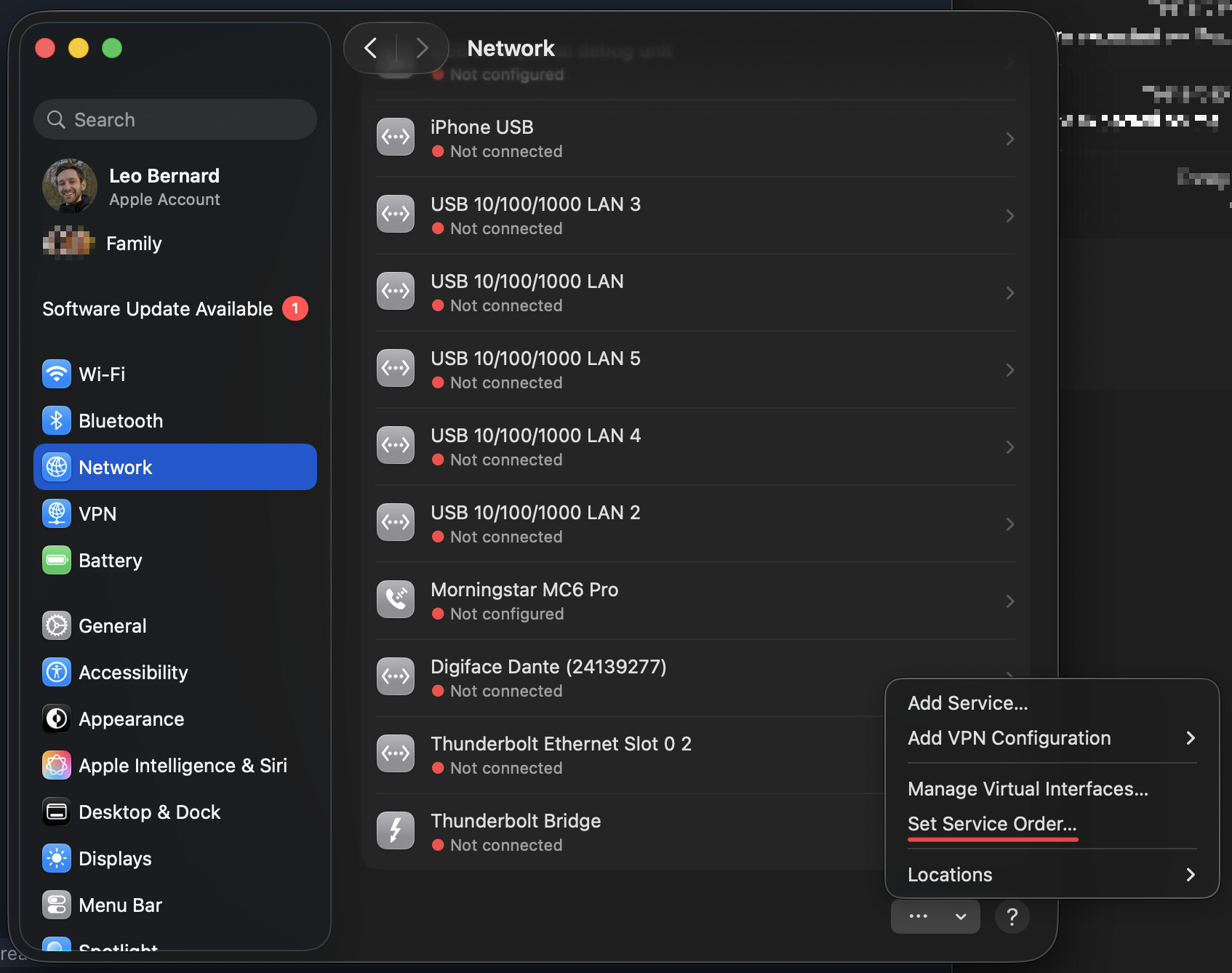
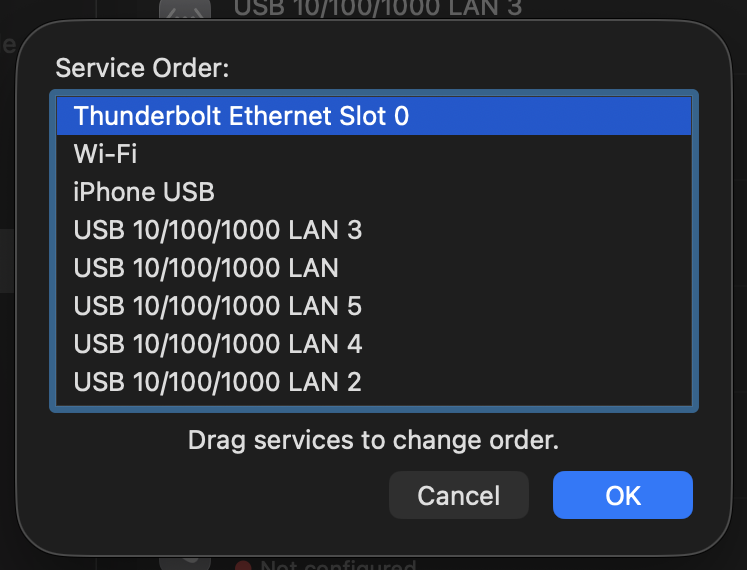
In the meantime, AbleSet always chooses the system’s default network interface if no override is set. On macOS, you can change the default interface by opening System Settings, selecting Network in the sidebar, clicking the three dots at the bottom of the interface list, and selecting “Set Service Order…”