The more information you include, the better. If you like, you can also attach images or videos.
Please fill out these values to make it easier to troubleshoot:
OS and Version: (e.g. macOS Ventura 13.3)
Version of AbleSet: (e.g. 2.2.3)
Version of Ableton Live: (e.g. 11.3.3)
Hello!
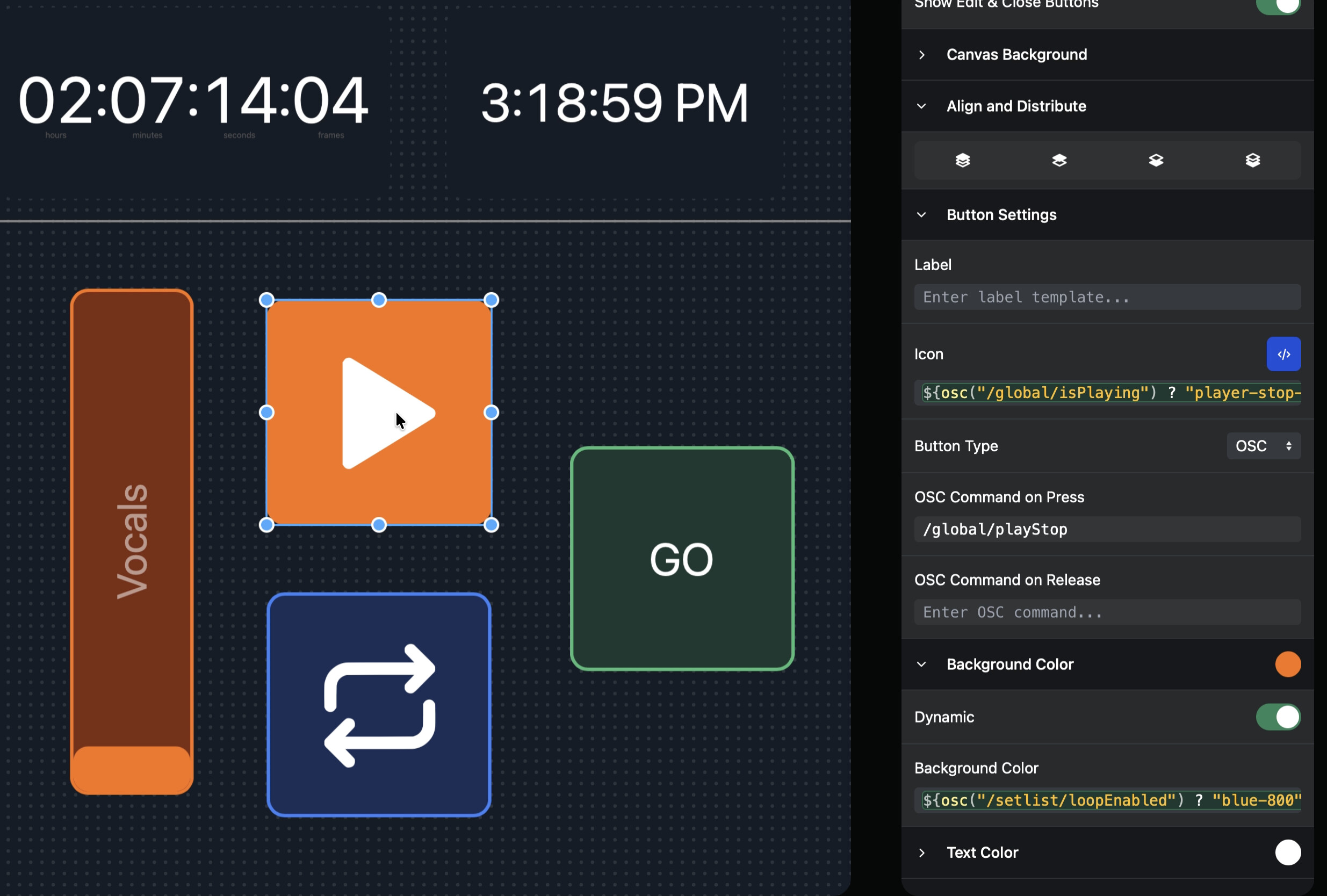
I was editing some OSC in the dynamic section and noticed that upon the first selection of an item on the canvas, the OSC updates, but if you click a different item in the canvas page the OSC message doesn’t seem to update in “Background Color”. Since I’m new to the support site, I can’t upload a video but here’s a picture with the “Play/Pause” button selected, and the script for the “Loop” button is showing under “Background Color”.
The workaround I’ve found is just clicking the background and then clicking another item, but I wanted to put this in the support site and ask and see If I’m missing something, or see if it’s a bug.
If it still doesn’t update properly when switching selections, could you please create a Log Package?
You can create a log package by opening AbleSet’s status window, clicking the settings icon on the top right, and then selecting “Create Log Package”.
Please make sure to include your project files as well (just the.als files, no audio needed)
To send the files, you can upload them to AbleSet’s support inbox.
I pasted in the string above into the Play/Pause and it did only affect the selected icon even with the icon selected showing a different string for a different button so that is good.
I want to add that switching between the icons updates the string initially if you toggle between them once, but if you repeat that action it seems to latch onto one or the other. In addition, it does seem to appear that the “Dynamic Text Color, and Dynamic Background Color seem to have that same latching affect when cycling between different Icons.
The good news with the sanity check is that the code may appear to be for a different button, but if you type in a new string, it does only affect the selected icon.