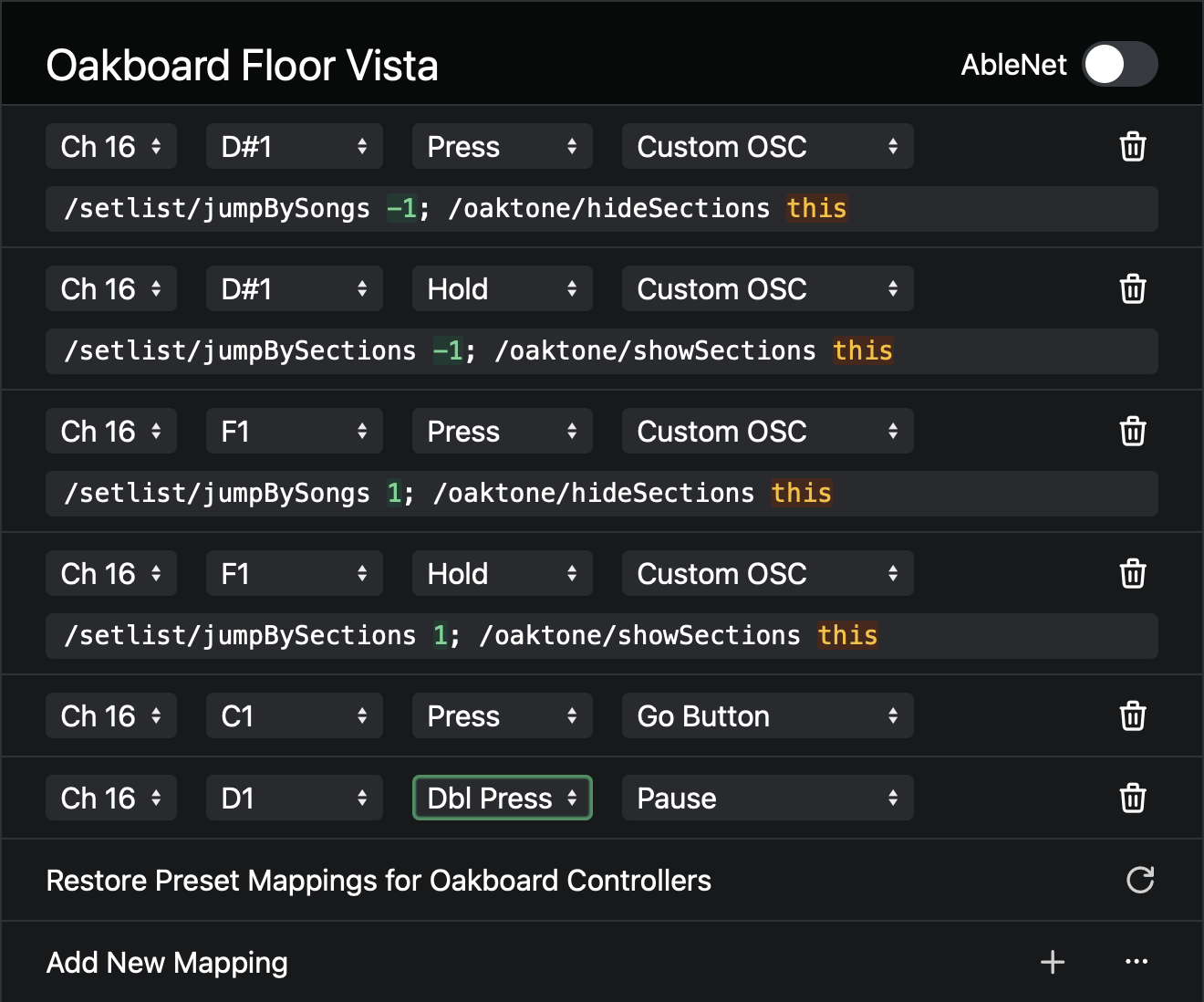
I have Safe Mode enabled to prevent accidental stoppage during the set, it works when manually clicking the stop button via Ableset two times on the computer, but with the Oakboard, I can press stop once and the song will stop. Is there a setting I’m potentially missing?
Any help from anyone would be greatly appreciated, thank you!
Hey @derekserino, Safe Mode only applies to the UI of AbleSet, but you can easily change the MIDI mapping to require a double press. To do this, go to Settings → MIDI Mapping and look for the pause mapping on your Oakboard, then set its mode from “Press” to “Dbl Press” (or “Double Press” on older versions of AbleSet):
Let me know if this works for you! 
This is perfect, thank you!