Delaying After Pressing Play

Hello I am trying to see if its possible to delay a bit after pressing play (using auto-speak) on a certain song.

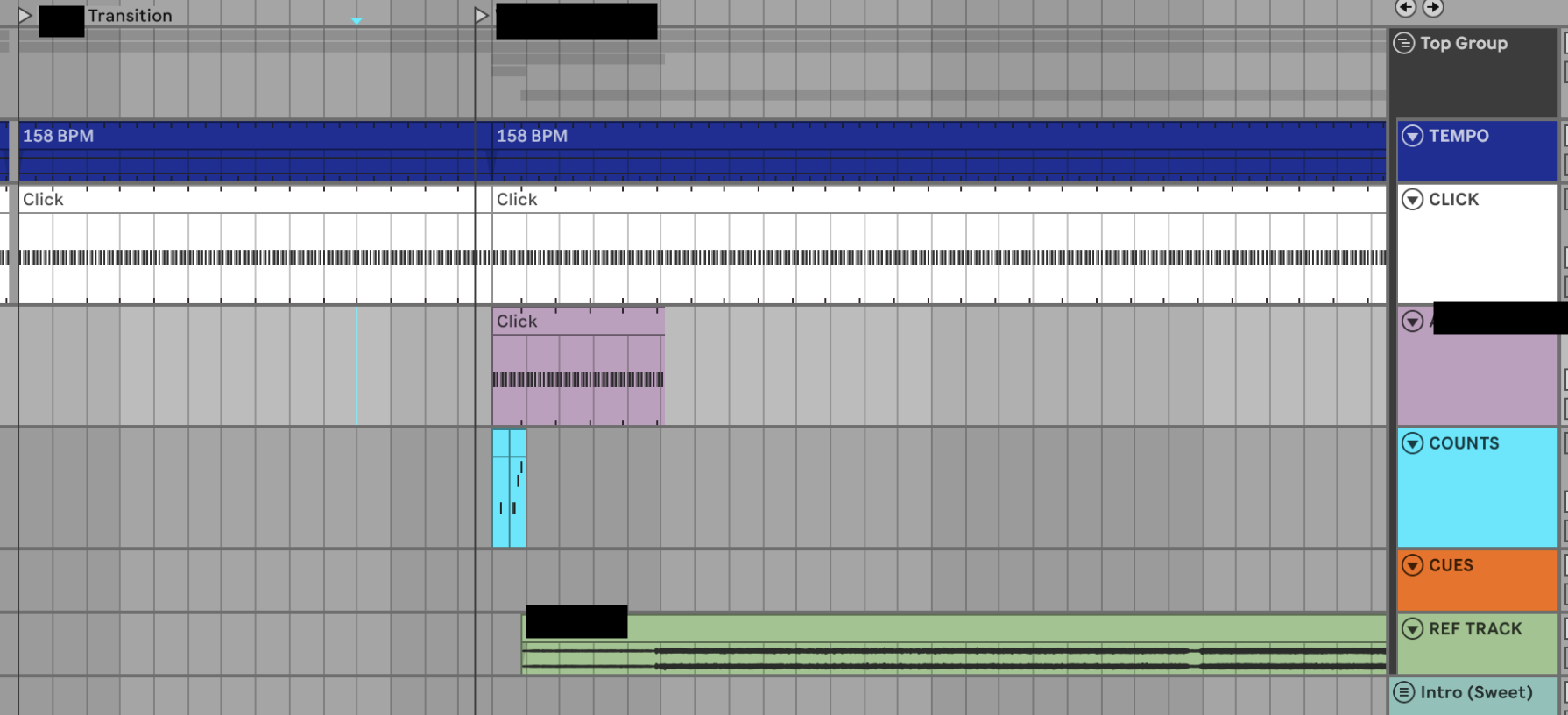
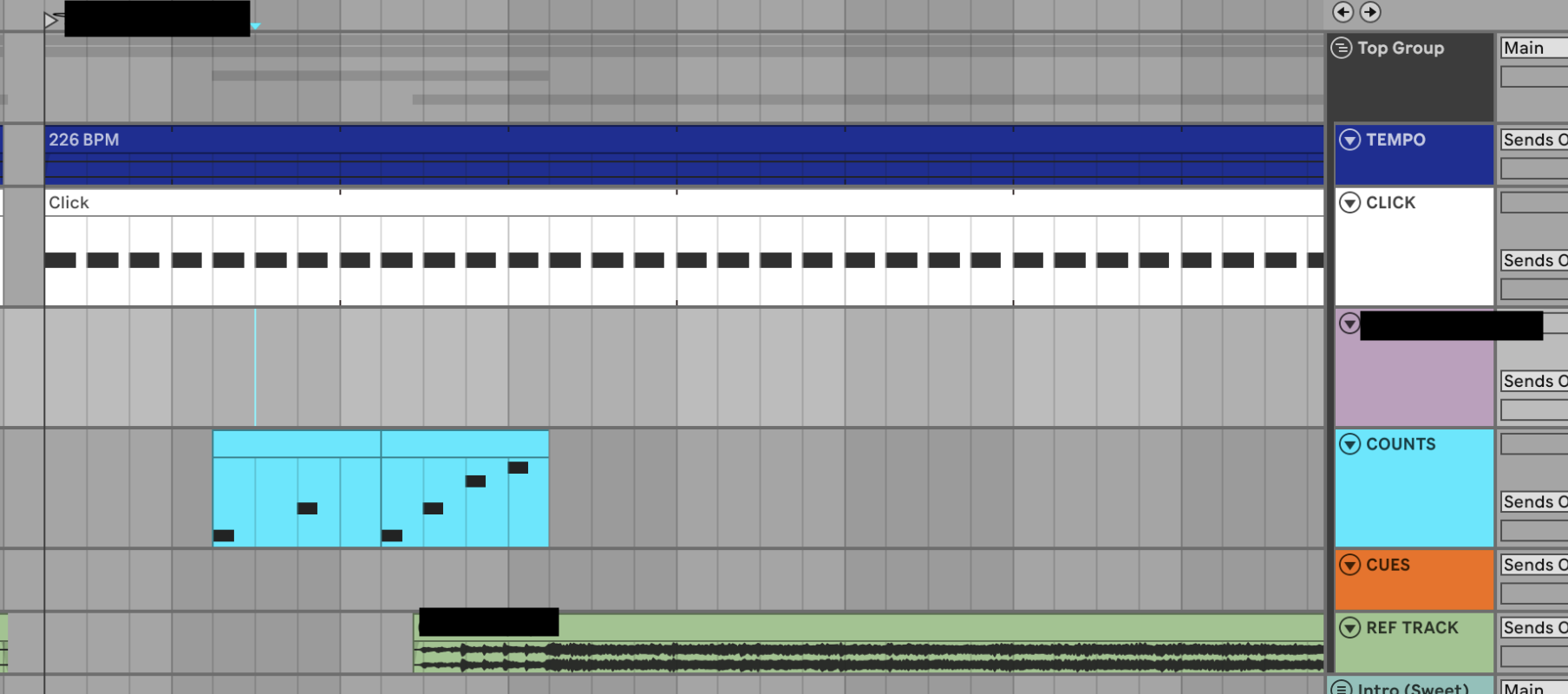
I am using the Cues to auto-speak the titles of the songs, but I am placing the locator where I would like the auto-speak to happen. But in an example like there are some nights where the band will not need the “transition” and will need to start right where those blue counts are.

For example in the second screenshot, ideally would like for the band to press play in Ableset, it waits x amount of bars, then plays, and not have to manually create extra space like it is currently. Same with the first screenshot, would like to have the locator to be right with the blue cues.

I also tried the count in feature, but it immediately plays with no count in, but I’m guessing I do not have a section setup correctly for it to work. Will take any advice on that too.

If anyone has any suggestions on how to go about this, or techniques they would suggest, I would love to hear them. Thank you!
  • OS and Version: (Golden Gate 27.0.1)
  • Version of AbleSet: (3.1.5)
  • Version of Ableton Live: (12.4.6)

Hey @derekserino, welcome to the forum!

I think a slightly different session layout will solve most of this, so here are a few tips:

1. Add a Sections track

Create a MIDI track called Sections and add empty MIDI clips where each part of the song starts, named after the section. For this song, you could put the song locator at the start of the transition and then add two section clips:

  • Transition at the start of the transition
  • Intro right where your blue counts begin

That way the transition is just an optional part of the song. On nights you need it, start from the song. On nights you don’t, click the Intro section in the setlist and start from there. No need to move locators or create extra space between songs.

You can also see this in action in the official tutorial: https://youtu.be/0eNheFYAh6w?t=25

2. Use Count-In for the “wait a few bars, then play” part

Count-In starts playback a few bars before the section you’ve selected, so it’s a great fit once your songs have sections. Enable it in Settings → Section Count-In → Enable Section Count-In, pick 1, 2, or 4 bars, and turn on Solo the Click Track during Count-In. Since there’s already click before your Intro, the band will only hear the click during those bars before the song kicks in. If you’d like your COUNTS track to be heard during the count-in too, add +CLICK to its name.

3. Announcing the song at a specific spot

Auto-Speak Song Titles announces a song when you jump to it while playback is stopped, so it isn’t tied to where the locator sits. If you’d like the announcement to happen at an exact point on the timeline, you can use an OSC track (available in AbleSet Pro). Create a MIDI track named:

Announce +OSC [/cues/say] [single]

Then place a short MIDI clip wherever you want the announcement and name it after the song, e.g. Intro Sweet. When the playhead reaches it, AbleSet sends /cues/say "Intro Sweet" and the Cues plugin speaks it.

Hope this helps, and let me know how it goes!

This was all extremely helpful, thank you!