When you report an issue with AbleSet, you might be asked to provide a log package so I can take a closer look at it. This post explains all you need to know:
Creating a Log Package
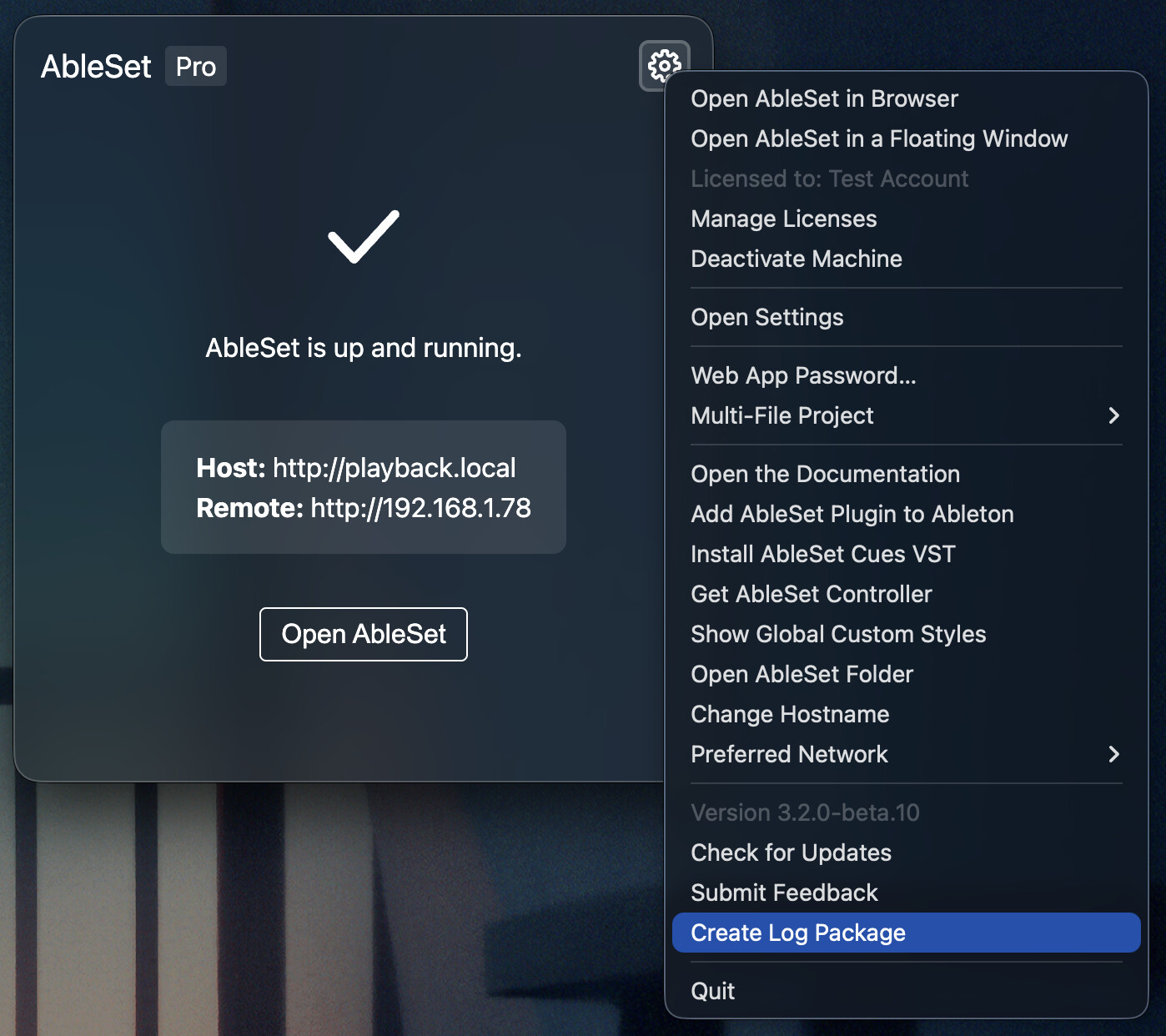
To create a Log Package, open AbleSet’s status window, click the settings icon on the top right, and then select “Create Log Package”:
You will then be asked whether you want to include your current project file:
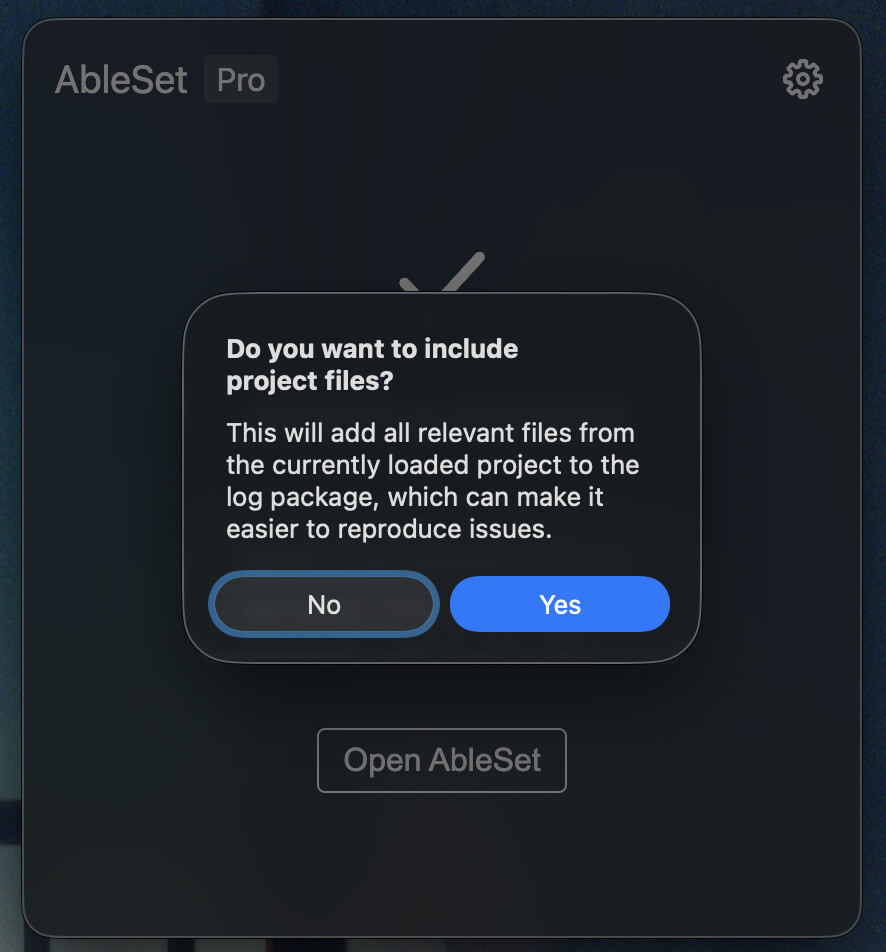
This doesn’t include any audio files but just the .als file. On Multi-File Projects, this includes all .als files in your project folder.
You can then decide where you want to store the log package.
After creating it, you can upload it to my support inbox and add a reference, like a link to the related thread on this forum or the subject of the email that you sent to support. Alternatively, you can also upload the log package to any other cloud provider of your choice and email or DM me the link.
It’s often helpful to include a screen recording of the issue.
Please don’t post log packages on the forum as they might contain sensitive information.
Log Package Contents
A log package is a ZIP archive that contains a bunch of files with information that might be helpful in diagnosing an issue. You can extract it and view the files for yourself if you’d like to know what you’re uploading.
Here’s a list of all files that are included:
- AbleSet Logs contains logs of the last 7 days.
- Ableton Logs contains Ableton’s log files, which might contain logs of the past few months
- Ableton Project contains the AbleSet folder of your project, which includes Canvases, Cues, Custom Styles, the Project File Cache, the Project Script, Setlists, and Settings. If you decided to include the Live project, that .als file is also stored here.
- Crash Dumps contains the information about the last crash. This is usually empty.
- Custom Styles contains styles and scripts from your global custom styles.
- ablenet.json lists all AbleNet hosts connected to this computer along with information about this computer that is sent to other AbleSet hosts on the network.
- devices.json lists all browsers connected to AbleSet at this time, along with their state and other information like latency.
- ifconfig.txt contains the output of the
ifconfigcommand. This lists all network interfaces on your computer along with their configuration and IP addresses, if available. - live-processes.txt contains a list of all running processes that could be Ableton Live.
- lsof-i4.txt contains the output of the
lsof -i4command, which lists all open ports and which application is using them. - midi-mappings.json lists all current MIDI mappings. This usually the same as “Ableton Project/AbleSet/Settings/midi-mappings.json”.
- network-devices.txt contains the output of
networksetup -listnetworkserviceorder. This lists the order of your network interfaces. - network-interfaces.json contains a list of your network interfaces, in the format that AbleSet receives.
- setlist.json contains the current setlist.
- settings.json contains AbleSet’s current settings. This is usually the same as “Ableton Project/AbleSet/Settings/settings.json”, combined with the computer-specific settings files.
- system-profile.txt contains the output of
system_profiler SPSoftwareDataType SPHardwareDataType SPStorageDataType SPAudioDataType SPDisplaysDataType SPNetworkDataType, which includes information about your operating system, your hardware, connected storage, audio interfaces, screens, and network devices.
If you don’t want to include some of these files, just delete them from the package and zip the folder again.
Privacy and Retention Policy
When you use the upload link above, log packages are currently uploaded to my Jumpshare account and can only be accessed by me, @leolabs. I don’t delete log packages usually in case I need to reference them later, but if you’d like yours to be deleted, just let me know.