Canvas: Show actual next section after automatic >>> jump

Hi Leo,

First of all, thank you for creating such an amazing piece of software. AbleSet has made a huge difference for our live performances.

I’m currently displaying the next section in Canvas using:

${osc("/setlist/loopEnabled") ? "Sektion LOOPES" : osc("/setlist/nextSectionName")}

Is there a way to detect if the next section will be skipped by an automatic >>> jump?

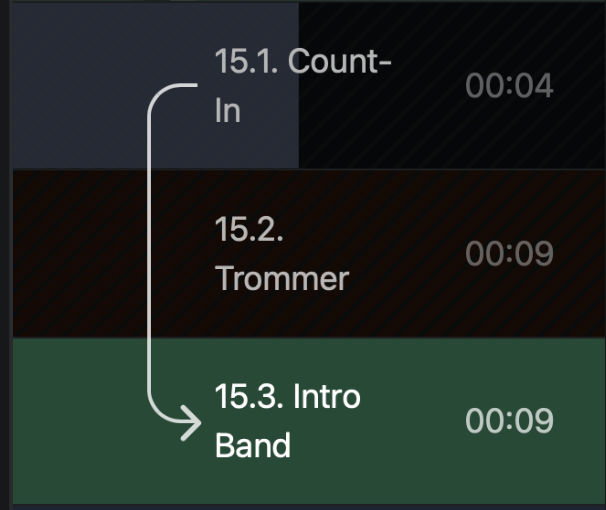
In this example, Trommer is automatically skipped (Count-In >>> Intro Band), but Canvas still displays → Trommer.

Is there a way to hide or ignore skipped sections and instead display the actual next section (Intro Band)?

Thanks!

Hey @kratz, welcome to the forum!

Glad AbleSet is working well for your shows, and thank you for sharing this!
At the moment, there’s no OSC value that exposes this.

I’ll pass this along as a feature request :slightly_smiling_face:

1 Like

Hey @kratz,

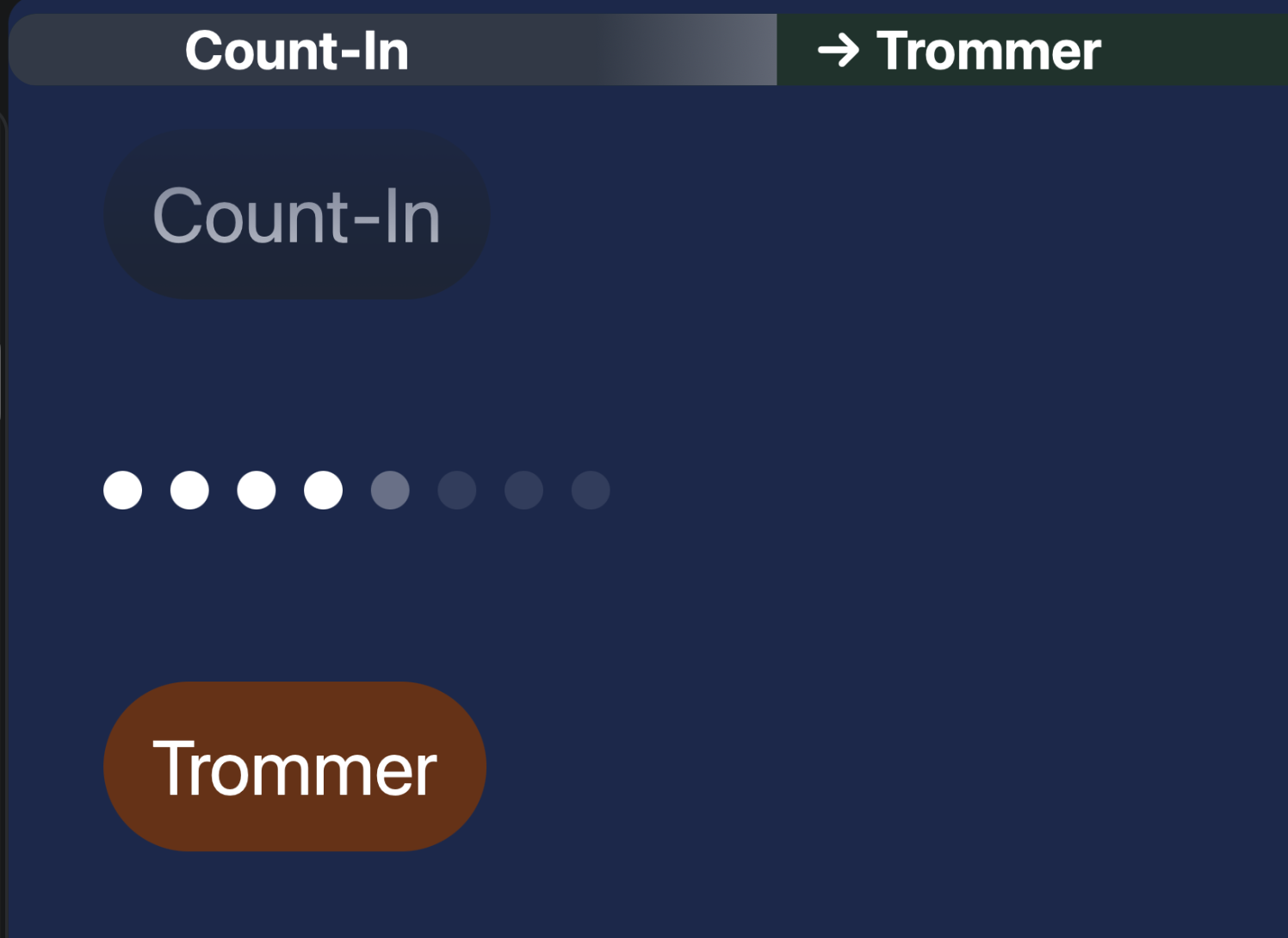
Following up on this, as of AbleSet 3.2.0 beta 4, the /setlist/nextSection* values now respect transition flags. So with Count-In >>> Intro Band, the next section will show Intro Band instead of Trommer.

On top of that, beta 7 added a Song Progress setting that shows the section transition with an arrow. When the playhead is in a section with a >>> transition (or next to a +SKIP section), the target section gets highlighted with an arrow pointing to it.

You can download the latest beta here: AbleSet 3.2.0 beta 10. Keep in mind 3.2 requires Live 11 or 12, and I’d recommend testing it with your project before taking it on stage.
Let me know how this behaves on your end!

Hi Agustin,

Thank you so much for following up on this and for implementing it!

I’ve just tested it, and it works perfectly. The next section now shows exactly as expected when using the >>> transition.

Really appreciate you taking the feature request on board. This is a very useful improvement for our live setup.

Thanks again!

1 Like