Hoping the community can help me with this…
I’ve been working on a ‘Notes’ section for a canvas, with the intention of writing down details about an upcoming gig - reminders about timings, “remember the pyrotechnics are downstage”, etc.
I’m aware of a few approaches to variable storage and printing - Local, Shared variables, and the use of Linked variables in the input field.
So far, the method I’ve found which guarantees the variable will persist is this one:
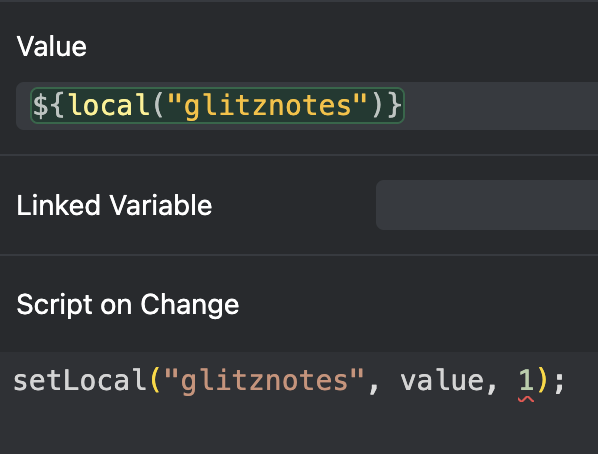
This persists across changing Ableton sessions, and it persists if you close the session in question and reopen it. It does not, however, persist if you close Ableton then open a different session before switching to this one (no local variables are found, and when I open the project the variable is set to null). Ideally I want to have these notes saved no matter what I do.
Am I attempting to do something that isn’t possible, or am I going about this the wrong way? My previous approaches with Shared/Linked variables didn’t work but I could also be making a mistake.
I’m new to this type of scripting to apologies if I’m doing all this wrong!
