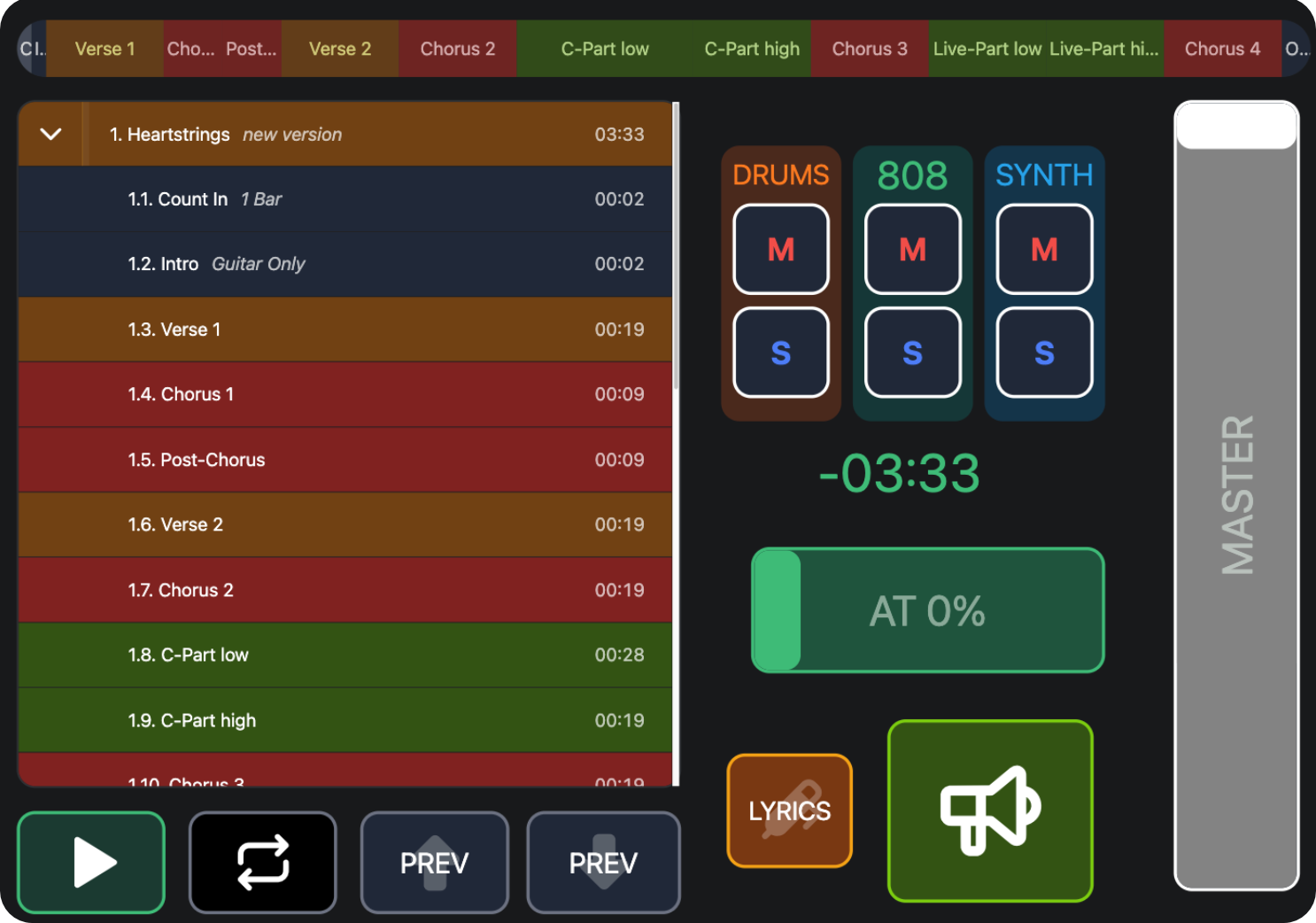
Here’s the DJ Deck Canvas from the Video Tutorial Series we rebuilt in the AbleSet Launch Livestream!
To get the goodies (Sheets Canvas, Desktop Backgrounds, Cues Rack, Click Rack), head on over to our instagram, follow us and reply “STREAM” to any of our stories or highlights - we’ll send it right over!
A few notes:
• Make sure to have the following track groups for this to work:
+G:DRUMS
+G:808
+G:SYNTH
+G:MASTER
• We used UA MIDI Control to map the AutoTune Mix Knob, by looping back MIDI on the IAC Driver - make sure your port is called “IAC Bus 1” - the default on Mac is “IAC Driver Bus 1” - or simply change the script to your desired port.
• The same is true for the Airhorn Button, use “IAC Bus 1” to loop it back to Ableton. Make sure the “IAC Bus 1” Port has “Track” activated in Ableton’s MIDI settings. Then create a MIDI Track with a Drumrack on it, set this Port as the Input, activate “In” for Monitoring and then load whatever sample you want to use onto the C1 pad.
DJ Deck.json (11.2 KB)
Have fun with it and feel free to share you’re Canvases over here as well! 
Greetings
Chris & Karan