Tabora
July 24, 2026, 2:28pm
2
Can you give me an example?
Hey @Tabora ,
Here’s a an example you can apply to a Label:
1 - Click on the Template button on the right, and it’ll switch to Script.
2 - Then you could try something like this:
const song = osc("/setlist/activeSongName");
const isPlaying = osc("/global/isPlaying");

if (isPlaying) {
  return `Playing: ${song}`;
} else {
  return `Paused: ${song}`;
}
This works the same way in Button Labels, Icons, or Colors, anywhere you had a template field before, you can now write a full script with regular if/else logic instead of squeezing everything into one expression.
Give it a run and let me know how it goes!
2 Likes
Tabora
July 24, 2026, 10:10pm
4
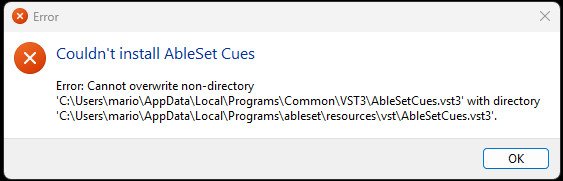
After installing the latest version, I always get the following error message when I start AbleSet:
What should I do?
Hey @Tabora ,
Could you try the following steps?
Close AbleSet and Ableton Live completely.
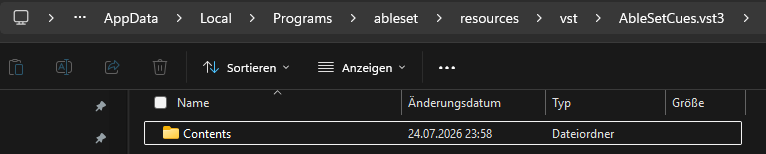
Go to C:\Users\mario\AppData\Local\Programs\Common\VST3\
Delete the old AbleSetCues.vst3 file (the single file).
Reinstall AbleSet.
Open Ableton Live and click “Rescan Plug-Ins” in the Plug-Ins preferences if AbleSet Cues doesn’t show up right away.
Let me know how this goes, I’m looking forward to your reply!
1 Like
Tabora
July 24, 2026, 11:03pm
7
I followed the steps and the error hasn’t happened again.
1 Like
jankap
July 28, 2026, 9:52pm
8
You are very fast. Love to try this out.