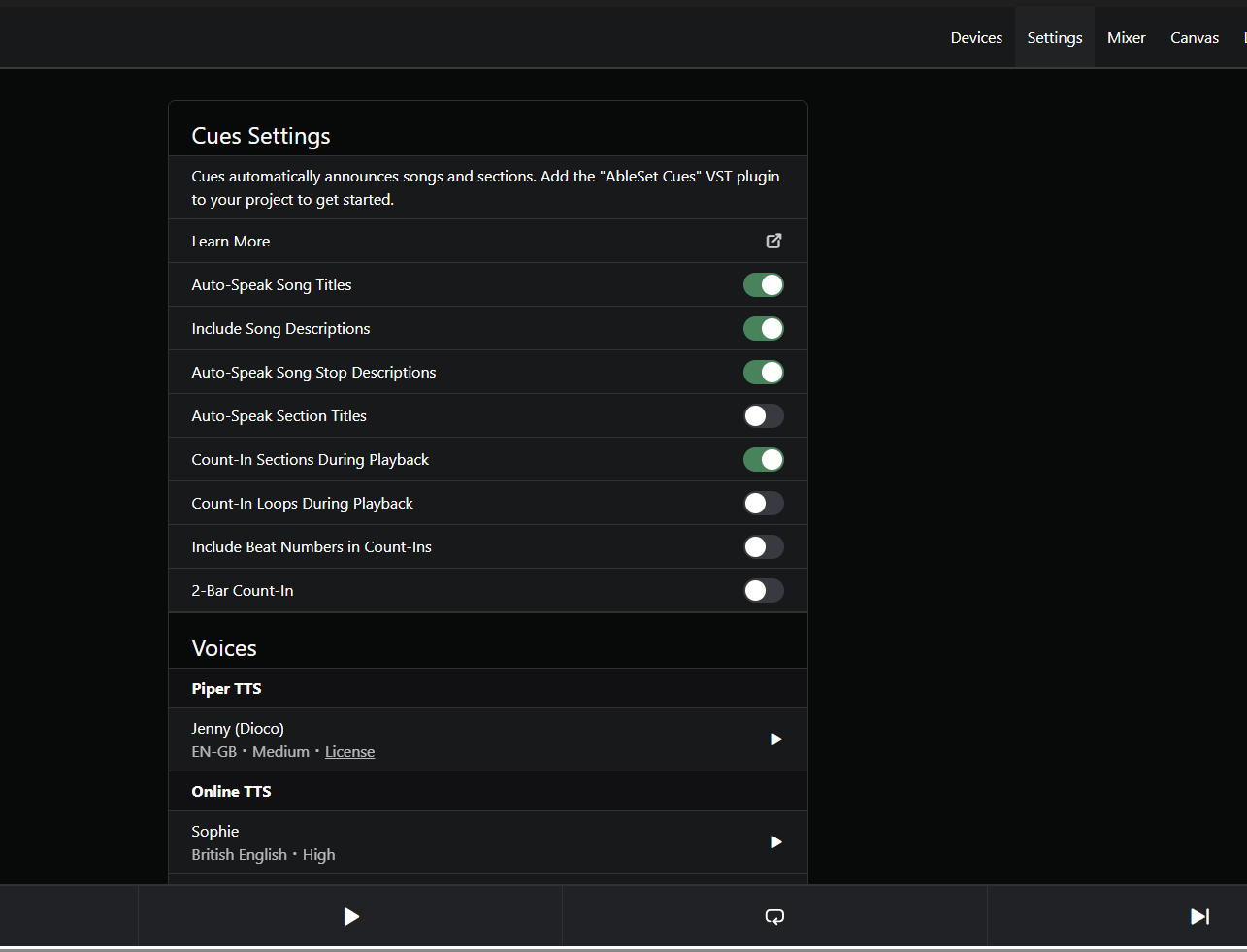
The 3.1.0 seems to become awesome. The cue function is a game changer.
A few things noticed/questions:
according to Using VST plug-ins on Windows – Ableton, the VST shall go to C:\Program Files\Common Files\VST3 , I think you install it into Roaming or ProgramData
the online TTS generation does not work, maybe due to API limits or something; any chance to debug that? Also, how to choose different voices from ElevenLabs? Unfortunately, I need German cues
how to roll back to pre-beta version for the next gig?
how much is the overhead of mapping the voices in real-time? Is that cached? Do I have to fear dropouts due to the cue feature?
Are you planning to release the cue as standard or pro feature?
Hey Jan, welcome to the forum and thank you for your feedback!
That’s a good point! I think I initially decided against installing the plugin there as that would require admin privileges, but I’ll see if I can find a good workaround for that.
Could you send me a log package so I can take a closer look? You can do that by opening AbleSet’s status window, clicking the settings icon on the top right, selecting “Create Log Package”, and then uploading the file to my Support Inbox.
You can just download and install the latest version from ableset.com to roll back
All cues are generated beforehand and cached in an AbleSet/Cues folder in your project. The VST itself just plays the generated wav files so it’s not resource-intensive at all.
This feature will be available in all editions of AbleSet – Intro, Standard, and Pro.
Hope this helps, let me know if you have any further questions!
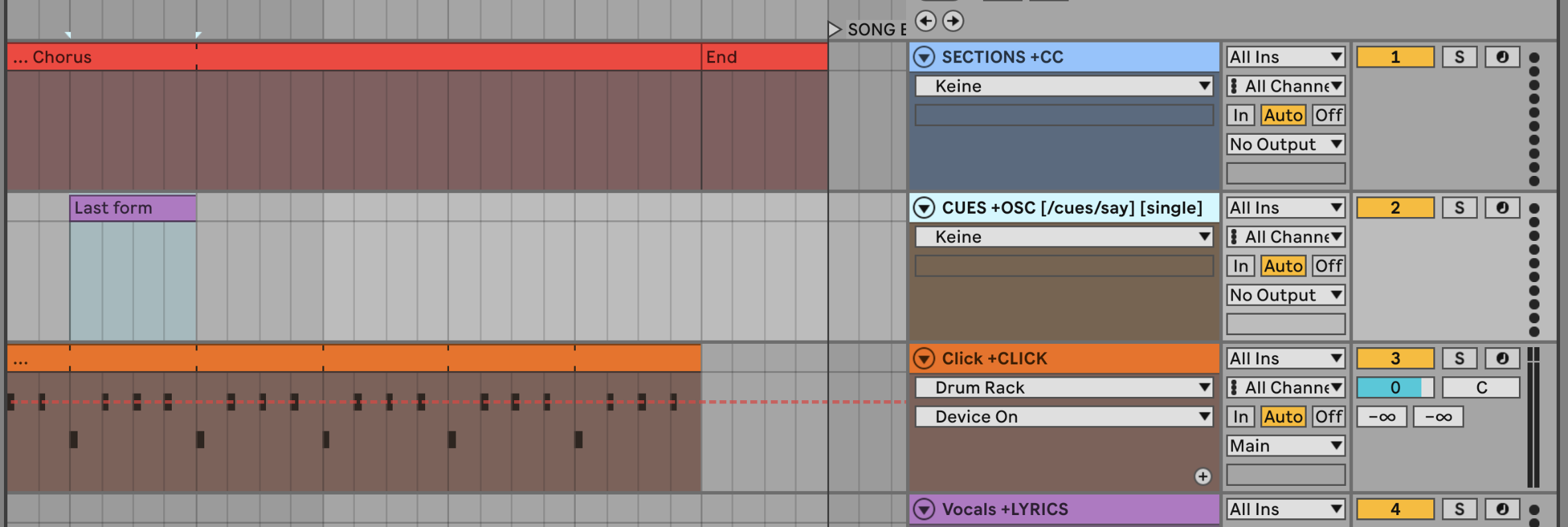
I’ve had this idea for a lyrics guide in my ear for a while now, and with the cue feature, I’ve been able to implement it exactly as I envisioned. It’s basically a sonoprompter for lyrics reminders directly in my ear. To do this, I duplicated the lyrics track and renamed it “sections,” and it works.
Is there a way to prevent the section description—highlighted in bold—from appearing in my lyrics window? I don’t want that. I’d appreciate knowing how to turn that option off.
Of course, if there’s a better way that I’m missing, I’d be grateful.
If what you’re seeing in bold is the section header blobs that wrap your lyrics lines, you can hide them by adding the [nosections] attribute to your lyrics track name in Ableton, e.g. Vocals +LYRICS [nosections]. That removes the section headers from the Lyrics view while keeping all your lines intact.
If that’s not quite what you meant, a quick screenshot of your Lyrics window with the part you’d like to hide marked would help
That was quick! I thought the deactivation would be on the selection track… doing it the way you indicated also removed the song title, but I can live with that… hehe. Sometimes it doesn’t read the first clip on the section track; it skips the initial one and starts on the next… could that be a bug that needs fixing?
My idea might be a bit strange, but it works, and it helps me a lot when rehearsing (for my cover show). I do have to go song by song, making sure I don’t get distracted by lines I don’t need (like backing vocals) and/or sync issues that might be distracting…
Chiming in on the topic here, I wonder if there could be or already is a way to get stuff apart from the section titles announced via the cues. For example, in a chorus section, I would like to get the last form announced. I would rather not make this an extra section to avoid cluttering the general view for other musicians.
From what I can read above, @ioi has at least—or even achieved—something like this, but I failed to get a separate track to announce any additional phrases. I guess I get the track naming wrong? Maybe a new track type, +CUES, could be introduced to work like the +LYRICS one, but the phrases would be read out?
EDIT: I found this but couldn’t make it work, unfortunately.
EDIT 2: I can see AbleSet’s standard OSC commands in the debug logs, but the clips in the OSC tracks do not cause any messages to show up in AbleSet. Is there anything in Live that I would need to activate?
EDIT 3: Mystery solved! Only the overview page of the docs indicates that OSC tracks are a Pro license feature. Would be nice if a hint could be added to the actual docs page, too. Upgraded. Works fine now!