Never hit download so fast in my life.
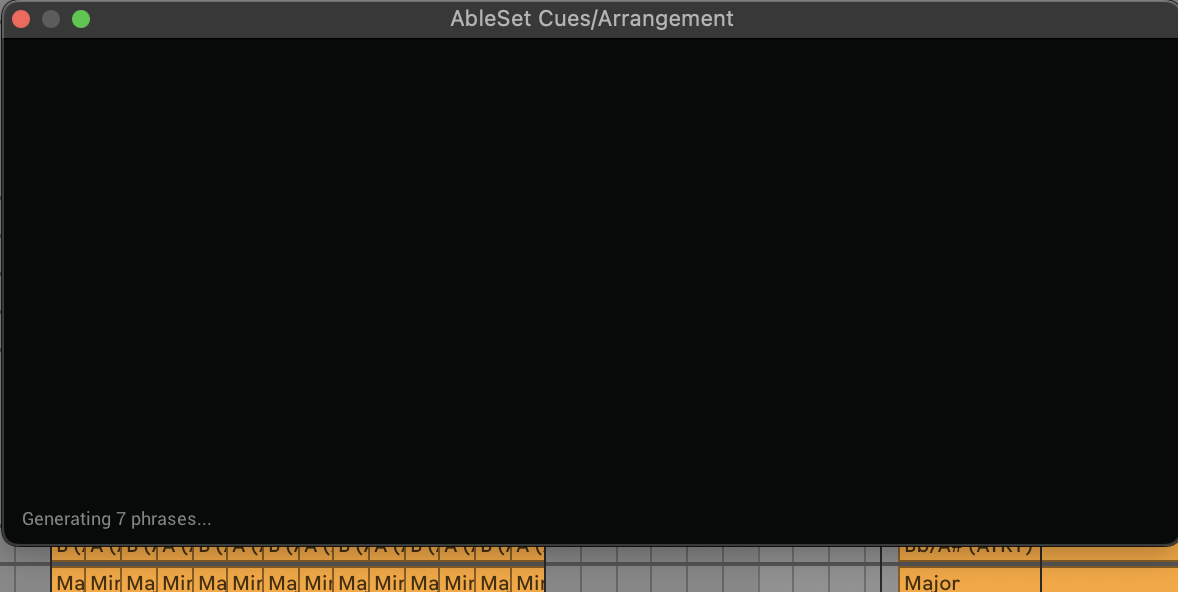
Unfortunately not yet able to get the cue generation working, it’s been ‘generating’ for some time…
Hey @LewisDavie, I think I found the issue. Could you go into the Cues settings on AbleSet’s settings page and select a different voice?
I wasn’t able to bundle the voice model that is selected in settings by default with AbleSet due to licensing issues, so I had to remove it before publishing the beta version, but I forgot to update the default voice setting to a value that is actually available.
I’m looking forward to your reply! 
1 Like
Hi Leo, that worked when I changed voice, closed down AbleSet and restarted it - initially upon selecting ‘Cues Settings’ I was confronted with an error message… something about ‘null’ and ‘undefined’, sadly didn’t get a screenshot… but I clicked past it without issue.
The cues are working! That’s awesome.
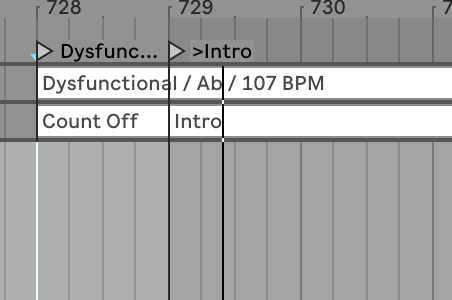
One thing I’ve noticed - and I think I can see why it’s behaving like this - is that I’m not getting a count-in for this intro section here:
It’s only one bar into the song, so I can imagine that the ‘space’ is needed for the song name so there’s no time to count in that intro. That said, I hear the name of the song when I select it in Ableton and playback isn’t running (which is fine), but then it won’t count in that intro and instead says the song name again, so it’s unable to count me into that intro.
Additionally, when I click on songs in the setlist using AbleSet (no playback running), I’m hearing the song name said twice.
Thank you for reporting this! Could you send me a log package that includes your project file so I can try to reproduce these issues on my end and look for a fix?
Yes indeed! Here you go:
EDIT: Just realised I may not have saved the project file with the plugin+cues track. I made a new audio track just below ‘Arrangement’ and dragged the plugin there; didn’t do anything else.
1 Like
Hi,
I’m liking the idea of the Cues feature but I can’t seem to find the Ableset Cues plugin in Live.
I’ve installed the latest beta and can see the Cues settings in Ableset.
Any help?
Hey @waynec42,
Just to double check: if you search for “Cues” in Ableton Live’s browser, does the plugin show up?
If you don’t see it there, please try this:
1. Go to Live’s Preferences → Plug-Ins
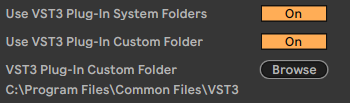
2. Make sure “Use VST3 Plug-In System Folders” is enabled
3. Then click “Rescan Plug-Ins”
If you’re on Windows, also make sure:
• “Use VST3 Plug-In Custom Folder” is enabled
• And set it to: %LOCALAPPDATA%\Programs\Common\VST3
The AbleSet Cues plugin should be available there once everything is set up correctly. 
Let me know what you find!
1 Like
Hi,
Thanks for the reponse.
No, Cues doesn’t show in the Live browser. I’ve check the Plugin settings and they are as you described.
Still no joy with finding Cues. Where should the plugin file be located? I’m on Windows.
Thanks.
Hey @waynec42, it seems that the “VST3 Plug-In Custom Folder” isn’t set correctly in your settings. Could you set it to “%LOCALAPPDATA%\Programs\Common\VST3” and check if that helps?