Hi all,
I’ve been using AbleSet with my band for a while now and, as an absolute nerd and as someone that got tired of writing off the setlist on a piece of paper every time it changes, I started looking to build a small device that would display some Ableset data.
I discovered that there are now ESP32 boards using 5GHz wifi available, which was a must for us as 2.4 is not great in most packed gigs (and 2.4 is turned off in our router anyway)
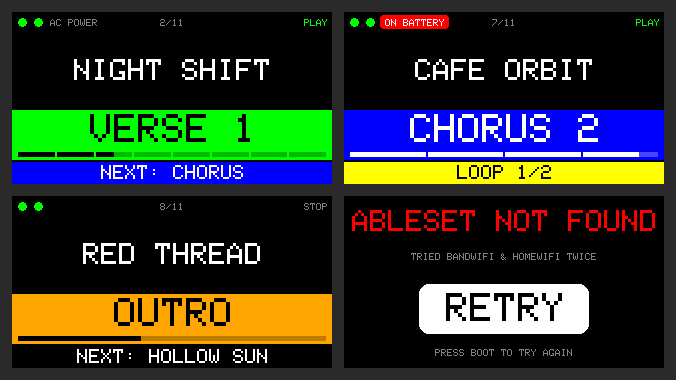
So I built a small 1.47 inch screen that I put on top of a pedal, powered by USB and I was able to get the current song, current section and next section names out of that small display.
Used it for a while and happy about it but I wanted to go bigger.
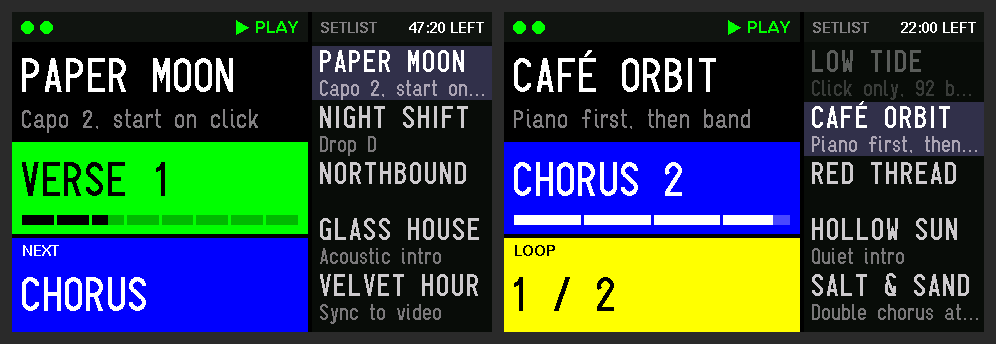
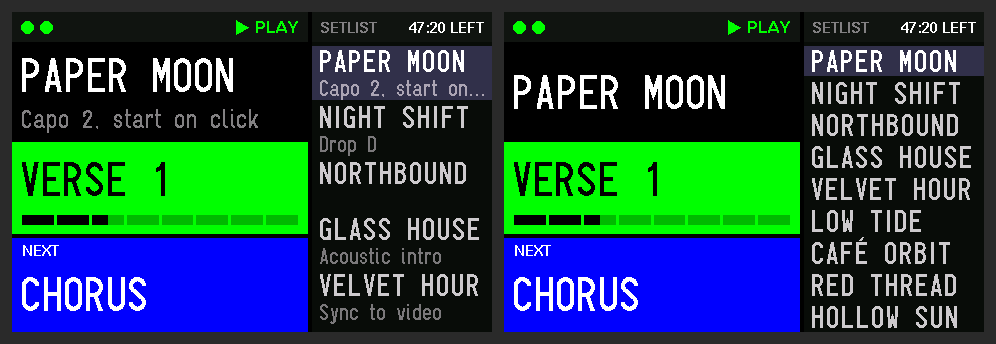
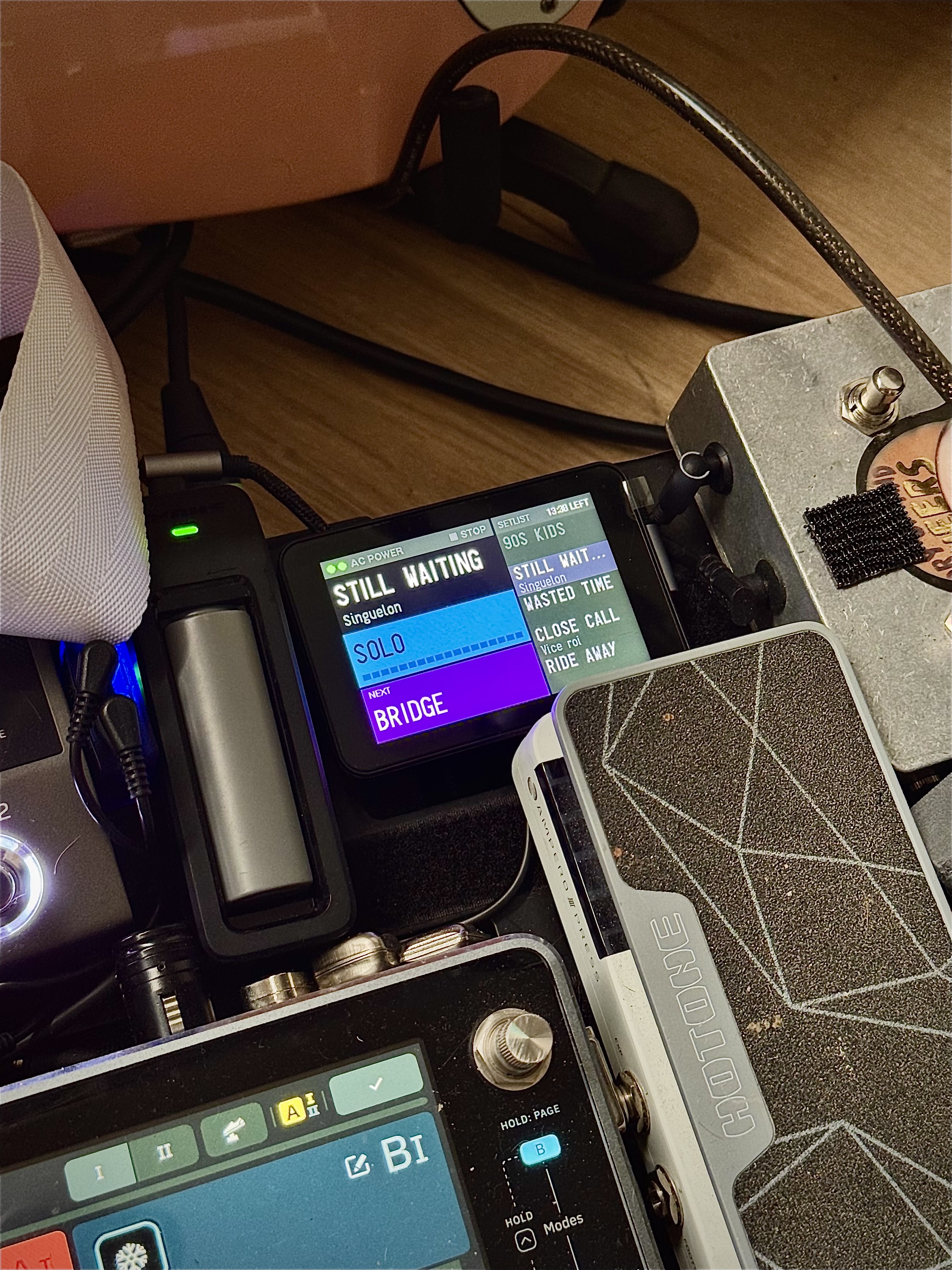
So I built a 3.5 inches version that can display section progress, setlist and all kind of stuff !
And I thought some of you might want to build something like this as well so here is the link to a GitHub repo with the source code and the list of feature below !
Enjoy !
P.S. One thing I couldn’t get: setlist stop markers don’t seem to be exposed over OSC other than if you set song stop description and that would have been handy for the setlist feature. If anyone knows a way, I’m interested.
What it shows
- Current song and current section, in the section’s AbleSet colour
- A progress bar, one segment per bar, filling beat by beat (handy inside loops)
- What’s next: the next section, or the next song when you’re on the last one
- A loop counter when you’re looping a section (LOOP 2 / 4)
- A red “ON BATTERY” badge if the laptop gets unplugged by accident
- 3.5" only: the setlist with time left in the set, and the song descriptions from AbleSet under each song (first line only, can be turned off to fit more songs)
How it connects
You put your Wi-Fi networks in a config file (rehearsal room, venue, home, as many as you want), flash it, and it finds AbleSet on the network by itself. No IP to type. If AbleSet isn’t on one network it tries the next, and after a couple of rounds it shows a Retry screen. Press the button (or tap the screen on the 3.5") to try again.
It subscribes to AbleSet’s OSC updates and re-syncs every few seconds, so a lost packet doesn’t leave it stuck on the wrong section.
Setup
Arduino IDE, the esp32 core, two libraries, copy the example secrets file and fill in your Wi-Fi, flash. The README walks through it with the exact board settings.
Pictures